Ga door naar hoofdinhoud
Word lid van de reparatiegemeenschap - Account aanmaken

Canon PIXMA iP3600 Printhead Replacement

    1. Canon PIXMA iP3600 Printhead Replacement, Ink Cartridges: stap 1, afbeelding 1 van 1
      • Press the power button to turn on the printer.

      Vraag FixBot

      Voeg opmerking toe

    2. Canon PIXMA iP3600 Printhead Replacement: stap 2, afbeelding 1 van 1
      • Pull down the front output tray cover.

      Vraag FixBot

      Voeg opmerking toe

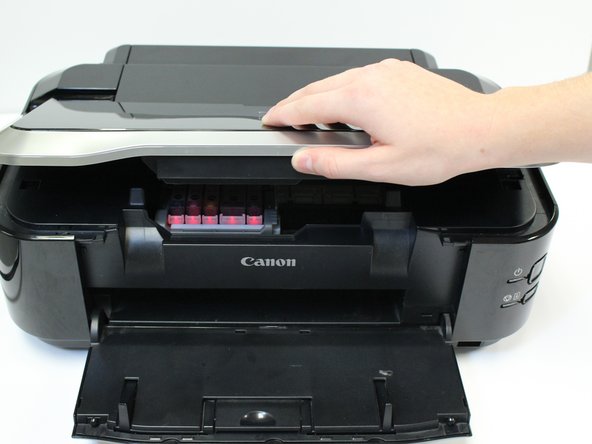
    3. Canon PIXMA iP3600 Printhead Replacement: stap 3, afbeelding 1 van 1
      • Lift the printer lid.

      Vraag FixBot

      Voeg opmerking toe

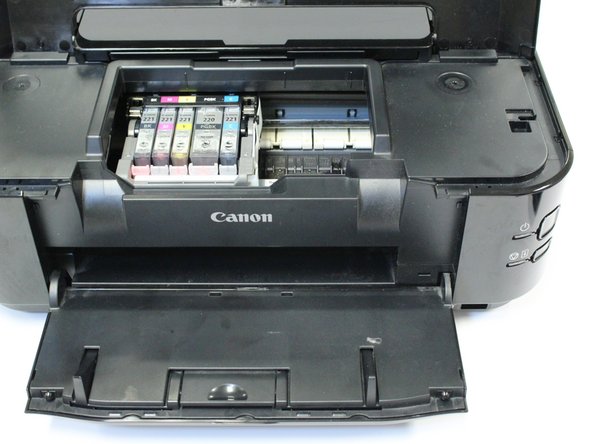
    4. Canon PIXMA iP3600 Printhead Replacement: stap 4, afbeelding 1 van 1
      • Allow the belt, containing ink cartridges, to adjust and center so that the ink cartridges are visible.

      Vraag FixBot

      Voeg opmerking toe

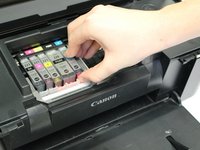
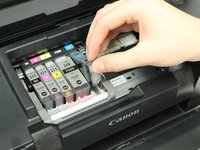
    5. Canon PIXMA iP3600 Printhead Replacement: stap 5, afbeelding 1 van 2 Canon PIXMA iP3600 Printhead Replacement: stap 5, afbeelding 2 van 2
      • Push in the white clip to release the ink cartridge from the printhead.

      • Lift the ink cartridge from the printhead.

      • Repeat this process for the remaining ink cartridges.

      • You have successfully removed all ink cartridges.

      Vraag FixBot

      Voeg opmerking toe

    1. Canon PIXMA iP3600 Printhead Replacement, Printhead: stap 6, afbeelding 1 van 1
      • After removing all ink cartridges, lift the printhead lock lever.

      Vraag FixBot

      Voeg opmerking toe

    2. Canon PIXMA iP3600 Printhead Replacement: stap 7, afbeelding 1 van 1
      • Pull up and lift out the black piece that previously held the ink cartridges. This is the printhead.

      Vraag FixBot

      Voeg opmerking toe

    3. Canon PIXMA iP3600 Printhead Replacement: stap 8, afbeelding 1 van 1
      • You have successfully removed your printhead.

      Vraag FixBot

      Voeg opmerking toe

Conclusie

To reassemble your device, follow these instructions in reverse order.

Annuleren: ik heb deze handleiding niet afgemaakt.

6 andere personen hebben deze handleiding voltooid.

Caitlyn

Lid sinds: 10/07/14

1.223 Reputatie

4 handleidingen geschreven

Team

USF Tampa, Team 1-3, Leahy Fall 2014 Lid van USF Tampa, Team 1-3, Leahy Fall 2014

USFT-LEAHY-F14S1G3

3 Leden

8 handleidingen geschreven

1Gids Commentaar

fairly helpful, especially the photo's. but I need advice on how to clean the printhead before trying to replace it,

a1halber - Antwoord Deel

Voeg opmerking toe

Weergavestatistieken:

Afgelopen 24 uren: 5

Afgelopen 7 dagen: 19

Afgelopen 30 dagen: 84

Altijd: 9,521