Ga door naar hoofdinhoud
Word lid van de reparatiegemeenschap - Account aanmaken

Canon CanoScan N670U Sensor Bar Replacement

Wat je nodig hebt

  1. Canon CanoScan N670U Sensor Bar Replacement, Canon CanoScan N670U Disassembly: stap 1, afbeelding 1 van 1
    • Open up your Canon CanoScan N670U to an upright position.

    Vraag FixBot

    Voeg opmerking toe

  2. Canon CanoScan N670U Sensor Bar Replacement: stap 2, afbeelding 1 van 1
    • Turn your device so that you're facing the long side of the Canon CanoScan N670U.

    • Locate the small crevice between the plastic components of the scanner bed and the scanner base.

    Vraag FixBot

    Voeg opmerking toe

  3. Canon CanoScan N670U Sensor Bar Replacement: stap 3, afbeelding 1 van 1
    • Carefully insert a metal spudger tool in the crevice and slowly cut through the adhesive between the plastic components.

    • You may cut small bits of the plastic as you're slicing the adhesive. Do not forcefully bend the plastic strip as you're cutting or it will snap.

    Vraag FixBot

    Voeg opmerking toe

  4. Canon CanoScan N670U Sensor Bar Replacement: stap 4, afbeelding 1 van 1
    • Once the adhesive strip is sliced through, the plastic bar that is attached should release. Set aside the plastic bar.

    Vraag FixBot

    Voeg opmerking toe

  5. Canon CanoScan N670U Sensor Bar Replacement: stap 5, afbeelding 1 van 1
    • Repeat steps 2-4 for the other side of the scanner.

    Vraag FixBot

    Voeg opmerking toe

  6. Canon CanoScan N670U Sensor Bar Replacement: stap 6, afbeelding 1 van 1
    • Use your hands or a metal spudger tool to push the plastic bar at the bottom of the glass scanner bed forward until you can't push it any farther.

    Vraag FixBot

    Voeg opmerking toe

  7. Canon CanoScan N670U Sensor Bar Replacement: stap 7, afbeelding 1 van 1
    • Insert the metal spudger tool underneath the glass scanner bed. The front of the scanner bed should be resting on top of the tool.

    Vraag FixBot

    Voeg opmerking toe

  8. Canon CanoScan N670U Sensor Bar Replacement: stap 8, afbeelding 1 van 1
    • Slowly pull the glass scanner bed towards you and set the piece aside.

    Vraag FixBot

    Voeg opmerking toe

  9. Canon CanoScan N670U Sensor Bar Replacement, Sensor Bar: stap 9, afbeelding 1 van 1
    • This is the sensor bar that you will replace.

    Vraag FixBot

    Voeg opmerking toe

  10. Canon CanoScan N670U Sensor Bar Replacement: stap 10, afbeelding 1 van 2 Canon CanoScan N670U Sensor Bar Replacement: stap 10, afbeelding 2 van 2
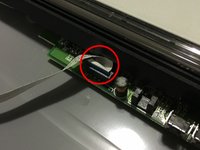
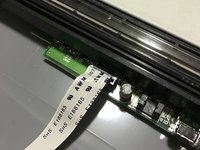
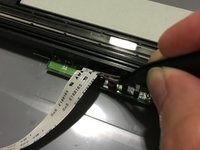
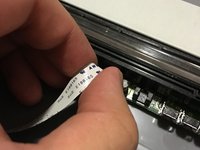
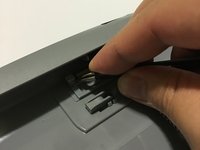
    • Locate the small plug where the white strip of cable is connected to.

    • Unfurl the cable strip if it's tucked in.

    Vraag FixBot

    Voeg opmerking toe

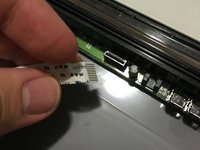
  11. Canon CanoScan N670U Sensor Bar Replacement: stap 11, afbeelding 1 van 3 Canon CanoScan N670U Sensor Bar Replacement: stap 11, afbeelding 2 van 3 Canon CanoScan N670U Sensor Bar Replacement: stap 11, afbeelding 3 van 3
    Gereedschap gebruikt in deze stap:
    Tweezers
    $4.99
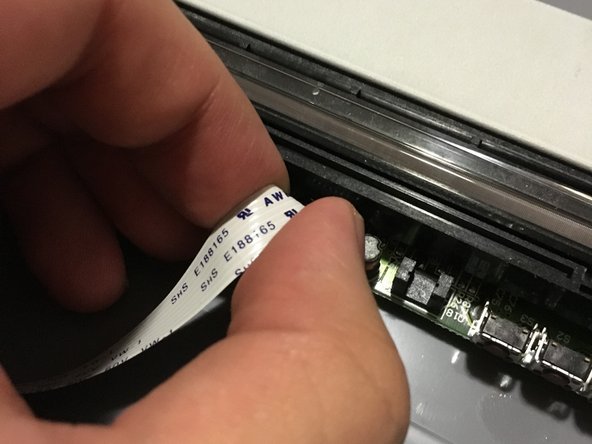
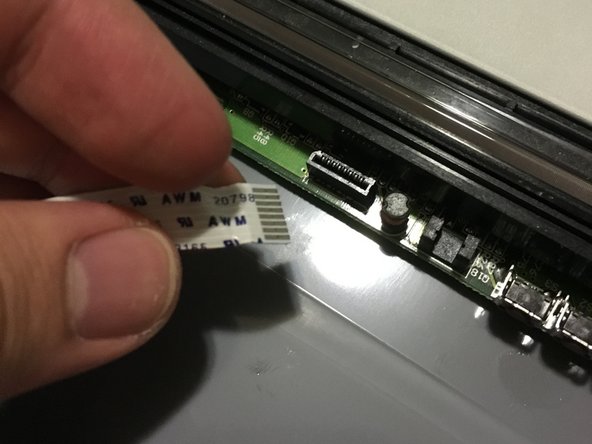
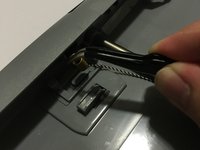
    • Gently use tweezers or your fingers to rock the cable back and forth to disconnect the it.

    • Do not apply too much pressure or you may damage some delicate components.

    Vraag FixBot

    Voeg opmerking toe

  12. Canon CanoScan N670U Sensor Bar Replacement: stap 12, afbeelding 1 van 1
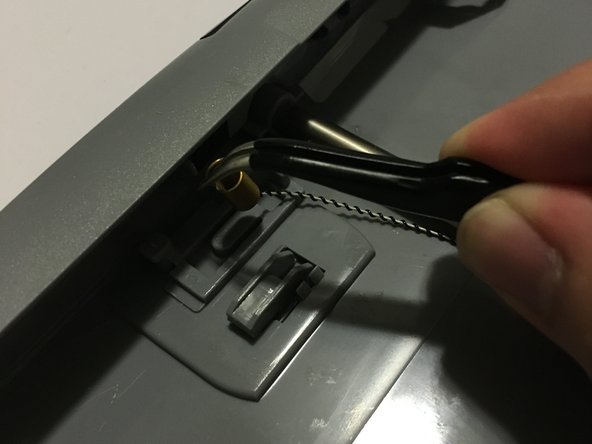
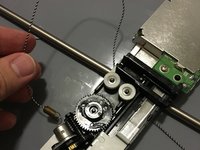
    • Locate the small metal spring behind the front buttons of the Canon CanoScan N670U.

    Vraag FixBot

    Voeg opmerking toe

  13. Canon CanoScan N670U Sensor Bar Replacement: stap 13, afbeelding 1 van 2 Canon CanoScan N670U Sensor Bar Replacement: stap 13, afbeelding 2 van 2
    • Use tweezers to gently remove the metal spring from the plastic hook.

    • Due to the tension of the spring, it can be difficult to pull the metal end. You may attempt to use your hands to pull the spring itself if necessary.

    • Take caution to not bend the metal.

    Vraag FixBot

    Voeg opmerking toe

  14. Canon CanoScan N670U Sensor Bar Replacement: stap 14, afbeelding 1 van 2 Canon CanoScan N670U Sensor Bar Replacement: stap 14, afbeelding 2 van 2
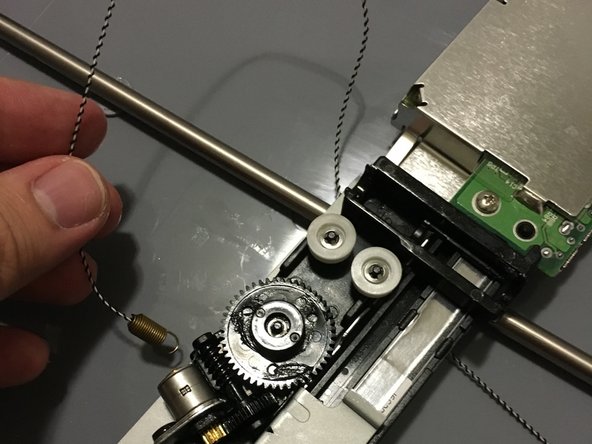
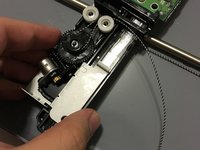
    • Flip the sensor bar over and unwind the belt from the gear system.

    Vraag FixBot

    Voeg opmerking toe

  15. Canon CanoScan N670U Sensor Bar Replacement: stap 15, afbeelding 1 van 1
    • Remove the sensor bar from the scanner and replace it with the new one.

    Vraag FixBot

    Voeg opmerking toe

Conclusie

To reassemble your device, follow these instructions in reverse order.

Annuleren: ik heb deze handleiding niet afgemaakt.

Één andere persoon heeft deze handleiding voltooid.

Stephen Bui

Lid sinds: 09/19/15

558 Reputatie

4 handleidingen geschreven

Team

0Gids Commentaar

Voeg opmerking toe

Weergavestatistieken:

Afgelopen 24 uren: 0

Afgelopen 7 dagen: 15

Afgelopen 30 dagen: 37

Altijd: 1,210