Ga door naar hoofdinhoud
Word lid van de reparatiegemeenschap - Account aanmaken

Brother PT-210 Battery Replacement

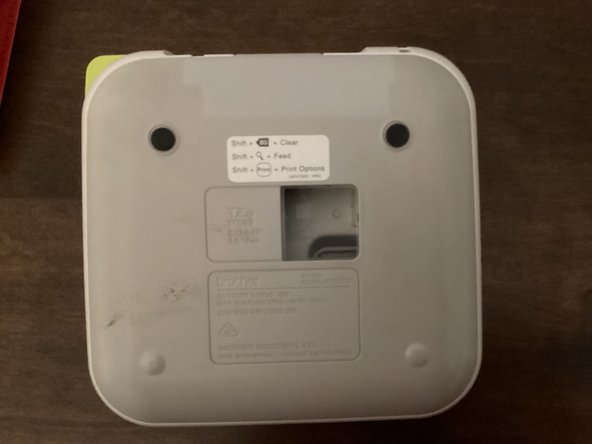
  1. Brother PT-210 Battery Replacement, Back Cover: stap 1, afbeelding 1 van 3 Brother PT-210 Battery Replacement, Back Cover: stap 1, afbeelding 2 van 3 Brother PT-210 Battery Replacement, Back Cover: stap 1, afbeelding 3 van 3
    • Use the tab to open the back cover of your machine.

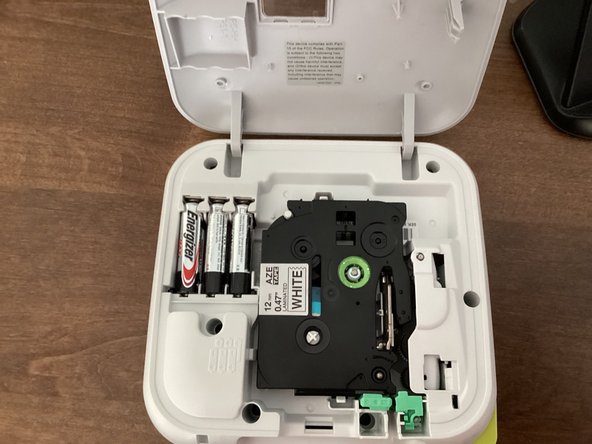
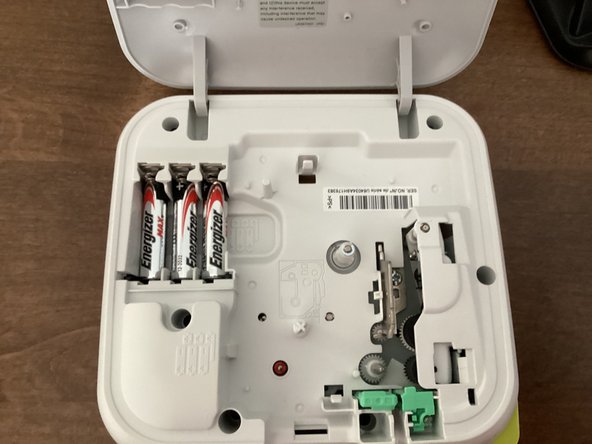
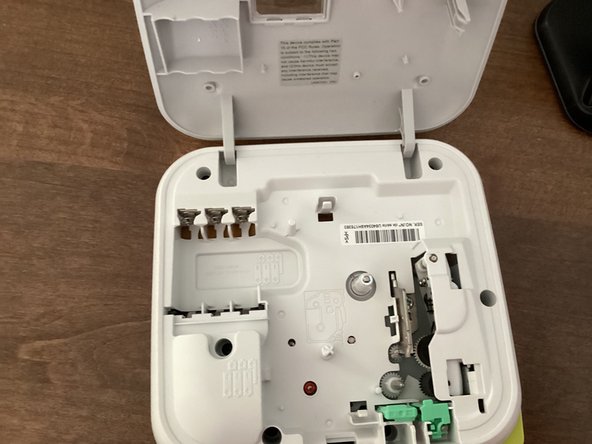
  2. Brother PT-210 Battery Replacement, Batteries: stap 2, afbeelding 1 van 3 Brother PT-210 Battery Replacement, Batteries: stap 2, afbeelding 2 van 3 Brother PT-210 Battery Replacement, Batteries: stap 2, afbeelding 3 van 3
    • Remove all 6 batteries from your machine.

    • When you put the batteries back in, keep in mind that the polarity of them matter. Your machine won't work if the polarities of the batteries are messed up.

    • Do not mix new and old batteries!

    • It might be helpful to take the tape out of your machine. This guide shows you how to.

Conclusie

To reassemble your device, follow these instructions in reverse order.

TheMasterG

Lid sinds: 07/19/24

1.406 Reputatie

12 handleidingen geschreven

0Gids Commentaar

Voeg opmerking toe

Weergavestatistieken:

Afgelopen 24 uren: 1

Afgelopen 7 dagen: 2

Afgelopen 30 dagen: 33

Altijd: 237