Ga door naar hoofdinhoud
Word lid van de reparatiegemeenschap - Account aanmaken

BlackBerry 8820 Keyboard Replacement

Wat je nodig hebt

  1. BlackBerry 8820 Keyboard Replacement, Outer Casing: stap 1, afbeelding 1 van 1
    • Remove the battery cover by applying pressure and sliding the silver square on the back of the phone downwards.

    Vraag FixBot

    Voeg opmerking toe

  2. BlackBerry 8820 Keyboard Replacement: stap 2, afbeelding 1 van 2 BlackBerry 8820 Keyboard Replacement: stap 2, afbeelding 2 van 2
    • Remove the battery by prying under it with your finger or a plastic opening tool.

    • Remove the four small 3/8" long screws using a 1/16" diameter torx screwdriver.

    Vraag FixBot

    Voeg opmerking toe

  3. BlackBerry 8820 Keyboard Replacement: stap 3, afbeelding 1 van 2 BlackBerry 8820 Keyboard Replacement: stap 3, afbeelding 2 van 2
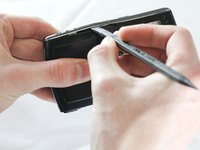
    • Carefully remove the two plastic side bars using a nylon spudger.

    Vraag FixBot

    Voeg opmerking toe

  4. BlackBerry 8820 Keyboard Replacement: stap 4, afbeelding 1 van 1
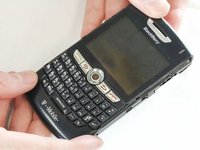
    • Carefully pry the back casing off with a nylon spudger.

    • There are two small clamps on each edge that need to be unhooked before the casing can come off.

    Vraag FixBot

    Voeg opmerking toe

  5. BlackBerry 8820 Keyboard Replacement: stap 5, afbeelding 1 van 1
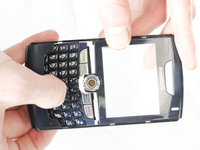
    • Pry off the front casing.

    • Be cautious of sensors and other sensitive areas of the newly exposed electronics.

    Vraag FixBot

    Voeg opmerking toe

  6. BlackBerry 8820 Keyboard Replacement, Keyboard: stap 6, afbeelding 1 van 1
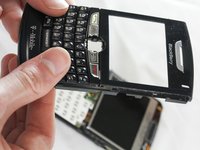
    • Slide the keyboard downwards, as shown.

    • The keyboard will detach from the casing with a small amount of pressure.

    Vraag FixBot

    Voeg opmerking toe

  7. BlackBerry 8820 Keyboard Replacement: stap 7, afbeelding 1 van 2 BlackBerry 8820 Keyboard Replacement: stap 7, afbeelding 2 van 2
    • Slide the new keyboard into the casing. If done correctly, it should click into place and stay secure.

    Vraag FixBot

    Voeg opmerking toe

Conclusie

To reassemble your device, follow these instructions in reverse order.

Annuleren: ik heb deze handleiding niet afgemaakt.

3 andere personen hebben deze handleiding voltooid.

ryan

Lid sinds: 04/12/13

44 Reputatie

5 handleidingen geschreven

Team

Cal Poly, Team 13-64, Johann Spring 2013 Lid van Cal Poly, Team 13-64, Johann Spring 2013

CPSU-JOHANN-S13S13G64

4 Leden

7 handleidingen geschreven

0Gids Commentaar

Voeg opmerking toe

Weergavestatistieken:

Afgelopen 24 uren: 1

Afgelopen 7 dagen: 8

Afgelopen 30 dagen: 50

Altijd: 940