Ga door naar hoofdinhoud
Word lid van de reparatiegemeenschap - Account aanmaken

BLU Life X8 Motherboard Replacement

Wat je nodig hebt

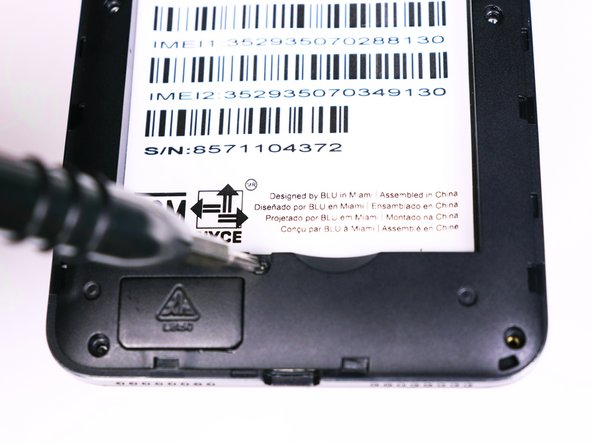
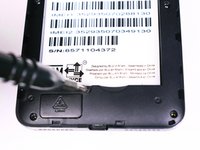
    1. BLU Life X8 Motherboard Replacement, Battery: stap 1, afbeelding 1 van 2 BLU Life X8 Motherboard Replacement, Battery: stap 1, afbeelding 2 van 2
      • Flip the phone over so that the screen is facing down.

      • Slide the opening tool between the micro-USB port and the back cover.

      • Use the opening tool to create a gap.

      Vraag FixBot

      Voeg opmerking toe

    2. BLU Life X8 Motherboard Replacement: stap 2, afbeelding 1 van 1
      • Use your thumb to pry off the back panel once the gap is large enough.

      Vraag FixBot

      Voeg opmerking toe

    3. BLU Life X8 Motherboard Replacement: stap 3, afbeelding 1 van 1
      • Once the back panel is off, locate the indent at the bottom of the battery.

      • Use your thumb to slip the battery out of the case.

      Vraag FixBot

      Voeg opmerking toe

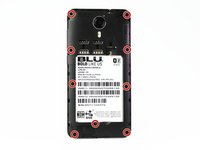
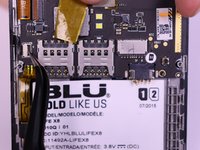
    1. BLU Life X8 Motherboard Replacement, Motherboard: stap 4, afbeelding 1 van 2 BLU Life X8 Motherboard Replacement, Motherboard: stap 4, afbeelding 2 van 2
      • Use the Phillips #00 bit to undo the nine 1.5mm screws from the back of the device.

      Vraag FixBot

      Voeg opmerking toe

    2. BLU Life X8 Motherboard Replacement: stap 5, afbeelding 1 van 1
      • Wedge the opening tool into the seam of between the screen and the gray frame.

      • Run the opening tool along the seam to release the clips that hold the two pieces together.

      • You may need to use the opening picks to prevent the clips from re-engaging.

      Vraag FixBot

      Voeg opmerking toe

    3. BLU Life X8 Motherboard Replacement: stap 6, afbeelding 1 van 1
      • Once all the clips have been released, lift the frame and set it aside.

      Vraag FixBot

      Voeg opmerking toe

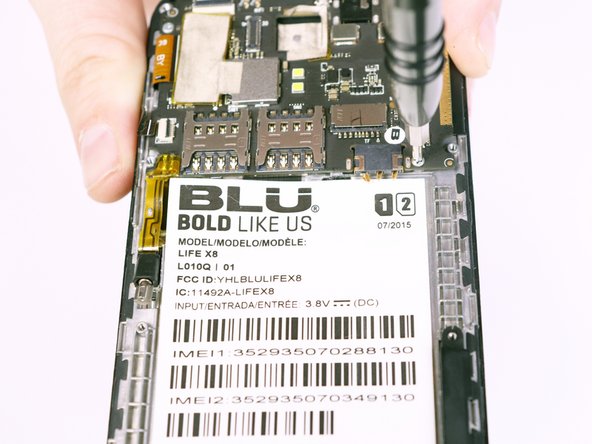
    4. BLU Life X8 Motherboard Replacement: stap 7, afbeelding 1 van 2 BLU Life X8 Motherboard Replacement: stap 7, afbeelding 2 van 2
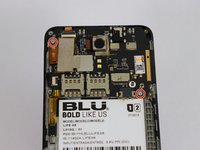
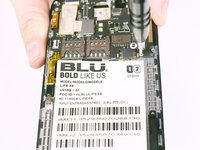
      • Use the Phillips #00 Phillips bit to undo the two 1.5mm screws from the motherboard.

      Vraag FixBot

      Voeg opmerking toe

    5. BLU Life X8 Motherboard Replacement: stap 8, afbeelding 1 van 3 BLU Life X8 Motherboard Replacement: stap 8, afbeelding 2 van 3 BLU Life X8 Motherboard Replacement: stap 8, afbeelding 3 van 3
      Gereedschap gebruikt in deze stap:
      Tweezers
      $4.99
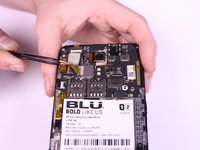
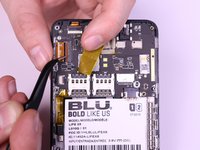
      • Use the tweezers to peel away the mesh tape and reveal the ribbon connectors.

      • Use the tweezers to lift the brown and black tabs to release the ribbon cables and unlock them.

      Vraag FixBot

      Voeg opmerking toe

    6. BLU Life X8 Motherboard Replacement: stap 9, afbeelding 1 van 1
      • The ribbon cables should be free. Pull back on the ribbons to release them from their connectors.

      Vraag FixBot

      Voeg opmerking toe

    7. BLU Life X8 Motherboard Replacement: stap 10, afbeelding 1 van 1
      • Slowly lift the vibration motor away from the frame and peel up the tape.

      Vraag FixBot

      Voeg opmerking toe

Conclusie

To reassemble your device, follow these instructions in reverse order.

Annuleren: ik heb deze handleiding niet afgemaakt.

2 andere personen hebben deze handleiding voltooid.

Alexander Prasil

Lid sinds: 09/28/17

555 Reputatie

5 handleidingen geschreven

Team

USF Tampa, Team S1-G2, Nance Fall 2017 Lid van USF Tampa, Team S1-G2, Nance Fall 2017

USFT-NANCE-F17S1G2

4 Leden

42 handleidingen geschreven

1Gids Commentaar

These steps sure was easy then i thought it would be.

Sweetie Tufele - Antwoord Deel

Voeg opmerking toe

Weergavestatistieken:

Afgelopen 24 uren: 0

Afgelopen 7 dagen: 6

Afgelopen 30 dagen: 34

Altijd: 803