Ga door naar hoofdinhoud
Word lid van de reparatiegemeenschap - Account aanmaken

Asus Z54C-JS31 Optical Disc Drive Replacement

Wat je nodig hebt

    1. Asus Z54C-JS31 Optical Disc Drive Replacement, Battery: stap 1, afbeelding 1 van 3 Asus Z54C-JS31 Optical Disc Drive Replacement, Battery: stap 1, afbeelding 2 van 3 Asus Z54C-JS31 Optical Disc Drive Replacement, Battery: stap 1, afbeelding 3 van 3
      • Turn the laptop upside down so that the underside is facing up and locate the two switches that are on each side of the battery.

      • Slide the switch on the top right corner to the right.

      • Slide and hold the switch on the top left corner to the left and carefully remove the battery.

      Vraag FixBot

      Voeg opmerking toe

    1. Asus Z54C-JS31 Optical Disc Drive Replacement, Keyboard: stap 2, afbeelding 1 van 2 Asus Z54C-JS31 Optical Disc Drive Replacement, Keyboard: stap 2, afbeelding 2 van 2
      • Turn the laptop to its normal position and open the display to show the keyboard.

      • Gently push back the five tabs holding the keyboard down using the plastic opening tool.

      Vraag FixBot

      Voeg opmerking toe

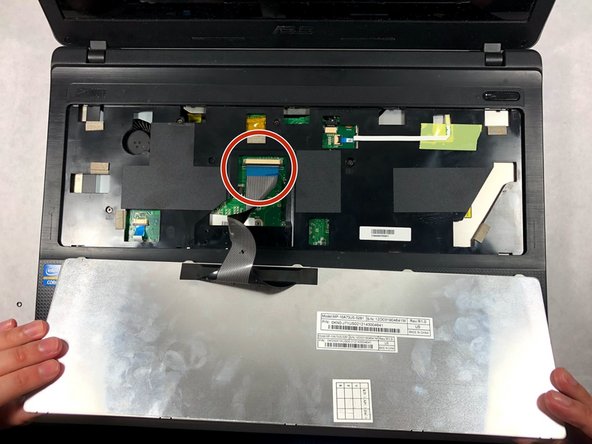
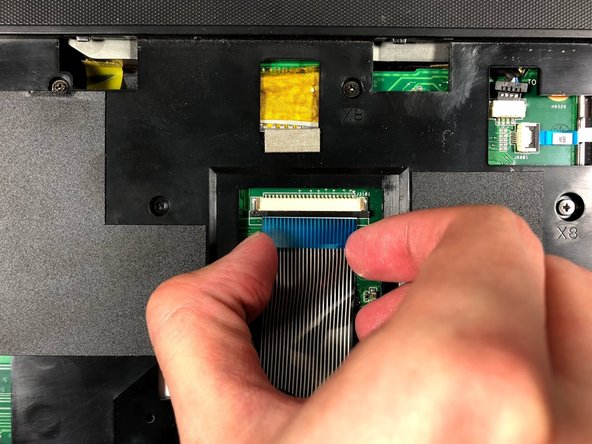
    2. Asus Z54C-JS31 Optical Disc Drive Replacement: stap 3, afbeelding 1 van 3 Asus Z54C-JS31 Optical Disc Drive Replacement: stap 3, afbeelding 2 van 3 Asus Z54C-JS31 Optical Disc Drive Replacement: stap 3, afbeelding 3 van 3
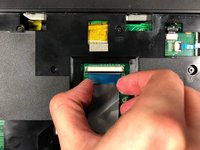
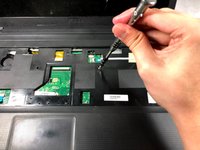
      • Once the keyboard is free, disconnect the ribbon cable from the zero insertion force (ZIF) connector by flipping up the locking flap and pulling the cable out.

      Vraag FixBot

      Voeg opmerking toe

    1. Asus Z54C-JS31 Optical Disc Drive Replacement, Optical Disc Drive: stap 4, afbeelding 1 van 3 Asus Z54C-JS31 Optical Disc Drive Replacement, Optical Disc Drive: stap 4, afbeelding 2 van 3 Asus Z54C-JS31 Optical Disc Drive Replacement, Optical Disc Drive: stap 4, afbeelding 3 van 3
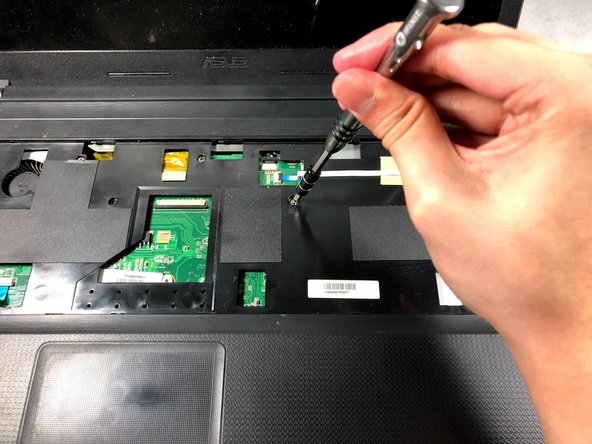
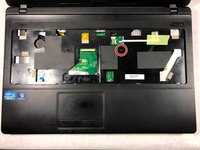
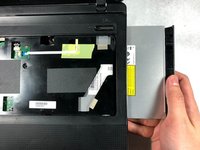
      • Remove the 3mm screw with a Phillips #000 screwdriver.

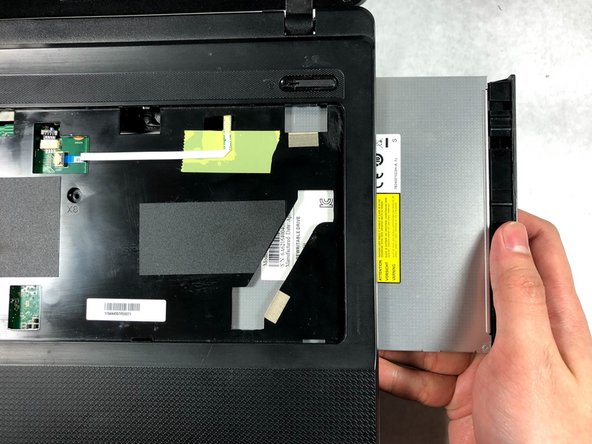
      • Slide out the optical disc drive by pulling it away from the laptop.

      Vraag FixBot

      Voeg opmerking toe

Conclusie

To reassemble your device, follow these instructions in reverse order.

Annuleren: ik heb deze handleiding niet afgemaakt.

Mark DeSimone

Lid sinds: 10/19/17

801 Reputatie

8 handleidingen geschreven

Team

UMass Dartmouth, Team S3-G1, Bailey Fall 2017 Lid van UMass Dartmouth, Team S3-G1, Bailey Fall 2017

UMASSD-BAILEY-F17S3G1

2 Leden

16 handleidingen geschreven

0Gids Commentaar

Voeg opmerking toe

Weergavestatistieken:

Afgelopen 24 uren: 0

Afgelopen 7 dagen: 2

Afgelopen 30 dagen: 16

Altijd: 281