Ga door naar hoofdinhoud
Word lid van de reparatiegemeenschap - Account aanmaken

Asus ROG Strix GL702VS Fan Replacement

Wat je nodig hebt

  1. Asus ROG Strix GL702VS Fan Replacement, Back Cover: stap 1, afbeelding 1 van 1
    • Flip the computer so the bottom of the laptop is facing up.

  2. Asus ROG Strix GL702VS Fan Replacement: stap 2, afbeelding 1 van 1
    • Remove the ten JIS #0 screws around the edge of the laptop.

    • The two bottom screws are slightly shorter

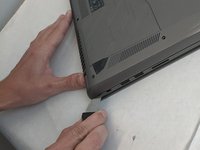
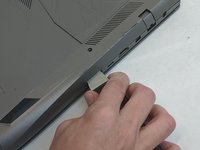
  3. Asus ROG Strix GL702VS Fan Replacement: stap 3, afbeelding 1 van 2 Asus ROG Strix GL702VS Fan Replacement: stap 3, afbeelding 2 van 2
    • Use a Jimmy to carefully free each side of the bottom casing.

  4. Asus ROG Strix GL702VS Fan Replacement: stap 4, afbeelding 1 van 1
    • Lift up the back casing from the computer.

    • You may hear clicking or snapping sounds. This is just the plastic clips coming loose.

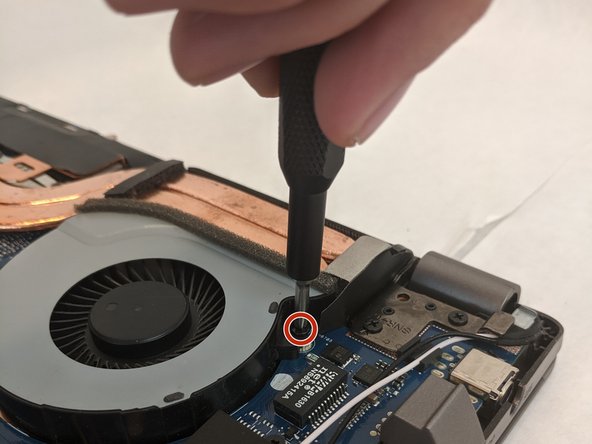
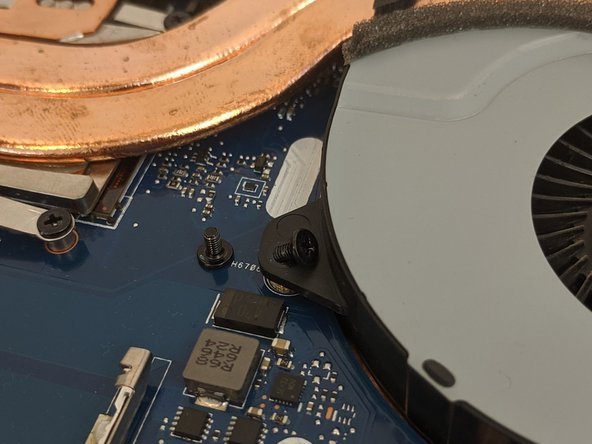
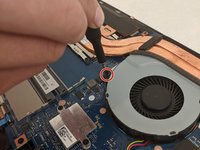
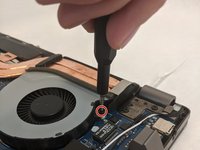
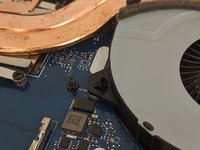
  5. Asus ROG Strix GL702VS Fan Replacement, Cooling Fans: stap 5, afbeelding 1 van 3 Asus ROG Strix GL702VS Fan Replacement, Cooling Fans: stap 5, afbeelding 2 van 3 Asus ROG Strix GL702VS Fan Replacement, Cooling Fans: stap 5, afbeelding 3 van 3
    • Remove the four 4.8mm JIS #0 screws (two on each fan).

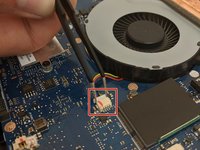
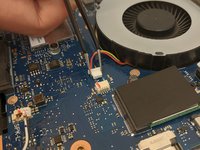
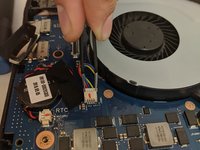
  6. Asus ROG Strix GL702VS Fan Replacement: stap 6, afbeelding 1 van 3 Asus ROG Strix GL702VS Fan Replacement: stap 6, afbeelding 2 van 3 Asus ROG Strix GL702VS Fan Replacement: stap 6, afbeelding 3 van 3
    Gereedschap gebruikt in deze stap:
    Tweezers
    $4.99
    • Remove the fan's connector on the motherboard using a pair of tweezers.

    • Be gentle, as the small clips and wires can be easily damaged.

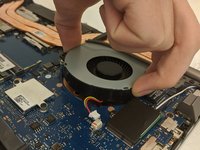
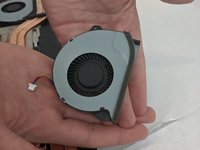
  7. Asus ROG Strix GL702VS Fan Replacement: stap 7, afbeelding 1 van 2 Asus ROG Strix GL702VS Fan Replacement: stap 7, afbeelding 2 van 2
    • Gently lift each fan up and out of position.

Conclusie

To reassemble your device, follow these instructions in reverse order.


Één andere persoon heeft deze handleiding voltooid.

0Gids Commentaar

Voeg opmerking toe

Weergavestatistieken:

Afgelopen 24 uren: 2

Afgelopen 7 dagen: 8

Afgelopen 30 dagen: 27

Altijd: 3,281