Ga door naar hoofdinhoud
Word lid van de reparatiegemeenschap - Account aanmaken

Asus Q551L Screen Replacement

Wat je nodig hebt

    1. Asus Q551L Screen Replacement, Back Panel: stap 1, afbeelding 1 van 2 Asus Q551L Screen Replacement, Back Panel: stap 1, afbeelding 2 van 2
      • Unscrew the 10 screws around the edge of the back panel. Eight of the screws are 0.0793mm T5 , two of them are 0.0793 JIS #0.

      Vraag FixBot

      Voeg opmerking toe

    2. Asus Q551L Screen Replacement: stap 2, afbeelding 1 van 1
      • Use the plastic opening tool to pry the back panel off the base of the laptop.

      Vraag FixBot

      Voeg opmerking toe

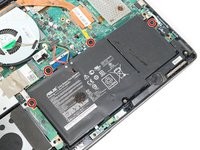
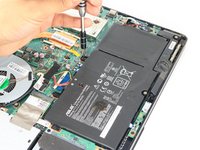
    1. Asus Q551L Screen Replacement, Battery: stap 3, afbeelding 1 van 2 Asus Q551L Screen Replacement, Battery: stap 3, afbeelding 2 van 2
      • Unscrew the four screws to remove the battery.

      Vraag FixBot

      Voeg opmerking toe

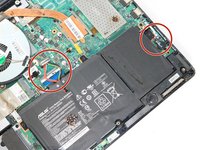
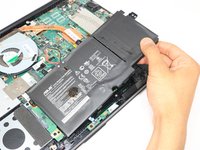
    2. Asus Q551L Screen Replacement: stap 4, afbeelding 1 van 2 Asus Q551L Screen Replacement: stap 4, afbeelding 2 van 2
      • Un-clip both wire clips on the upper and right side of the battery.

      • Lift the battery out of the device.

      Vraag FixBot

      Voeg opmerking toe

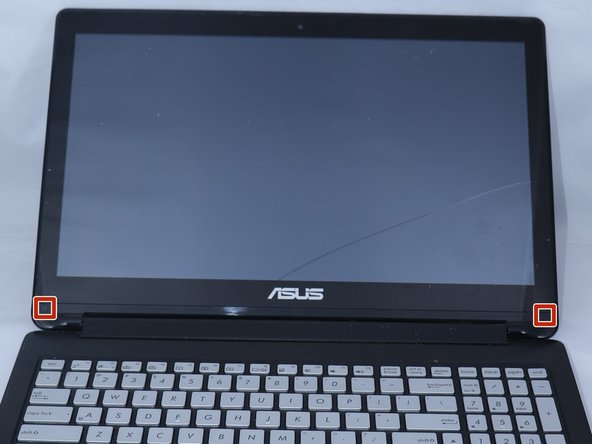
    1. Asus Q551L Screen Replacement, Screen: stap 5, afbeelding 1 van 2 Asus Q551L Screen Replacement, Screen: stap 5, afbeelding 2 van 2
      • Use the metal spudger to gently lift the two plastic squares off the screen.

      Vraag FixBot

      Voeg opmerking toe

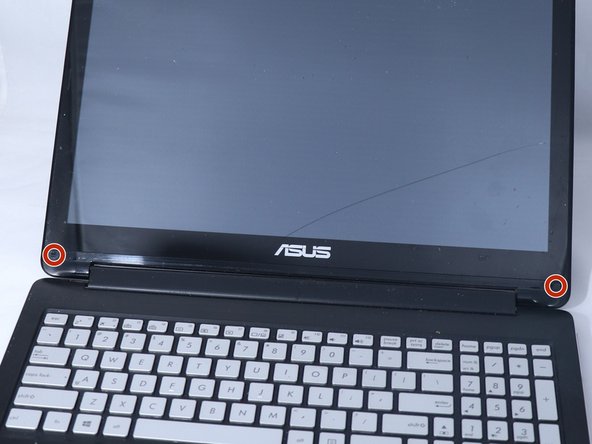
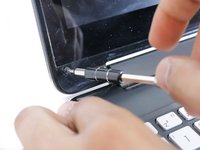
    2. Asus Q551L Screen Replacement: stap 6, afbeelding 1 van 2 Asus Q551L Screen Replacement: stap 6, afbeelding 2 van 2
      • Unscrew the two PH0 screws and set them aside.

      Vraag FixBot

      Voeg opmerking toe

    3. Asus Q551L Screen Replacement: stap 7, afbeelding 1 van 1
      • Use the plastic opening tool to pry the front edges of the screen off of the back.

      Vraag FixBot

      Voeg opmerking toe

    4. Asus Q551L Screen Replacement: stap 8, afbeelding 1 van 1
      • Take off the tapes.

      • Gently pry the LCD from the front frame.

      Vraag FixBot

      Voeg opmerking toe

Conclusie

To reassemble your device, follow these instructions in reverse order.

Annuleren: ik heb deze handleiding niet afgemaakt.

4 andere personen hebben deze handleiding voltooid.

0Gids Commentaar

Voeg opmerking toe

Weergavestatistieken:

Afgelopen 24 uren: 2

Afgelopen 7 dagen: 11

Afgelopen 30 dagen: 44

Altijd: 3,639