Ga door naar hoofdinhoud
Word lid van de reparatiegemeenschap - Account aanmaken

Archos 70b 0.3 MP Camera Replacement

Wat je nodig hebt

    1. Archos 70b 0.3 MP Camera Replacement, Back plate: stap 1, afbeelding 1 van 1
      • Remove all the tape and plugs to access the screws beneath.

      Vraag FixBot

      Voeg opmerking toe

    2. Archos 70b 0.3 MP Camera Replacement: stap 2, afbeelding 1 van 1
      • Unscrew all 5 of the .3mm t4 screws from the back plate of the device.

      Vraag FixBot

      Voeg opmerking toe

    3. Archos 70b 0.3 MP Camera Replacement: stap 3, afbeelding 1 van 1
      • Gently go around the outside of the back plate and pry the back cover off.

      Vraag FixBot

      Voeg opmerking toe

    1. Archos 70b 0.3 MP Camera Replacement, 0.3 MP Camera: stap 4, afbeelding 1 van 1
      • Locate the camera on the motherboard.

      Vraag FixBot

      Voeg opmerking toe

    2. Archos 70b 0.3 MP Camera Replacement: stap 5, afbeelding 1 van 1
      • Remove the plastic cover from the camera.

      • Removal of the plastic cover makes disassembly easier.

      Vraag FixBot

      Voeg opmerking toe

    3. Archos 70b 0.3 MP Camera Replacement: stap 6, afbeelding 1 van 2 Archos 70b 0.3 MP Camera Replacement: stap 6, afbeelding 2 van 2
      Gereedschap gebruikt in deze stap:
      Tweezers
      $4.99
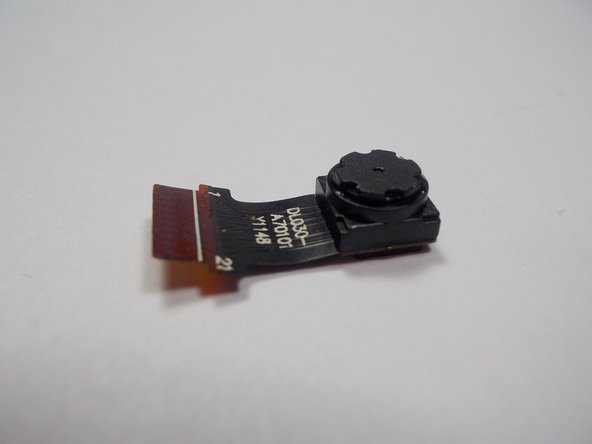
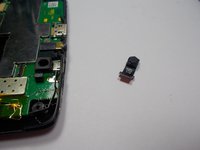
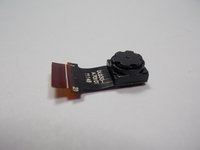
      • Using tweezers remove the camera by the pins from the motherboard.

      Vraag FixBot

      Voeg opmerking toe

Conclusie

To reassemble your device, follow these instructions in reverse order.

Annuleren: ik heb deze handleiding niet afgemaakt.

3 andere personen hebben deze handleiding voltooid.

Joshua Stoddard

Lid sinds: 10/28/15

541 Reputatie

3 handleidingen geschreven

Team

UMass Dartmouth, Team 1-3, Miles Fall 2015 Lid van UMass Dartmouth, Team 1-3, Miles Fall 2015

UMASSD-MILES-F15S1G3

3 Leden

6 handleidingen geschreven

0Gids Commentaar

Voeg opmerking toe

Weergavestatistieken:

Afgelopen 24 uren: 0

Afgelopen 7 dagen: 8

Afgelopen 30 dagen: 21

Altijd: 996