Deze vertaling is door een computer gegenereerd en is nog niet door iemand nagekeken. Spreek je deze taal? Bekijk het hier.

Apple Wireless Keyboard resetten

Voor het laatst geüpdatet op 15 aug 2026
Bekeken: 108K
Statistieken weergeven:
- Afgelopen 24 uur:
- 12
- Afgelopen 7 dagen:
- 80
- Afgelopen 30 dagen:
- 405
- Altijd:
- 107.790
Commentaar: 7
2 comments on steps, 5 guide comments.
Go to guide commentsVoltooid: 5 6
5 mensen hebben deze handleiding als "voltooid" gemarkeerd. Ben jij de volgende?
6 personen hebben deze handleiding als "voltooid" gemarkeerd. Een daarvan ben jij—lekker bezig!
Favorieten: 1 2
1 persoon heeft deze handleiding als favoriet gemarkeerd en volgt deze. Ben jij de volgende?
2 personen hebben deze handleiding als favoriet gemarkeerd (en blijven daarmee op de hoogte van meldingen)—een daarvan ben jij!
Door de gemeenschap gemaakte handleiding
Deze handleiding is gemaakt door een enthousiasteling uit de gemeenschap, en niet door de iFixit-stafleden.
Video overzicht
-
-
-
Schakel het toetsenbord uit door de aan-/uitknop ten minste 3 seconden ingedrukt te houden
-
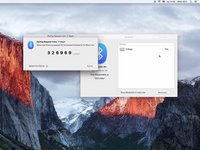
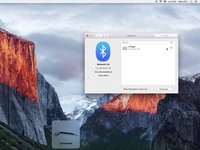
Open "Systeemvoorkeuren...", "Bluetooth".
 Vraag FixBot
-
-
-


Volg deze instructies in omgekeerde volgorde om je apparaat weer in elkaar te zetten.
Annuleren: ik heb deze handleiding niet afgemaakt.
5 andere personen hebben deze handleiding voltooid.

Team

5Gids Commentaar
I bought a wireless keyboard at a flea market. When pairing I was able to enter all numbers, but the "Enter" key does not react. Is there some way to test the button?
Same for me. The problem was the enter key: there are 2 switches down the key but only the top one is pressed and this is broken. I removed the key, put a plastic spacer on the second switch and reassembled the key, all ok now.
ho provato a resettarla ma niente da fare funziona solo parzialmente .l’ho collegata all’iPad 11 pro e funziona perfettamente
victor
