Wat je nodig hebt
-
-
-
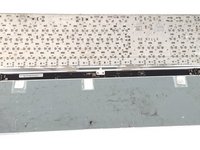
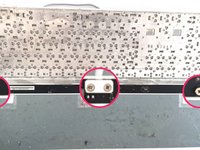
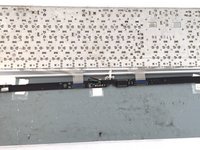
De onderkant van het toetsenbord is bevestigd met een laag lijm die het volledige oppervlak bedekt. Er zijn geen schroeven die het achterpaneel op zijn plek houden.
 Vraag FixBot
-
-
-
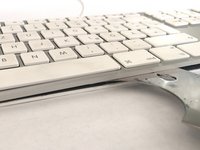
Een plastic spatel (spudger) kan worden gebruikt om het achterpaneel van het toetsenbord los te wrikken
-
-
-
Open de voorkant van het toetsenbord met een openingsgereedschap.
-
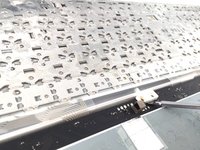
Een heteluchtpistool op een lage stand kan voorzichtig worden gebruikt om het achterpaneel te verwarmen en de lijm te verzachten. Werk in secties door te verwarmen en vervolgens geleidelijk de secties van elkaar af te wrikken.
-
Vermijd het gebruik van te veel hitte, anders vervormt of smelt het paneel of andere plastic onderdelen. Gebruik geen overmatige kracht om het paneel te verwijderen, aangezien de legering dun is en gemakkelijk buigt. Het toetsenbord zal permanent vervormd raken.
-
-
-
-
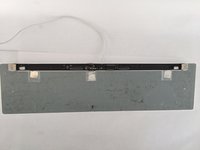
De achterplaat van het hoofdtoetsenbord wordt vastgehouden door tientallen puntlassen. De enige manier om het apparaat verder te demonteren, is door deze te verwijderen met een boormachine!
-
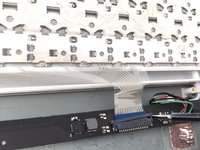
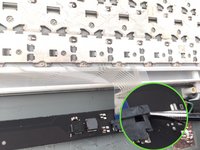
Het logic board zit vast met kruiskopschroeven. Twee lintkabels verbinden het toetsenbord met het logic board. Schade aan een kabel zal ertoe leiden dat hele secties van het toetsenbord niet meer werken.
-
-
-
Er zijn vrijwel geen vervangbare onderdelen in het toetsenbord aanwezig, behalve het logic board, maar zelfs dan zijn er vanwege de constructie van het toetsenbord geen reserveonderdelen te koop, zelfs al zou je dat willen. Er is weinig praktische reden om het toetsenbord daadwerkelijk uit elkaar te halen.
-
-
-
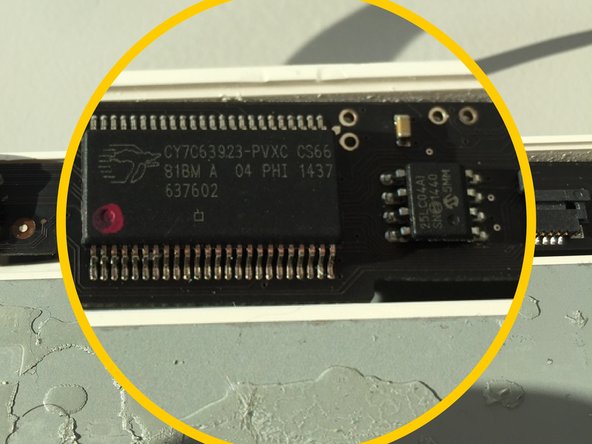
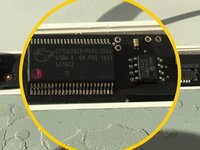
Cypress CY7C63923 (Low-Speed USB-randapparatuurcontroller)
-
ST 95040W (4kbit EEPROM)
-
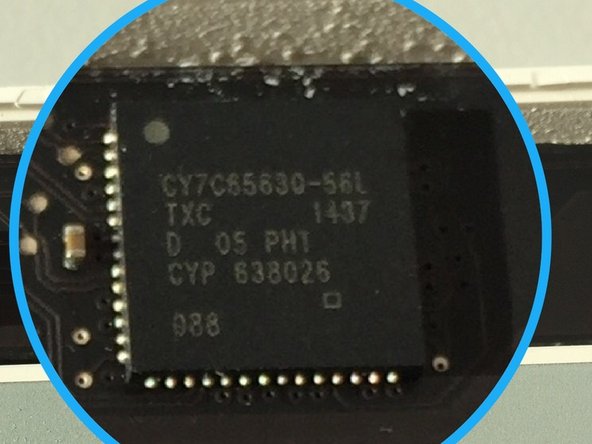
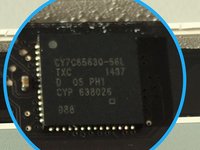
Cypress CY7C65630-56L (Low Power USB 2.0-hub)
-
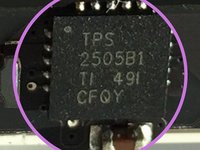
Microchip 2026-1YM (tweekanaals stroomdistributieschakelaar)
-
-
-
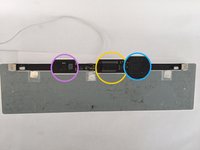
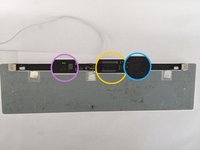
Het geel omcirkelde onderdeel is een Cypress CY7C63923-PVXC, een "Low-Speed USB Peripheral Controller".
-
Het blauw omcirkelde onderdeel is een Cypress CY7C65630, een "Low-Power USB 2.0 Hub Controller".
-
-










24Gids Commentaar
Any hope of replacement of a defective key switch?
I think I will need to open mine to replace the USB wire.
One day, my keyboard stopped working, keys affected are 5tgb and 6yhn. It guess they are joined inside. No reason at all. No spill. My keyboard is hooked to an unpowered USB hub, which is hooked to my MacbookPro. I use also a logitech wired mouse attached to the USB port. When I arrived last Monday morning to my office with the mac, I plugged everything as described and the problem appeared. Now I don't know that to do to fix it. Some guys recommend springing water on it but it seems some kind of joke. I can't believe I spend so much money in this keyboard and now it doesn't work. A couple of months ago, I realised that the Magic Mouse 2 was another bummer because of it problem tracking the hand movements. I started to doubt about Apple hardware, except for the Macbook Pro, which has 5 years of intense use and never had a problem at all.
Yes, washing these types of aluminum apple keyboards with water will usually resolve the problem, just pure water, and a few days of drying… it doesn’t make sense, but I have fixed a dozen of these that way before! It’s no guarantee, but it could resolve it. The reason the keys went out together is that the buttons’ are organized into columns and rows electronically. When the circuit is connected on the sixth column and the second row, that equals a 5 key. Sixth column third row would be the T key, etc. So your problem is not at the keys, but with the column contacts for those two columns. Whether cleaning them will help is anyones guess. Somehow, you have a break in the circuit for those two columns of the keyboard. It sounds like the problem will be on the logic board of the keyboard. Check for hairs or something shorting out any chips, etc.
