Deze vertaling is door een computer gegenereerd en is nog niet door iemand nagekeken. Spreek je deze taal? Bekijk het hier.
Inleiding
Deze handleiding laat zien hoe je de batterij in de Anker Soundcore Life Q30-koptelefoon vervangt. De batterij zorgt voor de stroomtoevoer en het opladen van de koptelefoon; een defecte batterij kan er dus voor zorgen dat de koptelefoon zwak wordt of helemaal niet meer aangaat. Voor deze vervanging moet je de reservebatterij op de printplaat solderen. Zorg er voordat je begint voor dat je de koptelefoon uitschakelt en de oplader loskoppelt.
Wat je nodig hebt
-
-
-
Positioneer de hoofdtelefoon zo dat de speakers zich het dichtst bij u bevinden en de hoofdband het verst van u vandaan is.
-
Stel het vouwscharnier zo in dat de speakers naar boven gericht zijn.
-
Zorg ervoor dat u gemakkelijk bij de rand kunt waar het kussen verbonden is met de rest van de hoofdtelefoon.
 Vraag FixBot
-
-
-
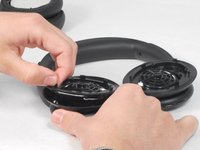
Houd met één hand de rechterkant van de on-ear hoofdtelefoon stil.
-
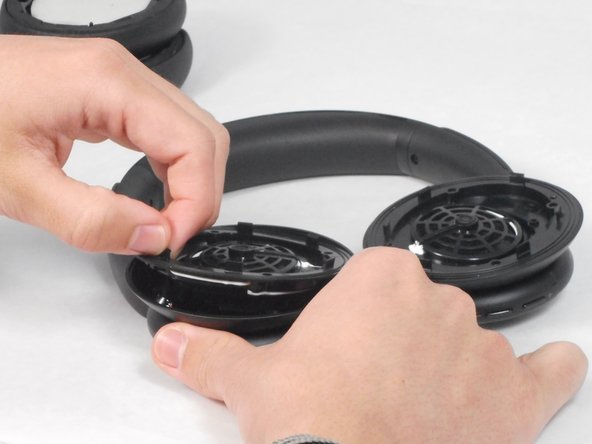
Schuif met uw andere hand het plastic openingsgereedschap in de rand langs het kussentje.
-
Wrik het kussentje voorzichtig los met het plastic openingsgereedschap.
-
Leg het rechteroorkussentje opzij en herhaal deze stap voor de linkerkant van de on-ear hoofdtelefoon.
-
-
-
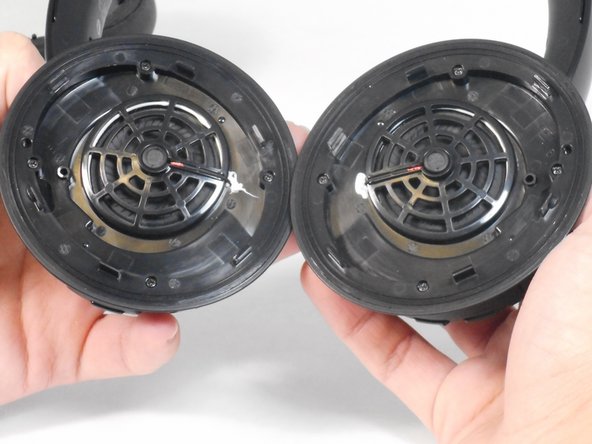
Verwijder de vier schroeven van 5,7 mm van de hoofdtelefoondriver met een Phillips #00 schroevendraaier.
-
Trek de hoofdtelefoondriver los van de hoofdtelefoon.
-
-
-
-
Til de schroevendraaiers uit de koptelefoon.
-
Verwijder de bedrading van de printplaat die de schroevendraaiers verbindt.
-
-
-
-
-
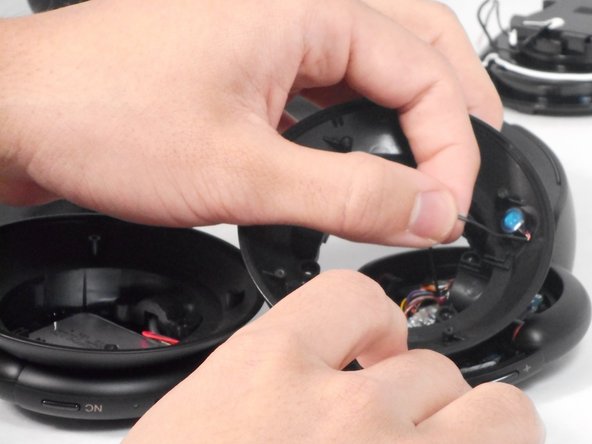
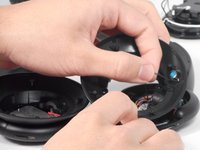
Trek de microfoon (het blauwe ronde onderdeel) uit het stopcontact aan de verbonden rode draad die is omhuld met zwart rubber.
-
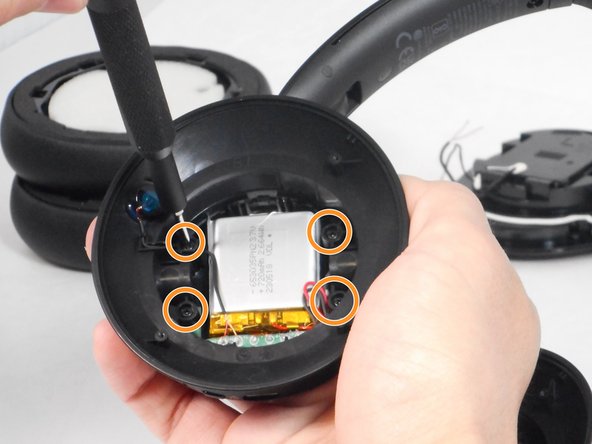
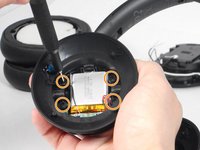
Draai de vier 5,7 mm schroeven los met een Phillips #00-kruiskopschroevendraaier die de oorschelp verbinden met de omlijsting van de hoofdtelefoon.
-
Verwijder de oorschelp.
-
-
-
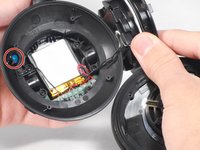
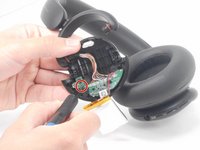
Draai de 5,7 mm schroef in de groene printplaat die met de accu is verbonden los met een Phillips #00-kruiskopschroevendraaier.
-
Wrik de groene printplaat en de accu voorzichtig los van de oorschelp.
-
-



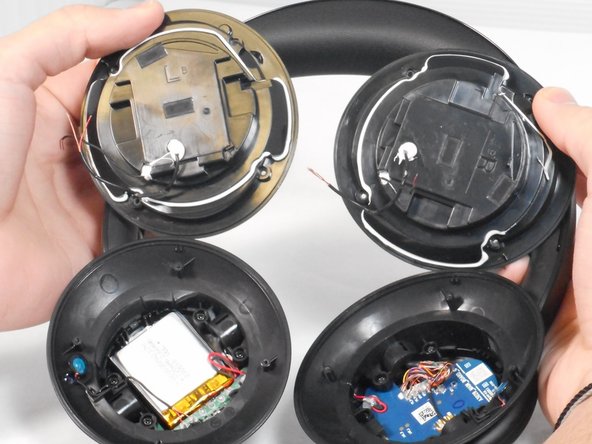


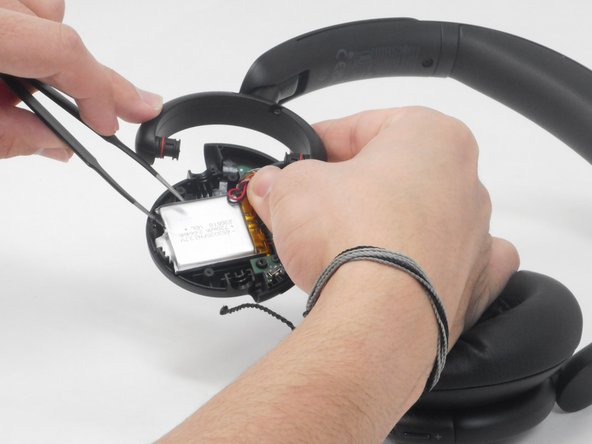
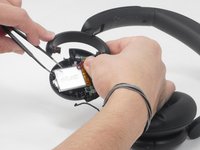

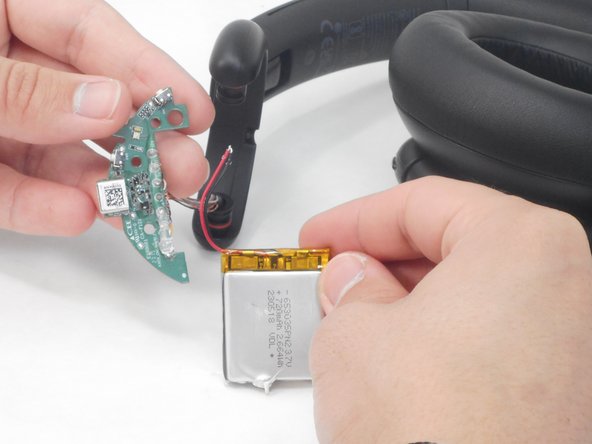
Vanaf hier moet je de reservebatterij vastsolderen. Volg daarna deze stappen in omgekeerde volgorde om het apparaat weer in elkaar te zetten.
Annuleren: ik heb deze handleiding niet afgemaakt.
Één andere persoon heeft deze handleiding voltooid.

Team

University of Memphis, Team 4-1, Sneed Spring 2024 Lid van University of Memphis, Team 4-1, Sneed Spring 2024
UM-SNEED-S24S4G1
4 Leden
60 handleidingen geschreven
6Gids Commentaar
donde se compran las baterías?
The batteries dimensions are 35x30mm i had great difficulty finding this size and just went for a 750Mah one. Which was too long. There really is no wiggle room on any axis!
Also, most everything is glued in, the microphone on the side is pretty much impossible to remove without causing permanent damage. I dissembled to step 4. Then VERY carefully pried the battery out (Which is also glued in) mine was already pretty swollen. And i replaced the battery with that of an old Vape. It works but its hacky and ill advised probably. So make sure you get the right size before you disassemble them.
Got this replacement battery from AliExpress (slightly different from the original):
https://www.aliexpress.com/item/10050049...
I didn’t need to do any soldering. I left the drivers and microphone connected, cut the original battery wires, and connected the new battery wires directly to those.
Everything seems to be working fine so far.
@notdogen - cut the wires as close to the old battery as possible (remember to cut one wire at a time to prevent an unintentional short).
Then cut the wires of the new battery as close to the battery connector as possible (if included with the battery).
Connect the new battery to the old wires: red to red & black to black, then seal with liberal ampunts of electrical tape. if possible, tape both to the panel you unscrewed below the ear pads.
Tape the battery down, then reassemble the headphones
