Deze vertaling is door een computer gegenereerd en is nog niet door iemand nagekeken. Spreek je deze taal? Bekijk het hier.
Inleiding
Deze handleiding laat zien hoe je de ventilator van een Alienware 17 R2-laptop vervangt. Ventilatoren voorkomen dat een laptop oververhit raakt. Het vervangen van een kapotte ventilator is daarom belangrijk voor het behoud van je laptop. Volg de instructies nauwkeurig op om beschadiging van kabels en andere onderdelen in de laptop te voorkomen.
Wat je nodig hebt
-
-
-
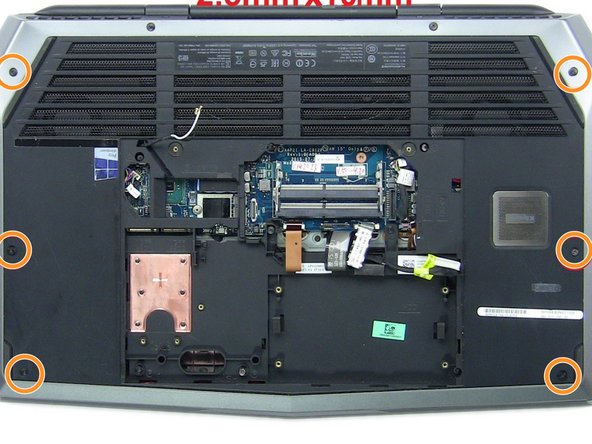
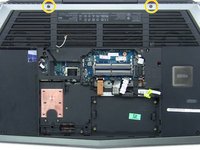
Gebruik de Phillips #0 kruiskopschroevendraaier om de twee 4 mm schroeven uit de achterbehuizing te verwijderen.
-
Trek de achterbehuizing omhoog en schuif deze eraf.
 Vraag FixBot
-
-
-
Zoek het gele lipje in de computer.
-
Koppel de zwarte draad met het gele lipje los.
-
-
-
Koppel de kabels die in de rode kaders zijn aangegeven los van het moederbord.
-
-
-
-
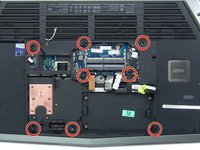
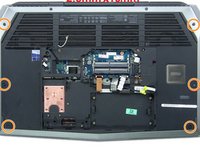
Verwijder alle zestien schroeven aan de onderkant van de laptop.
-
Acht van 2,5 mm x 8 mm
-
Zes van 2,5 mm x 10 mm
-
Twee van 2,5 mm x 18 mm
-
-
-
Gebruik een Phillips #0-kruiskopschroevendraaier om de twee 5 mm-schroeven uit de ventilator te verwijderen.
-
Verwijder tot slot de ventilator uit de rest van de laptop.
-
-





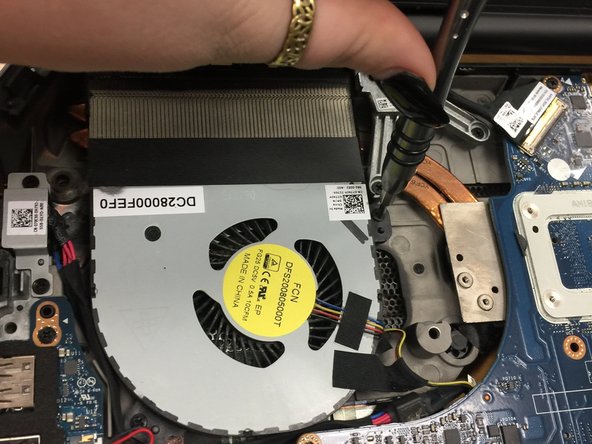
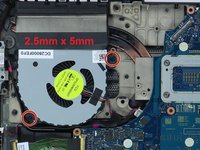
Volg deze instructies in omgekeerde volgorde om je apparaat weer in elkaar te zetten.
Annuleren: ik heb deze handleiding niet afgemaakt.
3 andere personen hebben deze handleiding voltooid.

Team

University of North Texas, Team S6-G4, Thomas Fall 2017 Lid van University of North Texas, Team S6-G4, Thomas Fall 2017
UNT-THOMAS-F17S6G4
3 Leden
48 handleidingen geschreven
3Gids Commentaar
It looks like fan removal requires the motherboard to be taken out because there is a metal flange on the bottomside of the fans that go along the copper heatpipe. I cannot lift the fans much and no room to pivot the flange out of the way to get the fans out.
Yep motherboard removal is necessary! There are guides on Youtube. Be careful of the WIFI wires, they nick easily and the circular connectors are delicate, use fingers not metal tool. Also require screen removal. Keep a hand on it as you take off the screws for the hinges so there is no strain.
Requires Phillips #00 for the small screw of the SSD stick and a few others not just Phillips #0
Motherboard removal is necessary because on my 4th gen i7 Intel R2 laptop, the fan screws are on the underside, so when it's all put together, the screws are under the motherboard and the non-removable underbody plastic is covering it. Have to remove the motherboard, flip it over so you see all the heat pipes.
