Populaire forumvragen
Stel een vraagEr zijn geen vragen. Wees de eerste om een vraag te stellen!
Achtergrond
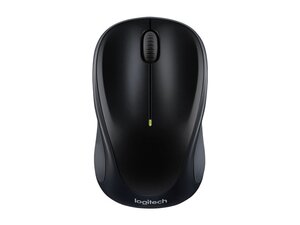
De Logitech Wireless Mouse M235 is een compacte, ergonomisch gevormde draadloze muis die bedoeld is voor dagelijks gebruik, zowel thuis als onderweg. Hij biedt draadloze connectiviteit via een kleine USB-nanontvanger en een optische sensor voor soepele cursorbesturing. De behuizing is gemaakt van duurzame kunststoffen en versterkte onderdelen die zijn ontworpen om dagelijkse slijtage te weerstaan, waarbij Logitech in deze productlijn de nadruk legt op een lange levensduur en duurzaamheid. Belangrijke kenmerken zijn de comfortabele vorm die geschikt is voor links- en rechtshandig gebruik, een eenvoudige indeling met twee knoppen + scrollwiel, en een gemakkelijk toegankelijk batterijvak.
Identificatie
De Logitech Wireless Mouse M235 bestaat uit de muis (M/N M-R0061) en een USB-ontvanger (M/N C-U0010). Modelinformatie bevindt zich op de volgende plaatsen: Muis: op het productlabel aan de onderkant; USB-ontvanger: gedrukt op de platte kant of de zijkant van de behuizing van de ontvanger bij de USB-stekker. Elk onderdeel heeft zijn eigen model- (M/N) en serienummer (S/N).
Specificaties
- Vormfactor: Compacte, ergonomisch gevormde draadloze muis voor links- en rechtshandig gebruik
- Product-ID / Model: M235 (productID: m235-wireless-mouse)
- Connectiviteit: 2,4 GHz draadloze verbinding via USB-nanontvanger (plug-and-play); Bluetooth wordt niet vermeld in de verstrekte bronnen
- Ontvanger: USB-nanontvanger op te bergen in het batterijcompartiment; Unifying-compatibiliteit is niet gespecificeerd in de verstrekte inhoud
- Sensor: Optische sensor (exact sensormodel niet gespecificeerd door Logitech in de verstrekte inhoud)
- DPI / Gevoeligheid: Niet expliciet vermeld in de verstrekte inhoud (doorgaans ongeveer 1000 DPI voor vergelijkbare compacte muizen van Logitech)
- Batterij: Door de gebruiker te vervangen enkele AA-batterij (Logitech adverteert met een lange batterijduur; exacte gebruiksduur niet verstrekt in de verzamelde inhoud)
- Knoppen: Primaire linker- en rechterknop, scrollwiel (middelste klik); configureerbaar in de Logi Options-software volgens de opmerkingen op de productpagina
- Fabrikant van primaire schakelaar (knop): Niet gespecificeerd door Logitech op de verstrekte pagina's; vergelijkbare consumentenmuizen van Logitech gebruiken doorgaans Omron-schakelaars (exact model niet vermeld)
- Materialen & Duurzaamheid: Duurzame ABS/kunststof behuizing en versterkte interne onderdelen ontworpen voor dagelijks gebruik; Logitech benadrukt duurzaamheid en impactreductie
Probleemoplossing
Veelvoorkomende problemen die relevant zijn voor reparatie zijn niet reagerende knoppen of een haperende cursorbeweging (vaak veroorzaakt door een lege batterij, een stoffige optische sensor of versleten schakelaarcontacten). Stel een diagnose door te testen met een verse batterij, de optische sensor en de verbinding met de USB-ontvanger te controleren/reinigen en de werking op een andere computer te verifiëren; als de linker-/rechterklik niet werkt, inspecteer de binnenkant dan op losgeraakte gesoldeerde verbindingen van de schakelaars of vuil.
Bezoek voor aanvullende hulp bij probleemoplossing: Bezoek https://support.logi.com voor producthulp; het M235-supportitem wijst op beperkte downloads en beschikbaarheid van reserveonderdelen.
Aanvullende informatie
Garantie-informatie
Raadpleeg de garantie-informatie van Logitech op support.logi.com; de garantieduur varieert per regio en aankoop.

