
Ga door naar hoofdinhoud

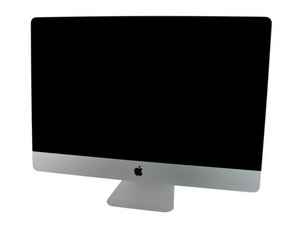
Model A1312 / Mid 2011 / 2.7 & 3.1 GHz Core i5 or 3.4 GHz Core i7 Processor, ID iMac12,2

LED 1 blinks then turns off when turned on

When the power cable is plugged in LED 1 is on, But when I press the Power Button it blinks twice then turns off completely.

Any Ideas on what may be the issue?

Beantwoord deze vraag Dit probleem heb ik ook

Is dit een goede vraag?

Score 0
Voeg een opmerking toe

2 Antwoorden

Het nuttigste antwoord

Here's a general run down on the diagnostic LED's. The following is true for iMac logic boards from early 2009 and up with only four LED locations. Some models have positions for 5 LEDs, but only 4 LEDs populated.

  • LED 1 - Indicates that the trickle voltage from the power supply is detected by the main logic board. This LED will remain ON while the iMac is connected to the AC power. The LED will remain on even when the computer has been shut down or put to sleep. The LED will turn off only if the AC power is disconnected or the power supply is faulty.
  • LED 2 - Indicates that the main logic board has detected proper power from the power supply when the computer is turned on. This LED will be ON when the computer is turned on and the power supply is working correctly.
  • LED 3 - Indicates that the computer and the video card are communicating. This LED will be ON when the computer is communicating properly with the video card. If LEDs 1 and 2 are ON and you heard the startup sound, but LED 3 is OFF, then the video card might be installed incorrectly or need replacement.
  • LED 4 - Indicates that the computer and the LCD display panel are communicating. This LED will be ON when the computer is turned on and video signal is being generated. If the LED is ON and there is no image on the LCD display panel, the LCD display panel or inverter might be installed incorrectly or need replacement.

Is the LED blinking at a set rate or erratically?

A blinking #1 LED is power related but likely within the logic board within the main power rail circuit. You'll need to do a good visual inspection on both sides looks for damage corrosion. Burnt discolored components as well as possible cold solder joints. If you have a DVM I would measure the voltages of both the power supply header and trace it throughout the logic board.

Was dit antwoord nuttig?

Score 1

2 opmerkingen:

Now it's not blinking. But when I use the power button the LED just switches off and no other LEDs turn on.

door

@stevenmurp34336 - Then you likely have a short in one of the power rails. Have you opened the system before? Cleaning it or upgrading it in some manor?

door

Voeg een opmerking toe

This usually indicates a power or motherboard fault—most commonly a bad RAM module, faulty power rail, or failing motherboard, causing the laptop to shut off immediately after the initial power check.

Was dit antwoord nuttig?

Score -1

2 opmerkingen:

This is not a laptop and with the first LED lit tells us the iMac's logic board is getting power.

door

The logic board is getting power but when I press the power button, the LEDs turn off

door

Voeg een opmerking toe

Voeg je antwoord toe

Steven Murphy zal eeuwig dankbaar zijn.
Weergavestatistieken:

Afgelopen 24 uren: 0

Afgelopen 7 dagen: 0

Afgelopen 30 dagen: 19

Altijd: 19
