Ga door naar hoofdinhoud
Word lid van de reparatiegemeenschap - Account aanmaken

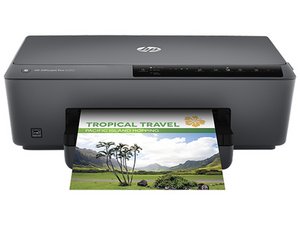
HP Officejet-printer met één functie, geïntroduceerd in 2015.

Printer won't pick up paper

That's basically it. It makes all the whirring noises but it does not collect paper from tray (and thus, says there's no paper). I've tried a single sheet, I've tried loading the tray full, but nothing seems to work. And I can't really see if the little roller-thingies move or not.

Beantwoord deze vraag Dit probleem heb ik ook

Is dit een goede vraag?

Score 1
1 Opmerking

I have one of these that is also not picking up paper. The pickup rollers are not being driven. The arm with the rollers drops down but the rollers don't turn. I'm having a bear of a time trying to find a repair manual for disassembly.

door

Voeg een opmerking toe

2 Antwoorden

Filteren op:
Het nuttigste antwoord

@dalew7311 I ran into the same problem with my OfficeJet 6700 and finally found a video online that showed the problem. After fixing it, I made an iFixit guide to that repair that you might want to take a look at to see if your printer is doing the same thing.

HP Officejet 6700 Paper Feed Fix - iFixit Repair Guide

Basically, there's a gear that drives the pickup rollers and it either slides out of position or gets stripped inside so the shaft that drives it no longer turns the gear. In the former case, all you have to do is slide it back into position, but if it's stripped inside you'll need to use some epoxy to resecure it to the shaft.

Was dit antwoord nuttig?

Score 1

1 Opmerking:

Thanks for that. I had another MFP this summer that did the same thing which is why I recognized the problem with the 6230 that I'm working on now. Removing that top portion of the paper tray might be the key to fixing this one. It doesn't come out easy and I haven't wanted to force it. Watching your video makes it seem possible. On this 6230 the whole bottom tray does come out so I can just flip it over and not need the mirror. I didn't use epoxy on the one this summer, just super glue and as far as I know it's still working. I'll report back on how this goes. Thanks.

door

Voeg een opmerking toe

Wwas there a paper jam that you had to remove before this? Check from the from of the printer for torn paper in the paper path? Sometimes especially with modern printers that are basically made to be disposable ( unless you buy an business class printer) it’s had to see the cause without taking them apart! Check the paper path is clear! Try feeding some stiff card through it…

Was dit antwoord nuttig?

Score 0
Voeg een opmerking toe

Voeg je antwoord toe

Ma T zal eeuwig dankbaar zijn.
Weergavestatistieken:

Afgelopen 24 uren: 1

Afgelopen 7 dagen: 21

Afgelopen 30 dagen: 41

Altijd: 239