
Ga door naar hoofdinhoud

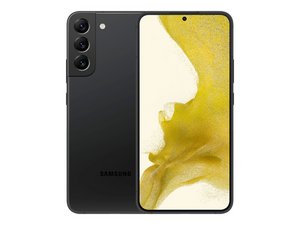
Repair and disassembly information for Samsung's Galaxy S22+ smartphone. Model number: SM-S906x

System ui is not reposnding

System ui not reposnding

Beantwoord deze vraag Dit probleem heb ik ook

Is dit een goede vraag?

Score 0
Voeg een opmerking toe

1 Antwoord

If your Galaxy S22 + is showing “System UI isn’t responding” or crashing randomly, here’s a step‑by‑step guide to troubleshoot it.

🛠 Common Causes & Fixes

1. Reboot & Safe Mode

  • Soft reboot: Hold the Volume Down + Power buttons for about 7 seconds to force a restart (Samsung Community).
  • After rebooting, try booting into Safe Mode (hold Power, then tap & hold “Power off” until the Safe Mode prompt appears). If the issue doesn’t appear in Safe Mode, it may be caused by a third‑party app (Samsung Community, Samsung Community).

2. Clear System UI Cache

3. Wipe Cache Partition via Recovery Mode

  • Power off the device.
  • Boot into recovery: press and hold Volume Up + Power until the Samsung logo appears.
  • Choose Wipe cache partition, then Reboot system now (xdaforums.com, Samsung Community).

4. Check or Remove Customization Apps (e.g., Good Lock)

  • Users reported Good Lock or similar tools causing instability. Try uninstalling or disabling them temporarily (Reddit).

5. Update One UI / Android

  • Your S22+ originally shipped with One UI 4.1 (Android 12). Samsung has released One UI 7 (Android 15) around January 2025, with availability varying by region (Wikipedia).
  • Check Settings → Software update, then manually update if available. Some Reddit users reported improvements after an update, especially letting the battery fully die during update helped bootstrap recovery (xdaforums.com).

6. Factory Reset (Last Resort)

  • Backup your data, then factory reset your device. This often resolves persistent issues but is disruptive (xdaforums.com).

🗣 Real‑World Reports from S22 Series Users

From Reddit and user forums:

“Deleted the Good Lock app and it stopped … until One UI 7 update… then boot looping during update… after battery died it installed and stabilized” (Reddit)
“Resetting all app permissions seems to have worked for me. Haven’t had the issue since” (Reddit)

In other cases:

  • It may be linked to constant background processes like automation apps.
  • Some users described symptoms that persisted across factory reset and cache wipes—suggesting possible hardware issues (e.g. UFS storage failure).

✅ Summary Table

Step Action 1. Restart Force reboot (Volume Down + Power) 2. Safe Mode test Test stability without 3rd‑party apps 3. Clear System UI cache Storage → Clear cache for System UI 4. Wipe cache partition Recovery mode → Wipe cache → reboot 5. Remove customization apps Uninstall Good Lock or heavy UI tweak apps 6. Update One UI / Android Manually check for latest available firmware 7. Factory Reset Backup data → Full reset if nothing else helps

⚠️ Consider Hardware Possibility

If none of the above steps fix the issue, some users found the problem persisted even after reset—leading to diagnosis of a motherboard or storage chip failure. In such cases, repair or replacement may be necessary (Reddit, Samsung Community, Samsung Community).

🔍 What to Try Next

  1. Restart into Safe Mode—see if issue persists.
  2. Clear cache for System UI.
  3. Boot into Recovery Mode → wipe cache partition.
  4. Remove Good Lock or any persistent background utility.
  5. Update software to latest available version.
  6. If all else fails, backup and factory reset.
  7. If even post-reset issues remain, contact Samsung service or repair shop.

Was dit antwoord nuttig?

Score 0
Voeg een opmerking toe

Voeg je antwoord toe

Vilen zal eeuwig dankbaar zijn.
Weergavestatistieken:

Afgelopen 24 uren: 0

Afgelopen 7 dagen: 1

Afgelopen 30 dagen: 1

Altijd: 17