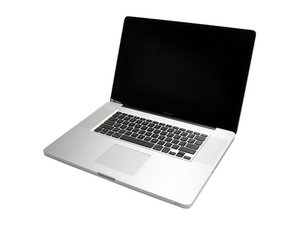
Adding extra RAM chips
Will I be able to put 8GB RAM in my machine (currently has 4GB from the factory).
Will the existing 4GB be on one chip?
Can I just add one new 4GB chip?
Thanks
Is dit een goede vraag?
Score
0

Will I be able to put 8GB RAM in my machine (currently has 4GB from the factory).
Will the existing 4GB be on one chip?
Can I just add one new 4GB chip?
Thanks
Is dit een goede vraag?

Rep: 157
 3
3
You can find out wether or not the RAM is all on one chip by clicking the apple sign at the far top left hand side of the menu bar, a drop-down menu will appear, click "About This Mac". A window will appear telling you the vision, how manny cores you have ect. Near the bottom of that window should be a button that says "More Info..." click that button, SystemProfiler.app will open and another window will appear. There will be a side bar, under the header "Hardware" there is a section that says "Memory", when you click that it should tell you how many GiGs of RAM you have in each memory bay. My model of MacBookPro shows that there is 2GB of RAM in each memory bay. So it would be my guess that you would need to buy two 4GB chips in order to get to your desired total of 8GB.
Hope that answers your question
T.H.
Was dit antwoord nuttig?
Yeah just like i thought, here is a video of a guy upgrading his RAM and the 8GB kit is just 2 4GB RAM chips. http://www.youtube.com/watch?v=0EFRHdREd...
Afgelopen 24 uren: 1
Afgelopen 7 dagen: 1
Afgelopen 30 dagen: 2
Altijd: 554

1 Opmerking
Please give us the last three figures of your serial number so we know exactly which machine you have. Thanks
door mayer