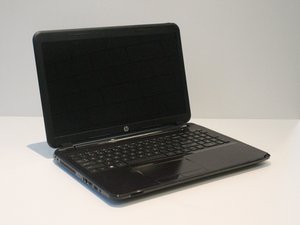

How Do I Fix my HP 15 Power Problem
Just happened that I left the system on, only to come back and saw it has entered sleep mood with screen all blank. Tried hard shoot down, removing the batter for sometime, pressing the power bottom for 15 mns, but all in vain...Each time I boot it on, it goes straight to sleep mode with my cap lock lead light blinking but screen all blank. Also noticed that if I leave it on like that, it starts over heating. Please does anyone has crew what could possibly be the problem. Thanks.
Is dit een goede vraag?
Score
0

I also have the same problem with my laptop, i overslept and my laptop was playing, lastly it was working fine when I just shut it's led to turn it off and removed it's charger as i know it's battery doesn't work on its own for much longer so it'll be hard dead. But then when I opened it after that morning it's straight booting up fans are working but the screen is all black. Caps blinking.
I've researched and found that it's due to some issues ;
It's caused due to trapped charge inside the laptop, we need to discharge our laptop first, somehow. Searched for some ways how we could do it and got:
It could be bad ram, if you can change/replace your ram sticks.
Another one is that, your CMOS cell needs replacement, or just an adjustment, try looking for it straight on the motherboard of your laptop itself, try adjusting it , it might be even off the clamp.
I only got this.
You can search more from chatgpt.com as my laptop still doesn't work. And idk how to fix it. That's why I was here originally. Chao.
door Sameem Makhdoomi
@sameemmakhdoomi
Please confirm the full model number of your laptop as shown on the product information label on the bottom of the laptop?
Count the number of times the Cap lock light blinks before it pauses and starts blinking again.
This is an error code telling you what's wrong
door jayeff