
Ga door naar hoofdinhoud
Word lid van de reparatiegemeenschap - Account aanmaken

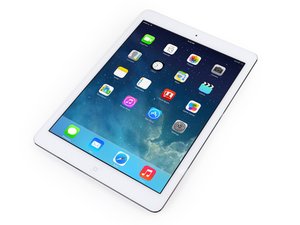
Announced on October 16, 2014, the iPad Air 2 is a thinner successor to the iPad Air.

Home button no longer working

Hello all, I was fitting an original iPad Air 2 screen and forgot to seperate the battery from the main board. A tiny static spark occured when plugging in one of the ribbon cables now the home button does not fuction at all.

I put the home button back in the orginal broken screen and it works fine. I have tried three diffrent home buttons and none will now work in this screen.

Is there some sort of IC chip in the digitliser?

Block Image
Beantwoord! Bekijk het antwoord Dit probleem heb ik ook

Is dit een goede vraag?

Score 0
Voeg een opmerking toe

2 Antwoorden

Gekozen oplossing

That connector is responsible for the display and home button. The connector pins are directly connected to tiny passive components (capacitors, filters etc.) right next to the connector under the surrounding flexible shield.

When you inserted the connector under charge, it was probably misaligned and shorted out voltage carrying pins, which most likely blew some of the filters. If you're lucky, the damage will be limited to the filters. The short circuit could also have caused damage upstream in the circuit.

This will require a micro-soldering repair and is not a DIY fix.

Was dit antwoord nuttig?

Score 2
Voeg een opmerking toe

You probably shorted something out. When doing repairs, it's important to disconnect the battery beforehand. Since you said the button worked on the broken screen, you probably have the incorrect replacement part.

Was dit antwoord nuttig?

Score 0
Voeg een opmerking toe

Voeg je antwoord toe

Joe zal eeuwig dankbaar zijn.
Weergavestatistieken:

Afgelopen 24 uren: 0

Afgelopen 7 dagen: 1

Afgelopen 30 dagen: 4

Altijd: 428

