Ga door naar hoofdinhoud
Word lid van de reparatiegemeenschap - Account aanmaken

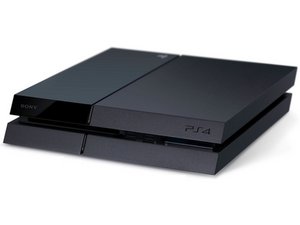
Een gameconsole voor de televisie, geproduceerd door Sony Computer Entertainment, ook bekend als de PS4. Voor het eerst aangekondigd op 20 februari 2013 en gelanceerd op 15 november, 2013.

Ps4 ejects disc constantly

My Model CUH1215a, the white destiny ps4, won't accept discs. When I first turn it on, it will accept the disc, then immediately spits it back out. After that it will no longer accept the disc, and makes a constant eject noise. It happens every few seconds, as if it's trying to push a disc out, but there isn't one in it. Help?

Beantwoord! Bekijk het antwoord Dit probleem heb ik ook

Is dit een goede vraag?

Score 1
Voeg een opmerking toe

3 Antwoorden

Gekozen oplossing

There are several things that can cause this type of problem. It could be one or more of the switches inside the drive, it could be a loose or faulty ribbon cable or it could even be a problem in the green drive board (if it's a 12xx model then it doesn't have this). It's possible that the rollers or the roller carrier is out of place as well.

Was dit antwoord nuttig?

Score 1

2 opmerkingen:

The rollers are not out of place, that was the first thing I checked for. If I open it back up, can you tell me what I should look for? Could I just fix it myself?

door

I would look at the ribbon cables to make sure they are not damaged. If they aren't then I would look at replacing the drive. Yes, you can replace the drive yourself. Unlike the previous models you don't have to match anything up you can just buy any drive that is for the 12xx model.

door

Voeg een opmerking toe

I suspect one of the 2 switches on the drive small board to be stuck or damaged.

They are located near the almost-twin-rollers, they are actually touching the left one.

See on this picture:

https://d3nevzfk7ii3be.cloudfront.net/ig...

The switches are the 2 metallic squares on the green board, very close to a roller, next to the circled 1 label.

Also, use this image to be sure all each roller is synced with the other ones.

Was dit antwoord nuttig?

Score 0
Voeg een opmerking toe

I know it sounds simple, but it might just be the eject button that has been pressed a little too hard. Causing it to be stuck and thus constantly pressing against the actual button that’s attached to the green circuit board with the tiny ribbon cable.

That constant pressing on the circuit board button might be causing the constant eject sounds the console is making.

To check if that could be the problem, remove the bottom panel, and connect your ps4 to power, and to your tv; optional. Then feed it the disk, if it takes it, it’s most likely is that button that is jammed in there.

What I did, was 1.) carefully remove the button from the bottom panel, 2.) put the ps4 back together and then 3.) add the button to the console; carefully, you don’t want to jam it back in there, just push in enough so that it touches the circuit board button.

That worked for me. I spend a couple hours checking the Disk Drive, rollers, the circuit board with the 2 switches, sometimes its just the simple things.

Live long and prosper.
Was dit antwoord nuttig?

Score 0
Voeg een opmerking toe

Voeg je antwoord toe

Zach Wright zal eeuwig dankbaar zijn.
Weergavestatistieken:

Afgelopen 24 uren: 0

Afgelopen 7 dagen: 10

Afgelopen 30 dagen: 40

Altijd: 2,326