
Ga door naar hoofdinhoud
Word lid van de reparatiegemeenschap - Account aanmaken

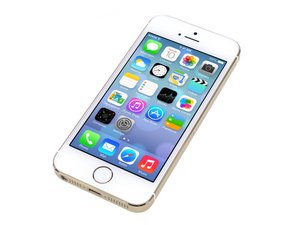
Repair information and guides for the Apple iPhone 5s that was announced on September 10, 2013. Model: A1533, A1453, A1457, A1528, A1530, A1518

Home button drains battery

I changed battery and home button on my 5s.Battery works well but, but I realesed that home button cause battery drain. because when I removed the connection of home button flex cable from logic board, exessive battery cunsumtion stopped. I tried a few home button all of the them caused battery drain. This means that there is another problem.

Could you please help me. Any idea about what may cause like this problem?

Beantwoord deze vraag Dit probleem heb ik ook

Is dit een goede vraag?

Score 3
Voeg een opmerking toe

8 Antwoorden

Hi there,

Maybe try a new battery or a different home button. This way you can determine what is causing the problem, Are the parts original parts? or aftermarket?

Was dit antwoord nuttig?

Score 0

1 Opmerking:

I tried but nothing solved.

door

Voeg een opmerking toe

Hi

I'm facing exactly the same issue with my Iphone 5S. I also tried to change the home button but I still have the issue.

Did you succeed to fix your phone?

Thanks!

Was dit antwoord nuttig?

Score 0

3 opmerkingen:

Nothing solved the problem. The only think left, but I can not

try, Because my iphone is not jailbreaked. If so, I would try to

delete the dameon named "com.apple.biometrickitd.plist".

This daemon responsible for performing the touch id scan on the home button.

I think, when the sensor stops, the battery drain may be stops.

If your device is jailbreaked, could you please try this

and write me your results.

Sincerely,

door

Thanks for your answer. I'm no longer using that phone. The battery life was so short I had to switch to another phone.

door

9.3.3 jailbreak issued last week. I had a chance to try deleting the dameon named "com.apple.biometrickitd.plist" via ifile tweak after jailbreak. Bingo!!!!

Battery drain stopped. This stopped touch id sensor working continiously at the background.

door

Voeg een opmerking toe

I'm facing the same issue.

I tried with a new home button but the battery still drains.

When i remove the cable the battery stops draining.

All connectors seems to be in a good state and the flex cable seems to be good too.

Did somebody found a solution ?

Thanks.

Was dit antwoord nuttig?

Score 0

1 Opmerking:

9.3.3 jailbreak issued last week. I had a chance to try deleting the dameon named "com.apple.biometrickitd.plist" via ifile tweak after jailbreak. Bingo!!!!

Battery drain stopped. This stopped touch id sensor working continiously at the background.

door

Voeg een opmerking toe

I have a iphone 5s which drains battery oven night although it's not even activated. I have changed battery three times and always the same. Would it charge if U2 ic was broken? 'Cause it charges but drains in hours. No software can do it 'cause it's not activated. What can be wrong?

Was dit antwoord nuttig?

Score 0

7 opmerkingen:

9.3.3 jailbreak issued last week. I had a chance to try deleting the dameon named "com.apple.biometrickitd.plist" via ifile tweak after jailbreak. Bingo!!!!

Battery drain stopped. This stopped touch id sensor working continiously at the background.

door

What exactly did you do? I jailbroke two phones with this problem and deleted that .plist file from /System/Library/LaunchDaemons/ but the battery drain issue has not changed. (The battery drain issue disappears on both if the (replacement) home buttons are disconnected).

door

any luck on this?

door

Update: I bought and fitted another new replacement home button (no touch sensor inside) and this stopped the battery drain on the phone which had the plist edit applied.

door

Hey Scripter, what iOS were you running on the phones, my 5s has 10.2 so I'm not sure if I can jailbreak and do the plist edit, what do you think?

door

2 commentaren meer tonen

Voeg een opmerking toe

So does anyone have an actual solution for this home button drain?

Was dit antwoord nuttig?

Score 0

1 Opmerking:

Try mine below.

door

Voeg een opmerking toe

nobody has a idea ??

Was dit antwoord nuttig?

Score 0
Voeg een opmerking toe

I know this is old, but I think I found a way to get rid of the battery drain. Somewhere here someone suggested to jailbreak the phone and then disable the touchid service, but that was not an option for me so this is what I did:

- I factory restored my phone and configure it as a new phone.

- When it asked me to configure the touchid, I skipped the step.

After that, I stopped getting the Unable to activate touchid message and the battery is back to normal.

Was dit antwoord nuttig?

Score 0
Voeg een opmerking toe

I had a similar problem: a 3rd party home button on my iPhone and the battery emptying in 8hrs on standby.

The repairman took the screen off and the A9 (black square towards the top of the phone) was too hot to touch, even on standby.

What fixed it was to get a new 3rd party home button from a "different factory".

Right now the phone has been on standby for 16 hours and the battery is still at around 90%.

Was dit antwoord nuttig?

Score 0

1 Opmerking:

I tried deleting the daemon on my jailbroken iphone 6, but issue persists. Seems theres more to it. Any help?

door

Voeg een opmerking toe

Voeg je antwoord toe

Cetin zal eeuwig dankbaar zijn.
Weergavestatistieken:

Afgelopen 24 uren: 0

Afgelopen 7 dagen: 3

Afgelopen 30 dagen: 16

Altijd: 5,614