
Ga door naar hoofdinhoud

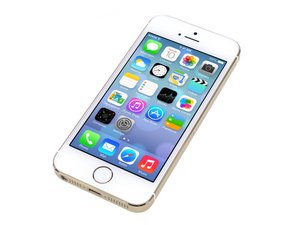
Repair information and guides for the Apple iPhone 5s that was announced on September 10, 2013. Model: A1533, A1453, A1457, A1528, A1530, A1518

Vraag afgerond

Home button click function not working when pressed

Hi all,

Had a water damaged 5S which I ended up taking apart and replacing the screen on.

All back together and (mostly!) working - ironically the touch ID works OK but the home button normal pressing function doesn't.

I've looked at the cable and was very careful with this all through - what have I missed ?

Dock connector won't currently charge or connect either but that was working when I tested the assembly prior to the screen being replaced.

Beantwoord deze vraag Dit probleem heb ik ook

Is dit een goede vraag?

Score 0
Voeg een opmerking toe

1 Antwoord

Well you may have a case of thermal phimosis. It's simple dude :p

The ribbon has been partly shorted out due to the water damage.

With the charging port I would go for the same concept. Remember that water doesn't necceserily damage until it reaches certain temperature due to its composite density.

When you charged it the first time it was enough to ruin the rest of it.

Was dit antwoord nuttig?

Score 0

1 Opmerking:

Disaster averted ...

I realized that, eventually, none of the bottom items worked, IE the headphone socket, the speaker etc.

The bottom loom was damaged partly by the water and partly by the plug parting company. The home button plugs into this loom and had therefore partly stopped working.

I replaced the loom across the bottom, with a new lightning connector and the home button now works perfectly.

Looks like things could have been considerably worse!

Lesson learned ....

door

Voeg een opmerking toe
Weergavestatistieken:

Afgelopen 24 uren: 0

Afgelopen 7 dagen: 0

Afgelopen 30 dagen: 2

Altijd: 163