Ga door naar hoofdinhoud
Word lid van de reparatiegemeenschap - Account aanmaken

TomTom GO 500 Motherboard Replacement

Wat je nodig hebt

  1. TomTom GO 500 Motherboard Replacement, TomTom GO 500 Opening the Device: stap 1, afbeelding 1 van 1
    • Unscrew the two 3mm screws at the base of the device using the Torx T5 screwdriver.

    Vraag FixBot
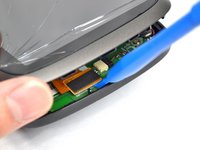
  2. TomTom GO 500 Motherboard Replacement: stap 2, afbeelding 1 van 2 TomTom GO 500 Motherboard Replacement: stap 2, afbeelding 2 van 2
    • Using the plastic opening tools, insert one opening tool into the gap between the screen casing and the motherboard casing. Then insert the other tool into one of the adjacent sides and slide it around the top.

    • There are 14 latches that need to be undone.

    • The latches break easily during the opening process so we recommend purchasing a new screen casing if they break.

    Vraag FixBot
  3. TomTom GO 500 Motherboard Replacement: stap 3, afbeelding 1 van 1
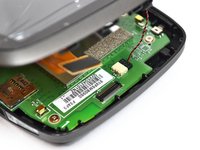
    • With the screen casing unlatched, locate the right side where the two connectors are.

    Vraag FixBot
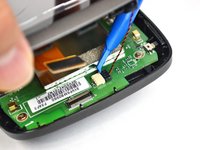
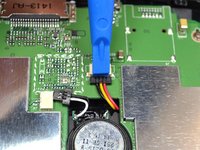
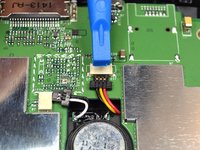
  4. TomTom GO 500 Motherboard Replacement: stap 4, afbeelding 1 van 3 TomTom GO 500 Motherboard Replacement: stap 4, afbeelding 2 van 3 TomTom GO 500 Motherboard Replacement: stap 4, afbeelding 3 van 3
    • Unlatch the connectors using the plastic opening tool.

    • The orange rectangular connector may have come off in the process of removing the screen casing.

    Vraag FixBot
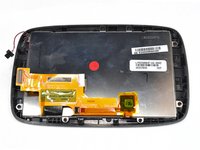
  5. TomTom GO 500 Motherboard Replacement: stap 5, afbeelding 1 van 2 TomTom GO 500 Motherboard Replacement: stap 5, afbeelding 2 van 2
    • Separate the screen casing from the motherboard casing.

    Vraag FixBot
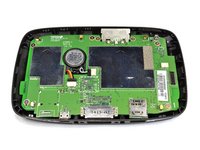
  6. TomTom GO 500 Motherboard Replacement, Motherboard: stap 6, afbeelding 1 van 1
    • Unscrew the five 4mm screws using the Phillips #0 screwdriver.

    Vraag FixBot
  7. TomTom GO 500 Motherboard Replacement: stap 7, afbeelding 1 van 2 TomTom GO 500 Motherboard Replacement: stap 7, afbeelding 2 van 2
    Gereedschap gebruikt in deze stap:
    Tweezers
    $4.99
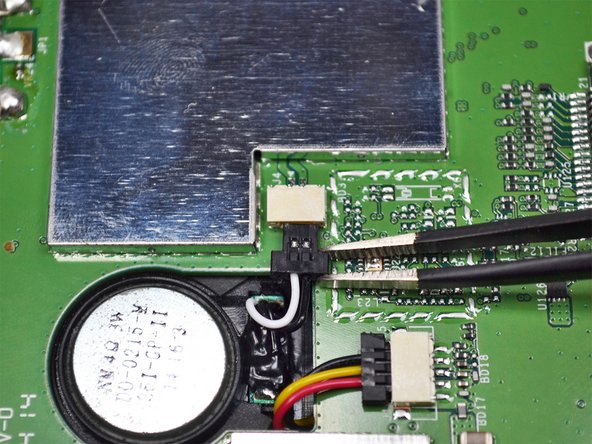
    • Unplug the connector shown near the center of the motherboard using the tweezers.

    Vraag FixBot
  8. TomTom GO 500 Motherboard Replacement: stap 8, afbeelding 1 van 2 TomTom GO 500 Motherboard Replacement: stap 8, afbeelding 2 van 2
    • Unplug the second connector using the plastic opening tool.

    Vraag FixBot
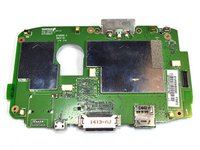
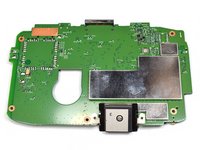
  9. TomTom GO 500 Motherboard Replacement: stap 9, afbeelding 1 van 2 TomTom GO 500 Motherboard Replacement: stap 9, afbeelding 2 van 2
    • Remove the motherboard from the casing.

    Vraag FixBot
Conclusie

To reassemble your device, follow these instructions in reverse order.

4 andere personen hebben deze handleiding voltooid.

jkl

Lid sinds: 09/22/16

522 Reputatie

2 handleidingen geschreven

Team

UC Davis, Team 2-5, Oliver Fall 2016 Lid van UC Davis, Team 2-5, Oliver Fall 2016

UCD-OLIVER-F16S2G5

5 Leden

9 handleidingen geschreven

2Gids Commentaar

Hallo, wer repariert ein TomTom GO 5200? Ich habe den Akku erneuert und dabei ist der Verriegelungsstecker von der Platine zum Display (Folienstecker mit vielen Leiterbahnen) abgebrochen, sodass die Folie nicht mehr richtig eingespannt ist und das Display am Ende weiß bleibt oder mit bunten Strichen versehen ist. Wer repariert so was und was würde es kosten?

Gruß,

Reinhold

RENALDOAGG - Antwoord Deel

Hallo

Wo kann man für Tomtom Go500 Hauptplatine bestellen?

Pitbul77 - Antwoord Deel

Voeg opmerking toe

Weergavestatistieken:

Afgelopen 24 uren: 2

Afgelopen 7 dagen: 7

Afgelopen 30 dagen: 45

Altijd: 2,453