Ga door naar hoofdinhoud

Sony MVC-FD200 LCD Display Screen Replacement

Wat je nodig hebt

  1. Sony MVC-FD200 LCD Display Screen Replacement, Battery: stap 1, afbeelding 1 van 1
    • Using your finger, slide the tab on the battery door up to release the battery latch.

  2. Sony MVC-FD200 LCD Display Screen Replacement: stap 2, afbeelding 1 van 1
    • Lift the battery door to reveal the battery compartment.

    • Push the gray lever to the left side to remove the battery.

    • If any other repairs are needed, make sure to carefully remove the battery to avoid any electric shock or short circuits during repairs.

  3. Sony MVC-FD200 LCD Display Screen Replacement, Back Cover: stap 3, afbeelding 1 van 1
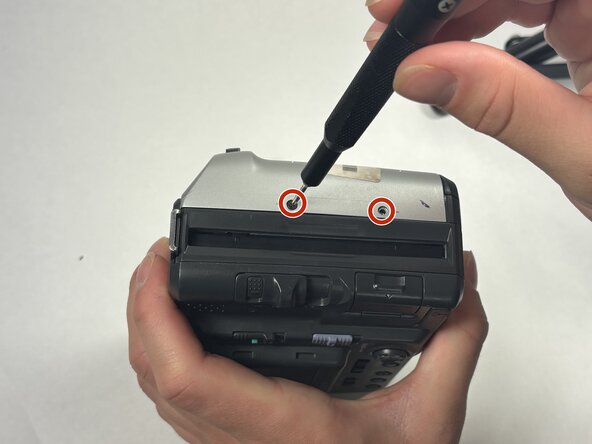
    • Turn the camera so that the top is facing down towards the table.

    • Using the Phillips #00 screwdriver, remove all 2.0 mm screws with the arrows facing towards them.

  4. Sony MVC-FD200 LCD Display Screen Replacement: stap 4, afbeelding 1 van 2 Sony MVC-FD200 LCD Display Screen Replacement: stap 4, afbeelding 2 van 2
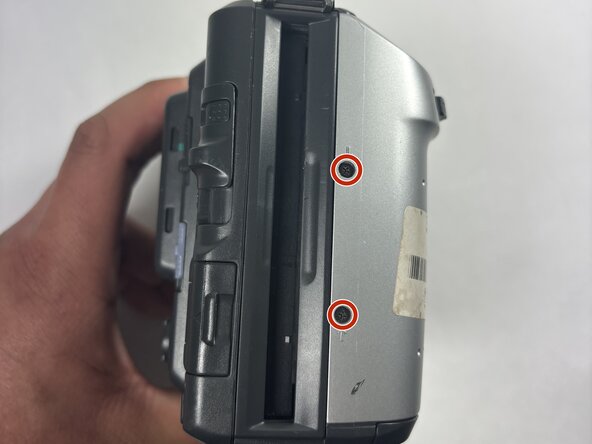
    • Flip the camera on both sides and remove the rest of the screws with arrows facing towards them.

    • Remove the 2.0 mm screws with the Phillips #00 screwdriver for both sides of the camera.

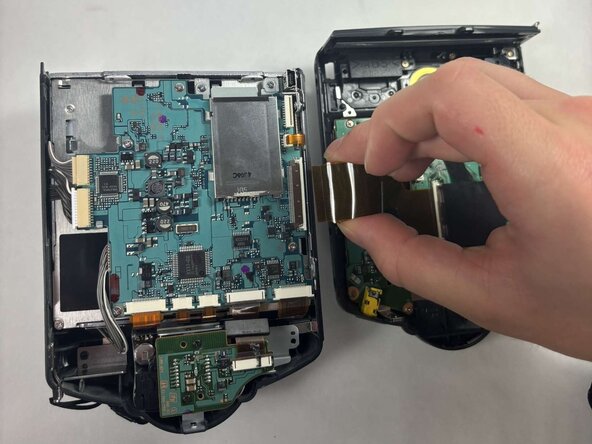
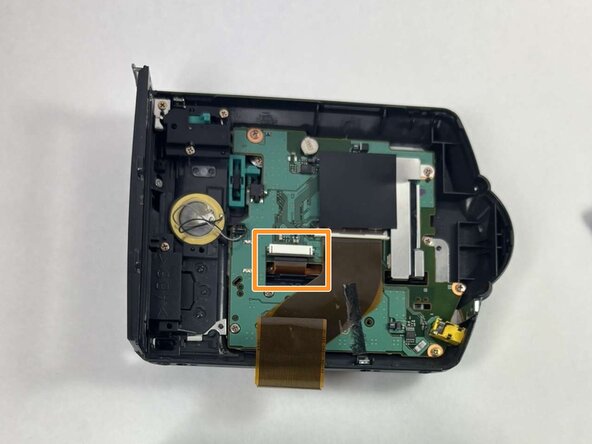
  5. Sony MVC-FD200 LCD Display Screen Replacement, LCD Display Screen: stap 5, afbeelding 1 van 3 Sony MVC-FD200 LCD Display Screen Replacement, LCD Display Screen: stap 5, afbeelding 2 van 3 Sony MVC-FD200 LCD Display Screen Replacement, LCD Display Screen: stap 5, afbeelding 3 van 3
    • Detach the ribbon cable that connects the two halves of the device to split them apart.

    • Gently pry up the black plastic tab to slide out the ribbon cables.

    • Be gentle because this component is thin, but do not be afraid to damage the ribbon cable during removal. Add force progressively in small amounts.

  6. Sony MVC-FD200 LCD Display Screen Replacement: stap 6, afbeelding 1 van 1
    • Remove the six 2.0 mm screws which hold the motherboard in place using the Phillips #00 screwdriver.

  7. Sony MVC-FD200 LCD Display Screen Replacement: stap 7, afbeelding 1 van 1
    • Remove the four 2.0 mm screws which hold down the heat shield using the Phillips #00 screwdriver.

  8. Sony MVC-FD200 LCD Display Screen Replacement: stap 8, afbeelding 1 van 2 Sony MVC-FD200 LCD Display Screen Replacement: stap 8, afbeelding 2 van 2
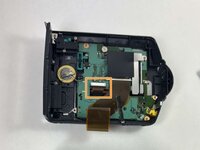
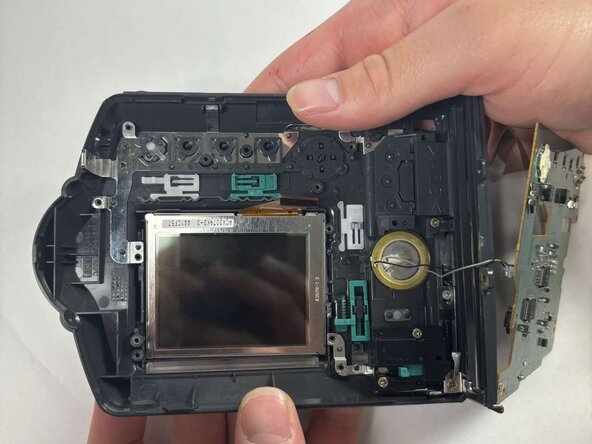
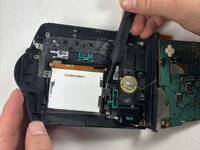
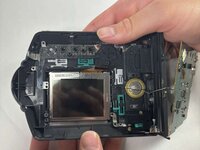
    • The LCD display and the backlight which sits on top of it are displayed.

    • Push both components out.

Conclusie

To reassemble your device, follow these instructions in reverse order.

Nathan Cordeiro

Lid sinds: 03/19/25

114 Reputatie

1 Handleiding geschreven

Team

UMass Dartmouth, Team 1-4, Rioux Spring 2025 Lid van UMass Dartmouth, Team 1-4, Rioux Spring 2025

UMASSD-RIOUX-S25S1G4

4 Leden

4 handleidingen geschreven

1Gids Commentaar

I have a Mavica FD71, will this work about the same? (Pixels in the middle of the screen have started to die) I’ve been looking, but I can’t find a replacement lcd panel for my model, do the Mavica FD2000 and the FD71 use the same lcd panel?

Average AirPod User - Antwoord

Voeg opmerking toe

Weergavestatistieken:

Afgelopen 24 uren: 0

Afgelopen 7 dagen: 6

Afgelopen 30 dagen: 24

Altijd: 233