Inleiding
This is a guide to replace dead pixels, cracked screens, and malfunctioning button terminals.
Wat je nodig hebt
-
-
Begin by facing the camera bottom side up to reveal the two 2.93 mm long screws
-
Remove these two screws using a Philips #00 screwdriver
-
-
-
-
Taking off the previous cover will reveal the two cables connecting the LCD screen to the motherboard below the screen.
-


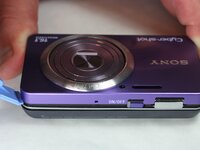
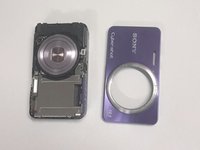


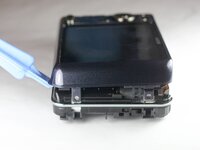
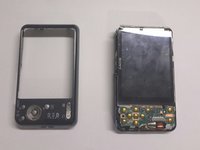


To reassemble your device, follow these instructions in reverse order.
Annuleren: ik heb deze handleiding niet afgemaakt.
Één andere persoon heeft deze handleiding voltooid.



Team

USF Tampa, Team 9-1, Brown Winter 2015 Lid van USF Tampa, Team 9-1, Brown Winter 2015
USFT-BROWN-W15S9G1
5 Leden
10 handleidingen geschreven
2Gids Commentaar
And the screen replacement how??
do I need glue?
