Inleiding
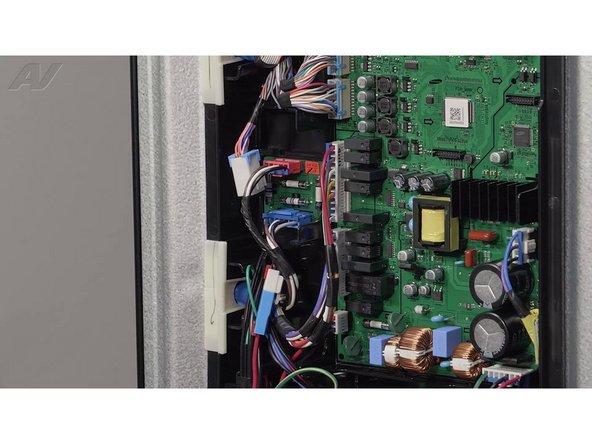
If your Samsung French Door refrigerator has no power, you may need to check, and possibly replace, the fuse block module. See step-by-step instructions below.
This guide will work for with many refrigerator models. The photos in this guide are from a Samsung RF28R7351SG/AA refrigerator. If you have a different model, you may encounter some minor disassembly differences, but the overall repair process will be the same. This guide shows the replacement of part number DA92-00945F which is compatible with other popular models such as RF28R7201SR/AA, RF28R7351SG/AA, RF24R7201SR/AA, RF28R6201SR/AA, RF18HFENBSR/US, plus many other Samsung models.
Wat je nodig hebt
Video overzicht
-
-
Begin by disconnecting the power to the appliance
-
It is also recommended to test the outlet for the proper voltage
-
Also, turn off the water.
-
-
-
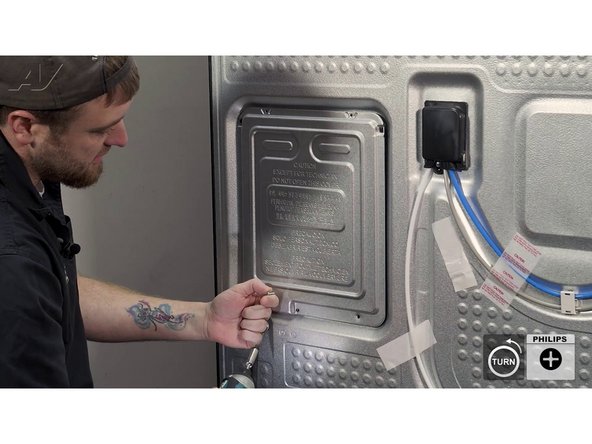
You will need a Phillips screwdriver to remove the cover, which is held on by five Phillips screws.
-
-
-
-
Once the fuse block is removed, you can use your multimeter to test continuity on the metal sides of each one of these fuses.
-
If one is blown, the fuse block will need to be replaced.
-
-
-
To replace the fuse block, keep the wires on there for easy access while pulling it out
-
Then press in on the locking tab on the Molex, separate it from the fuse block, and set it to the side.
-
-
-
When installing your new fuse block, first install the wiring.
-
Make sure the connector is securely locked into place.
-
The red wire goes with the red, and the blue with the blue.
-
Swing it in at an angle and pop it in place.
-
-
-
Once the new fuse block is installed, you can reinstall the panel cover.
-
To reinstall your panel cover, first bring in the top at an angle and drop it on those hooks.
-
-
-
Re-install all the regular screws, followed by the machine screw last (as mentioned earlier) to secure the panel.
-