Dit is een machinevertaling, die nog niet door iemand is nagekeken. Spreek je deze taal? Controleer het hier.

Samsung Galaxy Tab A moederbord vervangen

Voor het laatst geüpdatet op 20 aug 2026
Bekeken: 26K
Statistieken weergeven:
- Afgelopen 24 uur:
- 4
- Afgelopen 7 dagen:
- 35
- Afgelopen 30 dagen:
- 144
- Altijd:
- 26.306
Commentaar: 12
3 opmerkingen over de stappen, 9 opmerkingen op de handleiding.
Bekijk de opmerkingen bij de handleidingVoltooid: 15 16
15 mensen hebben deze handleiding als "voltooid" gemarkeerd. Ben jij de volgende?
16 personen hebben deze handleiding als "voltooid" gemarkeerd. Een daarvan ben jij—lekker bezig!
Favorieten: 5 6
5 mensen hebben deze handleiding als favoriet gemarkeerd en volgen deze. Ben jij de volgende?
6 personen hebben deze handleiding als favoriet gemarkeerd (en blijven daarmee op de hoogte van meldingen)—een daarvan ben jij!
Inleiding
Ga naar stap 1 ↓Een beschadigd, kapot of zelfs gecorrumpeerd moederbord kan een apparaat volledig onbruikbaar maken. Deze handleiding laat zien hoe je de achterbehuizing van de tablet verwijdert om bij het moederbord te komen, zodat je het kunt vervangen.
Wat je nodig hebt


-
-
-
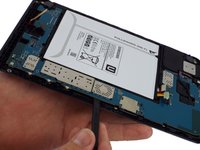
Gebruik aan de bovenkant van het geheugenkaartslot de kleine metalen spudger om ruimte te maken tussen de achterbehuizing en de rest van het apparaat.
 Vraag FixBot
-
-
-
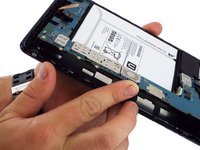
Gebruik de middelgrote metalen spudger in plaats van de kleine metalen spudger om de achterbehuizing te verwijderen. Doe dit door de middelgrote metalen spudger langs de omtrek van het apparaat te schuiven, beginnend bij het bovenste gedeelte van het geheugenkaartslot.
-
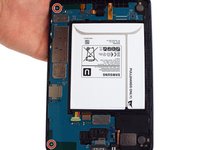
De tweede afbeelding toont het interne gedeelte van het apparaat zodra de achterbehuizing is verwijderd.
-
-
Gereedschap gebruikt in deze stap:Tweezers$4.99
-
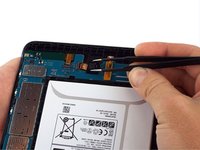
Gebruik de gebogen precisie-pincet om de (kabel)aansluiting van de accu los te koppelen van het moederbord.
-
-
-
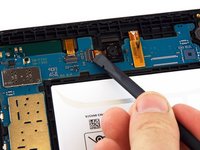
Gebruik de spudger om de (kabel)aansluiting van de flexibele schermkabel los te koppelen van het moederbord.
-
De eerste en tweede afbeelding laten zien hoe het scherm eruitziet wanneer het nog op het moederbord is aangesloten en nadat het is losgekoppeld.
-
-
-
-
Gebruik de spudger om het klepje van de ZIF-aansluiting omhoog te klappen en de flexibele kabel van de camera achteraan te ontgrendelen.
-
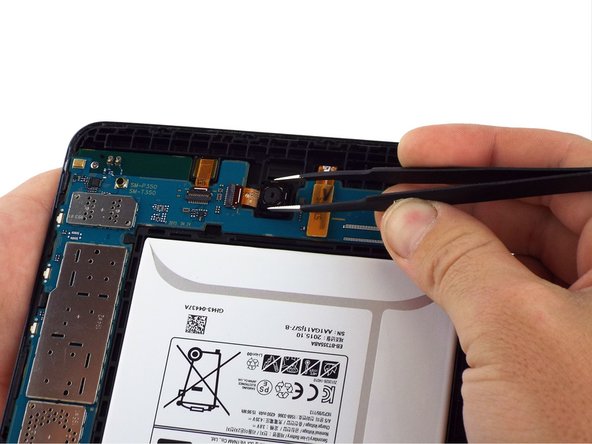
Gebruik vervolgens een pincet om de camera achteraan voorzichtig uit het apparaat te verwijderen.
-
-
-
Gebruik de spudger om de ZIF-aansluiting omhoog te klappen om de flexibele kabel van de camera vooraan te ontgrendelen.
-
Gebruik vervolgens een pincet om de camera vooraan voorzichtig uit het apparaat te verwijderen.
-
-
-
Gebruik de spudger om de (kabel)aansluiting van de flexibele kabel van het LCD-paneel los te koppelen.
-
-
-
Gebruik de spudger om de (kabel)aansluiting van de flexibele kabel van de 3,5mm-koptelefoonaansluiting los te koppelen.
-
-
-
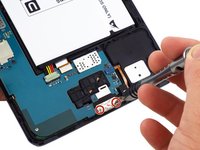
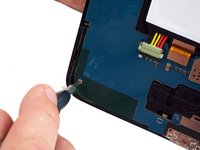
Gebruik de PH0-schroevendraaierbit om de twee 3 mm schroeven te verwijderen waarmee het schild van de USB-poort aan de centrale structuur is bevestigd.
-
Gebruik vervolgens de spudger om het schild van de USB-poort te verwijderen.
-
-
-
Gebruik de PH0-schroevendraaierbit om de twee 3 mm schroeven aan de linkerkant van het moederbord te verwijderen.
-
-
-
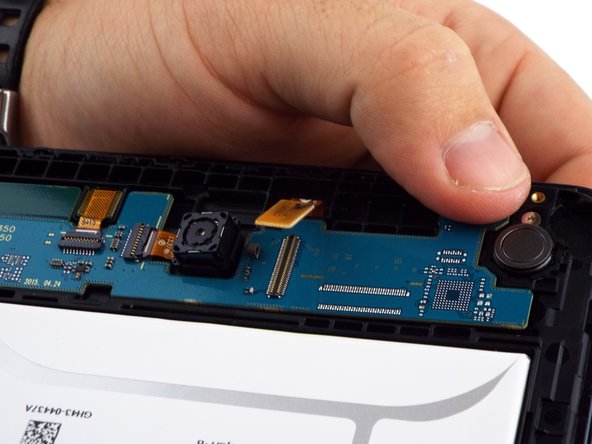
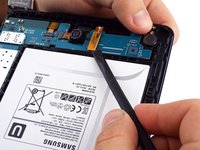
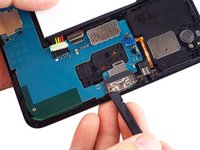
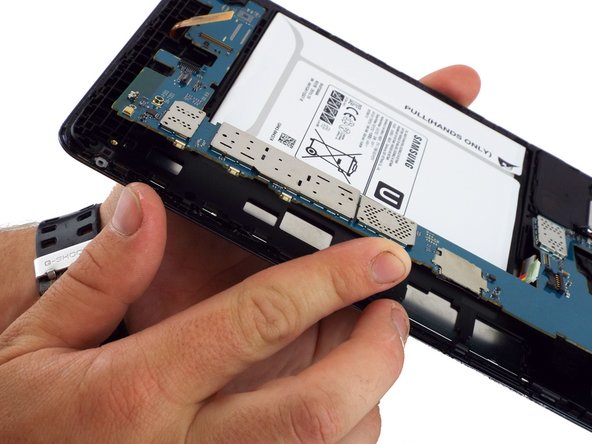
Gebruik de platte kant van een spudger om het moederbord voorzichtig uit de behuizing te wrikken.
-
Verwijder het moederbord voorzichtig uit het apparaat met je vingers.
-
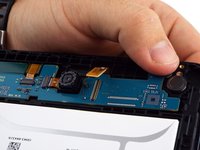
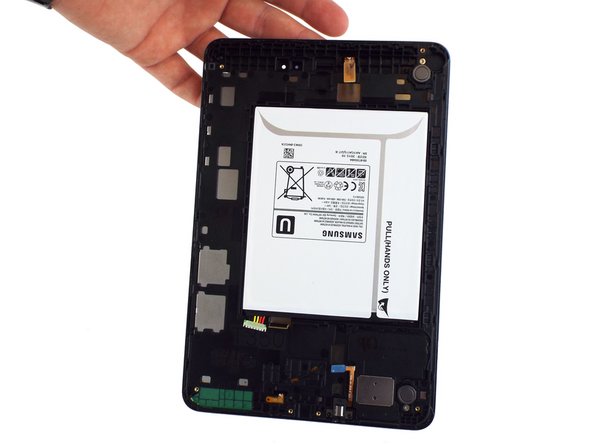
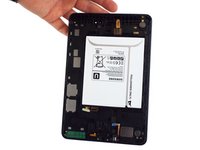
Zodra het moederbord is verwijderd, zou het apparaat eruit moeten zien zoals afgebeeld in de derde afbeelding.
-
-








Volg deze instructies in omgekeerde volgorde om je apparaat weer in elkaar te zetten.
Annuleren: ik heb deze handleiding niet afgemaakt.
15 andere personen hebben deze handleiding voltooid.

Team

USF Tampa, Team 17-4, Blackwell Winter 2016 Lid van USF Tampa, Team 17-4, Blackwell Winter 2016
USFT-BLACKWELL-W16S17G4
4 Leden
60 handleidingen geschreven
9 opmerkingen onder de handleiding
I have a tablet that has previously had its battery replaced and well pretty much the red text in step 3 happened would that small scratch cause it to not turn on at all and require a replacement motherboard?
you would be correct that it COULD as it says, but take a magnifying glass (or a phone app that magnifies and examine the scratch, if you can see the copper on the pcb is in fact showing and cut the yeah if not perhaps that is not the problem (in trouble shooting one needs to check to see that they are correct and not just assume that is the end of the road, it could be something else (this post is very old i answer only for those getting here and wondering the same thing. answers to questions are good things, questions only are just internet clutter. someone here could have answered this by now.
Can you still revive photos and video if you change mother board
if the pictures are on the old motherboard then now. if you are replacing with a motherboard (because the display and touch are messed up) from an old machine that worked then anything on the motherboards memory that you are putting in and powering up are potentially within your reach. (if you are correct that the board you are putting in is working) (there is more than one reason to replace a motherboard; i am taking a perfectly fine board out, putting in a board that is my old machine with valued data, then once i got my data i will be replacing the brand new board right back in, (most likely) and i will have saved my data (my backup was a few months out of date and i wish to recover that)
this must be said, people do NOT use metal spudger. use plastic guitar pick or similar for this stuff, try not to use needle nose plyers, use a plastic stick on battery connection detaching at right angle to connector (not anglarly as this may undo some of the wire connections.
always examin connectors for latches or locks some connectors will have a folding door, not activating these may wreck your connector. be observant, remember you have lots of time no need for rush in this kind of stuff.
another thing not mentioned is you should destatic (or ground yourself) as your body may have enough charge in you to mess up some chips on any computer parts.
