Ga door naar hoofdinhoud

Nuphy Air75 Keyboard Switch Replacement

Wat je nodig hebt

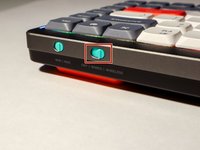
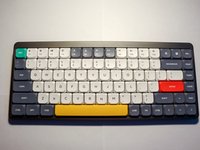
  1. Nuphy Air75 Keyboard Switch Replacement, Keyboard Switch: stap 1, afbeelding 1 van 2 Nuphy Air75 Keyboard Switch Replacement, Keyboard Switch: stap 1, afbeelding 2 van 2
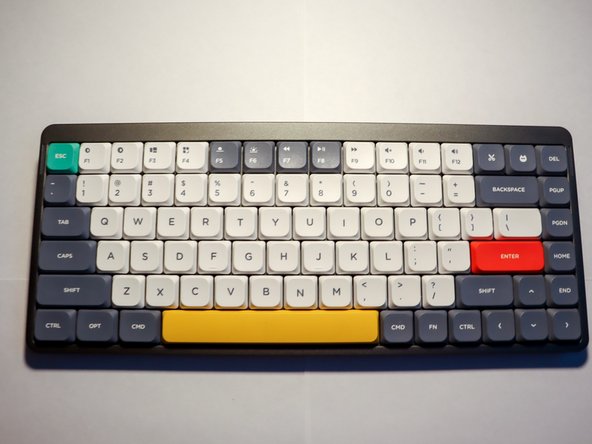
    • Place your keyboard on a clean, well-lit surface.

    • Slide the keyboard power switch to the "off" position.

  2. Nuphy Air75 Keyboard Switch Replacement: stap 2, afbeelding 1 van 3 Nuphy Air75 Keyboard Switch Replacement: stap 2, afbeelding 2 van 3 Nuphy Air75 Keyboard Switch Replacement: stap 2, afbeelding 3 van 3
    • Find the wire side of the keycap puller. Slide each wire around opposite sides of the key you are replacing.

    • Pull gently until the key cap comes off.

    • Pull the keycap straight up. This will prevent damage to adjacent keycaps.

  3. Nuphy Air75 Keyboard Switch Replacement: stap 3, afbeelding 1 van 3 Nuphy Air75 Keyboard Switch Replacement: stap 3, afbeelding 2 van 3 Nuphy Air75 Keyboard Switch Replacement: stap 3, afbeelding 3 van 3
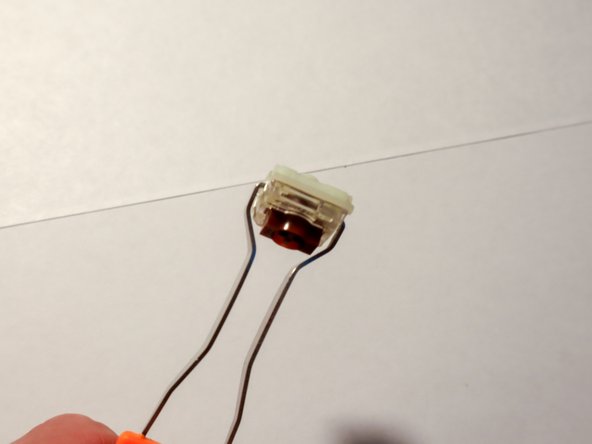
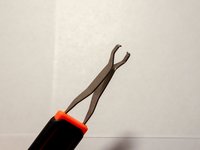
    • Use the other side of the switch puller, with two large metal prongs. Fit the prongs onto either side of the switch.

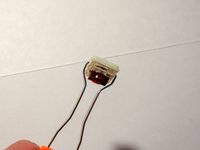
    • Pull the switch out using a side-to-side motion. When one side of the switch lifts up with an audible click, gently lift the other side to fully remove the switch.

    • Do not rock side-to-side into other keys. You can damage adjacent keycaps and the keyboard itself.

  4. Nuphy Air75 Keyboard Switch Replacement: stap 4, afbeelding 1 van 2 Nuphy Air75 Keyboard Switch Replacement: stap 4, afbeelding 2 van 2
    • Orient the replacement switch so that the colored, circular module is facing up.

    • Gently press down until you hear an audible click.

    • Place the keycap over the newly installed switch and gently press down.

  5. Nuphy Air75 Keyboard Switch Replacement: stap 5, afbeelding 1 van 2 Nuphy Air75 Keyboard Switch Replacement: stap 5, afbeelding 2 van 2
    • Turn the power switch to the "wired" or "wireless" position depending on your setup.

    • Test your keyboard and new key switch.

Eindstreep

Brad

Lid sinds: 01/16/24

121 Reputatie

1 Handleiding geschreven

0Gids Commentaar

Voeg opmerking toe

Weergavestatistieken:

Afgelopen 24 uren: 5

Afgelopen 7 dagen: 27

Afgelopen 30 dagen: 138

Altijd: 2,461