Ga door naar hoofdinhoud
Word lid van de reparatiegemeenschap - Account aanmaken

Nest Cam IQ Mounting Stand Replacement

Wat je nodig hebt

  1. Nest Cam IQ Mounting Stand Replacement, Mounting Stand: stap 1, afbeelding 1 van 1
    • To soften the adhesive holding the camera together, heat up the edges of the glass lens using a heated iOpener on the device. Alternatively, you can use a heat gun to loosen the adhesive.

    • Leave the Opener on the glass lens for two minutes.

    • Be careful not to burn yourself while handling the hot iOpener. For more information on the Opener, use the iOpener Instructions Guide.

    Vraag FixBot

    Voeg opmerking toe

  2. Nest Cam IQ Mounting Stand Replacement: stap 2, afbeelding 1 van 1
    • Use an opening tool to split apart the glass lens from the body.

    • Be careful to not break the glass when prying from the body.

    Vraag FixBot

    Voeg opmerking toe

  3. Nest Cam IQ Mounting Stand Replacement: stap 3, afbeelding 1 van 1
    • Place a suction cup on the glass lens that you heated up with the iOpener.

    • Press down on the suction cup to create a seal, and pull up with force to create a separation between the glass lens and the body.

    • Pull off the glass lens using the suction cup.

    Vraag FixBot

    Voeg opmerking toe

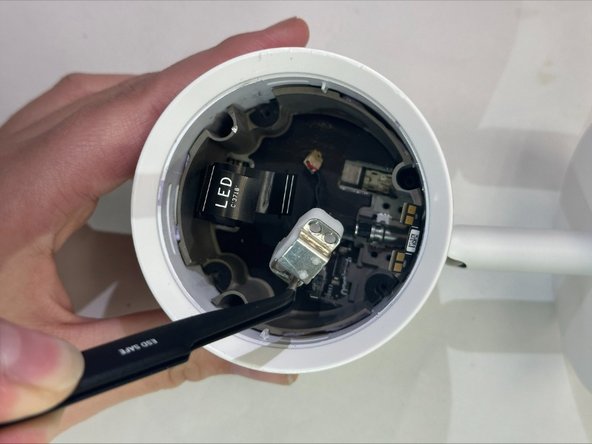
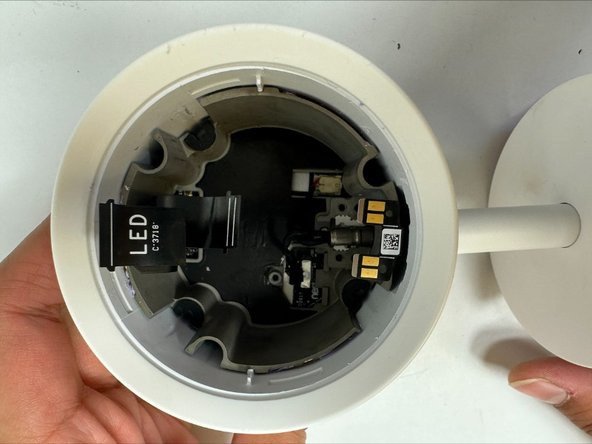
  4. Nest Cam IQ Mounting Stand Replacement: stap 4, afbeelding 1 van 2 Nest Cam IQ Mounting Stand Replacement: stap 4, afbeelding 2 van 2
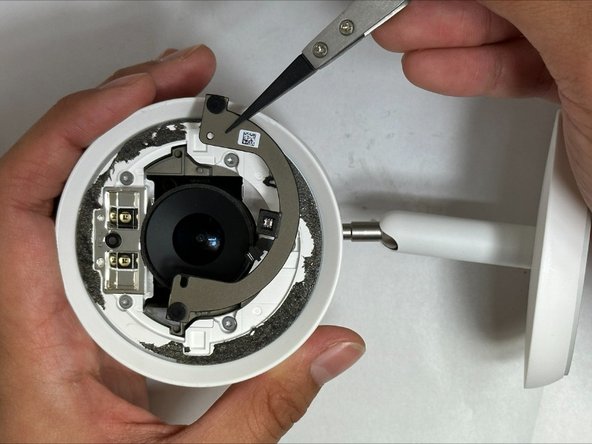
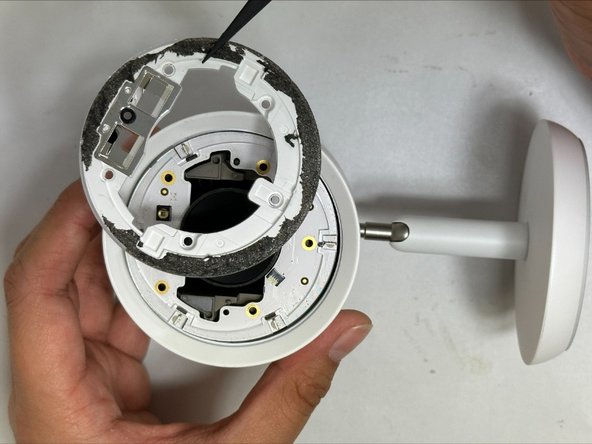
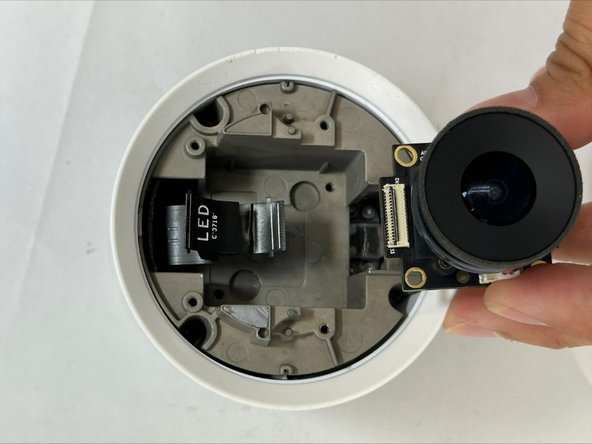
    • Carefully disconnect the flat black ribbon cable connecting the metal plate to the LED.

    • Remove the metal plate.

    Vraag FixBot

    Voeg opmerking toe

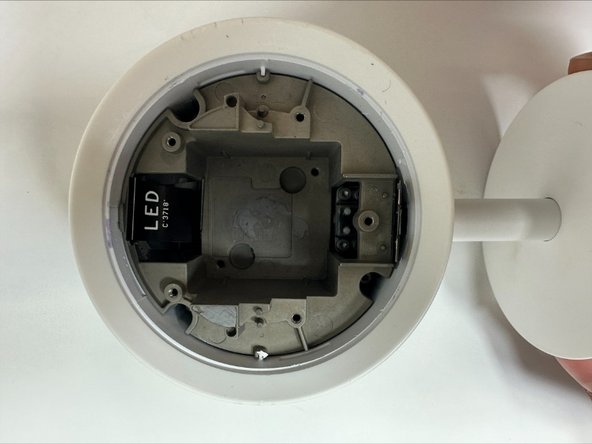
  5. Nest Cam IQ Mounting Stand Replacement: stap 5, afbeelding 1 van 2 Nest Cam IQ Mounting Stand Replacement: stap 5, afbeelding 2 van 2
    • Remove the five 9mm TR6 Torx screws from the LED cover.

    • Pull off the LED cover.

    • As you remove the LED cover, be careful not to tear the flat black ribbon connecting the LED to the motherboard.

    Vraag FixBot

    Voeg opmerking toe

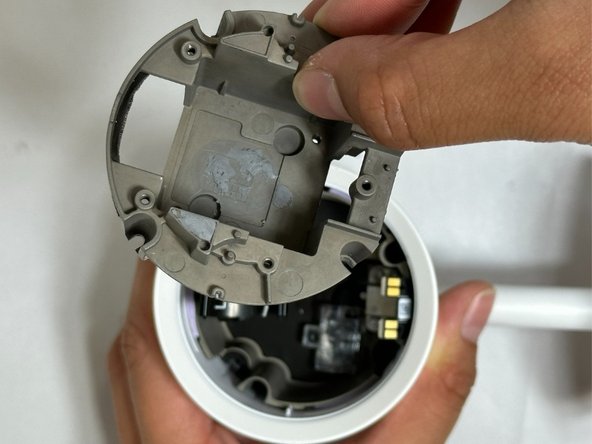
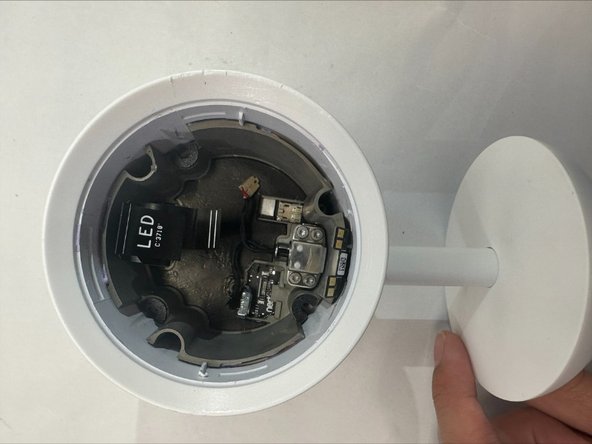
  6. Nest Cam IQ Mounting Stand Replacement: stap 6, afbeelding 1 van 3 Nest Cam IQ Mounting Stand Replacement: stap 6, afbeelding 2 van 3 Nest Cam IQ Mounting Stand Replacement: stap 6, afbeelding 3 van 3
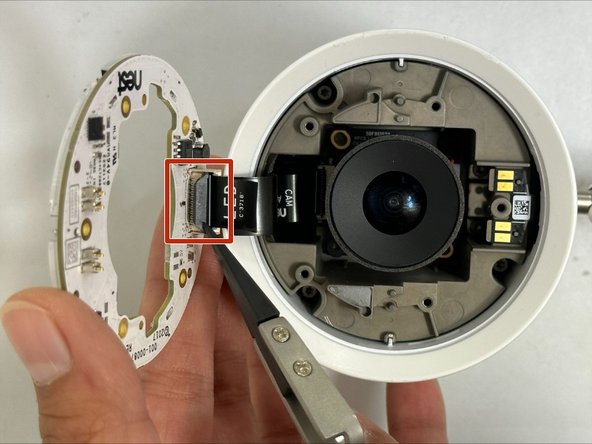
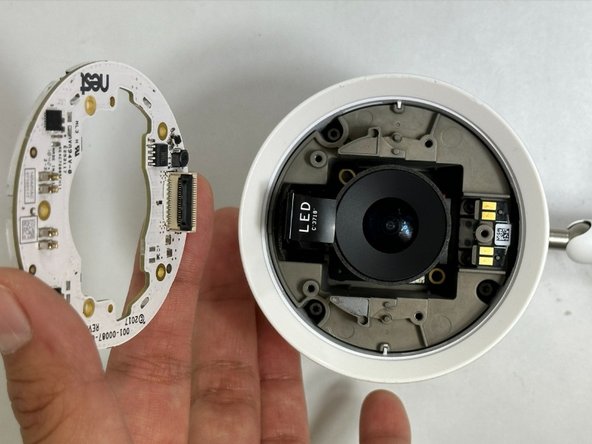
    • Carefully disconnect the flat black ribbon cable connecting the LED to the motherboard.

    • Remove the LED cover.

    Vraag FixBot

    Voeg opmerking toe

  7. Nest Cam IQ Mounting Stand Replacement: stap 7, afbeelding 1 van 1
    • Remove the two 7mm TR6 Torx screws securing the camera.

    • Carefully pull out the camera.

    • As you remove the camera, be careful not to tear the flat black ribbon connecting the camera to the motherboard.

    Vraag FixBot

    Voeg opmerking toe

  8. Nest Cam IQ Mounting Stand Replacement: stap 8, afbeelding 1 van 2 Nest Cam IQ Mounting Stand Replacement: stap 8, afbeelding 2 van 2
    • Carefully disconnect the flat black ribbon cable connecting the camera to the motherboard.

    • Remove the camera.

    Vraag FixBot

    Voeg opmerking toe

  9. Nest Cam IQ Mounting Stand Replacement: stap 9, afbeelding 1 van 3 Nest Cam IQ Mounting Stand Replacement: stap 9, afbeelding 2 van 3 Nest Cam IQ Mounting Stand Replacement: stap 9, afbeelding 3 van 3
    • Remove the three 19mm TR6 Torx screws from the camera holder.

    • Carefully lift the tab up and away from the camera holder.

    • Remove the camera holder.

    Vraag FixBot

    Voeg opmerking toe

  10. Nest Cam IQ Mounting Stand Replacement: stap 10, afbeelding 1 van 2 Nest Cam IQ Mounting Stand Replacement: stap 10, afbeelding 2 van 2
    • Remove the one 4mm TR6 Torx screw from the clear cover.

    • Remove the clear cover.

    Vraag FixBot

    Voeg opmerking toe

  11. Nest Cam IQ Mounting Stand Replacement: stap 11, afbeelding 1 van 3 Nest Cam IQ Mounting Stand Replacement: stap 11, afbeelding 2 van 3 Nest Cam IQ Mounting Stand Replacement: stap 11, afbeelding 3 van 3
    • Remove the four 11mm TR6 Torx screws from the clamp securing the mounting stand.

    • Remove the clamp.

    • Carefully pull away the cables connecting the mounting stand to the body.

    Vraag FixBot

    Voeg opmerking toe

  12. Nest Cam IQ Mounting Stand Replacement: stap 12, afbeelding 1 van 1
    • Carefully remove the mounting stand.

    Vraag FixBot

    Voeg opmerking toe

Conclusie

To reassemble your device, follow these instructions in reverse order.

Annuleren: ik heb deze handleiding niet afgemaakt.

Één andere persoon heeft deze handleiding voltooid.

Jas Ownby

Lid sinds: 09/08/23

806 Reputatie

4 handleidingen geschreven

0Gids Commentaar

Voeg opmerking toe

Weergavestatistieken:

Afgelopen 24 uren: 5

Afgelopen 7 dagen: 10

Afgelopen 30 dagen: 50

Altijd: 412