Ga door naar hoofdinhoud
Word lid van de reparatiegemeenschap - Account aanmaken

Motorola Droid 2 Camera Assembly Replacement

Wat je nodig hebt

  1. Motorola Droid 2 Camera Assembly Replacement, Battery: stap 1, afbeelding 1 van 3 Motorola Droid 2 Camera Assembly Replacement, Battery: stap 1, afbeelding 2 van 3 Motorola Droid 2 Camera Assembly Replacement, Battery: stap 1, afbeelding 3 van 3
    • Slide the battery cover toward the bottom edge of the phone.

    • Remove the battery cover from the rear of the phone.

  2. Motorola Droid 2 Camera Assembly Replacement: stap 2, afbeelding 1 van 2 Motorola Droid 2 Camera Assembly Replacement: stap 2, afbeelding 2 van 2
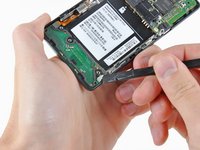
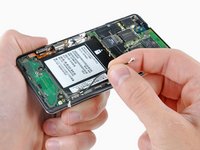
    • Lift the battery out of the Droid 2 from the edge closest to the bottom of the phone.

    • Remove the battery from the Droid 2.

  3. Motorola Droid 2 Camera Assembly Replacement, Rear Case: stap 3, afbeelding 1 van 2 Motorola Droid 2 Camera Assembly Replacement, Rear Case: stap 3, afbeelding 2 van 2
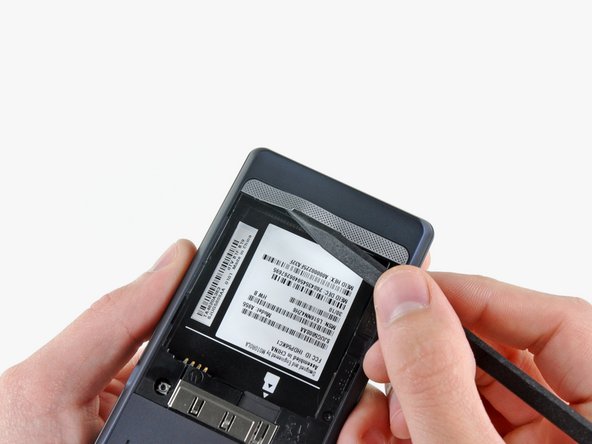
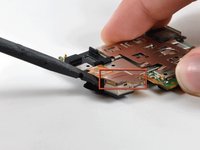
    • Using the tip of a spudger, peel up one corner of the silver ribbon below the battery compartment.

    • Peel the ribbon off the phone.

  4. Motorola Droid 2 Camera Assembly Replacement: stap 4, afbeelding 1 van 1
    • Insert the flat end of a spudger and pry the plastic camera cover up off the phone.

    • The thin plastic cover is attached to the phone with an adhesive. Work slowly and carefully.

  5. Motorola Droid 2 Camera Assembly Replacement: stap 5, afbeelding 1 van 1
    • Use the tip of a spudger to remove the camera bezel stuck to the rear case.

  6. Motorola Droid 2 Camera Assembly Replacement: stap 6, afbeelding 1 van 1
    • Remove the seven 5.5 mm T5 Torx screws securing the rear case to the inner case.

  7. Motorola Droid 2 Camera Assembly Replacement: stap 7, afbeelding 1 van 1
    • Insert the flat end of a spudger and pry downwards to release the plastic tab holding the rear case to the motherboard screw.

  8. Motorola Droid 2 Camera Assembly Replacement: stap 8, afbeelding 1 van 1
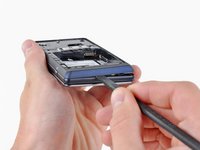
    • Gently insert a spudger between the rear case and front case at the top of the phone, near the audio jack.

    • Carefully pry the top edge of the rear case up from the rest of the phone.

  9. Motorola Droid 2 Camera Assembly Replacement: stap 9, afbeelding 1 van 2 Motorola Droid 2 Camera Assembly Replacement: stap 9, afbeelding 2 van 2
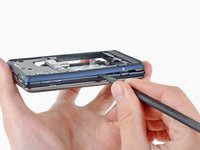
    • With the spudger still inserted between the rear case and front case, slide the spudger along the right edge of the device, moving toward the bottom, prying as you go.

    • Continue prying along the bottom edge of the device from right to left, freeing it from the front panel.

  10. Motorola Droid 2 Camera Assembly Replacement: stap 10, afbeelding 1 van 2 Motorola Droid 2 Camera Assembly Replacement: stap 10, afbeelding 2 van 2
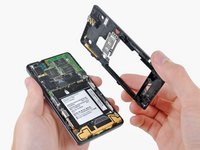
    • Continue prying the rear case from the front case along the left side, moving from bottom to top.

    • Lift the rear case up out of the phone.

    • At this point, the button covers on the side of the phone are free and may fall out if you tip the phone upside down.

  11. Motorola Droid 2 Camera Assembly Replacement, Speaker: stap 11, afbeelding 1 van 1
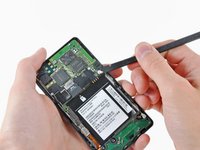
    • Carefully lift the speaker/antenna assembly up and out of the phone.

    • If you are re-assembling your phone, insert any power, camera, or volume buttons that may have fallen out at this point.

  12. Motorola Droid 2 Camera Assembly Replacement, Motherboard: stap 12, afbeelding 1 van 3 Motorola Droid 2 Camera Assembly Replacement, Motherboard: stap 12, afbeelding 2 van 3 Motorola Droid 2 Camera Assembly Replacement, Motherboard: stap 12, afbeelding 3 van 3
    • Use a spudger to pry the antenna cable connectors from their respective sockets on the motherboard and the speaker/antenna board.

    • De-route the antenna cable by pulling it out of the metal clips along the side of the front case.

  13. Motorola Droid 2 Camera Assembly Replacement: stap 13, afbeelding 1 van 1
    • Peel the black rubber sheet covering the side button and display ribbon connectors on the motherboard.

  14. Motorola Droid 2 Camera Assembly Replacement: stap 14, afbeelding 1 van 1
    • Disconnect the power button/volume button connector from its socket on the motherboard using the flat end of a spudger.

  15. Motorola Droid 2 Camera Assembly Replacement: stap 15, afbeelding 1 van 1
    • Disconnect the display ribbon connector from its socket on the motherboard using the flat end of a spudger.

  16. Motorola Droid 2 Camera Assembly Replacement: stap 16, afbeelding 1 van 1
    • Use the flat end of a spudger to remove the small black plastic piece stuck to the battery connector.

  17. Motorola Droid 2 Camera Assembly Replacement: stap 17, afbeelding 1 van 1
    • Remove three 3.8 mm T5 Torx screws securing the motherboard to the front case.

    • Don't attempt to remove the motherboard yet, it is still attached by the keypad ribbon connector.

  18. Motorola Droid 2 Camera Assembly Replacement: stap 18, afbeelding 1 van 1
    • Carefully lift the motherboard from the front case and lay it next to the Droid 2, minding the keypad connector that is still attached.

    • Disconnect the keypad connector by prying it straight up off its socket on the motherboard.

    • Remove the motherboard from the Droid 2.

  19. Motorola Droid 2 Camera Assembly Replacement, Camera Assembly: stap 19, afbeelding 1 van 2 Motorola Droid 2 Camera Assembly Replacement, Camera Assembly: stap 19, afbeelding 2 van 2
    • Orient the motherboard so that the camera lens is face down.

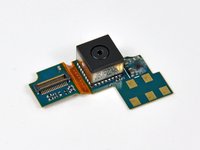
    • Disconnect the camera connector from its socket by prying it straight up with a spudger.

    • Remove the camera assembly from the motherboard.

Conclusie

To reassemble your device, follow these instructions in reverse order.

Één andere persoon heeft deze handleiding voltooid.

0Gids Commentaar

Voeg opmerking toe

Weergavestatistieken:

Afgelopen 24 uren: 2

Afgelopen 7 dagen: 9

Afgelopen 30 dagen: 19

Altijd: 8,610