Ga door naar hoofdinhoud
Word lid van de reparatiegemeenschap - Account aanmaken

Motorola 120c Keypad Replacement

Bekeken: 973

View statistics:

Past 24 Hours:
0
Past 7 Days:
14
Past 30 Days:
27
All Time:
973
Commentaar: 0

No one has left comments on this guide. Will you be first?

Go to guide comments
Voltooid: 0

Niemand heeft deze handleiding als "voltooid" gemarkeerd. Ben jij de eerste?

Favorieten: 1

1 person has favorited (and subscribed to) this guide. Will you be next?

Tijd vereist: 4 - 5 minuten
Moeilijkheid: Zeer eenvoudig
Heeft betere plaatjes nodig

Betere foto's zullen deze handleiding verbeteren. Help mee door het nemen, bewerken of uploaden van nieuwe foto's!

Motorola 120c Keypad Replacement

Inleiding

Ga naar stap 1 ↓

This process involves first removing the battery, outer case, and motherboard. After, the keypad can be easily removed.

Wat je nodig hebt

Gereedschap

    1. Motorola 120c Keypad Replacement, Battery: stap 1, afbeelding 1 van 2 Motorola 120c Keypad Replacement, Battery: stap 1, afbeelding 2 van 2
      • Hold the phone and pull the back latch down towards the bottom.

      • Remove the back panel by releasing the latch and lifting from the top.

      Vraag FixBot

      Voeg opmerking toe

    2. Motorola 120c Keypad Replacement: stap 2, afbeelding 1 van 3 Motorola 120c Keypad Replacement: stap 2, afbeelding 2 van 3 Motorola 120c Keypad Replacement: stap 2, afbeelding 3 van 3
      • Remove the battery by pushing the bottom end towards the top, then lifting up.

      Vraag FixBot

      Voeg opmerking toe

    1. Motorola 120c Keypad Replacement, Motherboard: stap 3, afbeelding 1 van 3 Motorola 120c Keypad Replacement, Motherboard: stap 3, afbeelding 2 van 3 Motorola 120c Keypad Replacement, Motherboard: stap 3, afbeelding 3 van 3
      • Once the battery is out, unscrew the six 7.0 mm screws with T-6 screwdriver.

      • Once the screws are removed, simply lift the back panel off

      Vraag FixBot

      Voeg opmerking toe

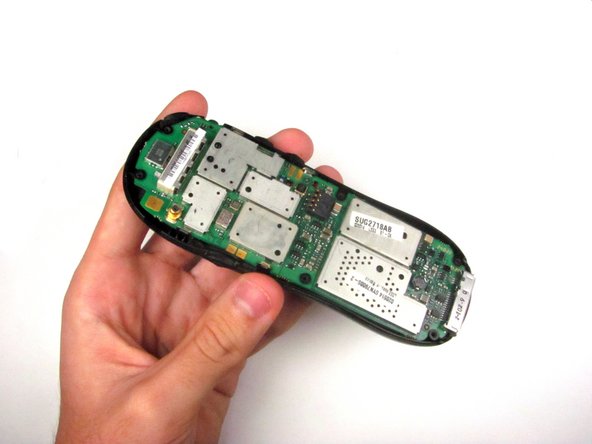
    2. Motorola 120c Keypad Replacement: stap 4, afbeelding 1 van 3 Motorola 120c Keypad Replacement: stap 4, afbeelding 2 van 3 Motorola 120c Keypad Replacement: stap 4, afbeelding 3 van 3
      • Remove the motherboard by lifting it up and out.

      Vraag FixBot

      Voeg opmerking toe

    1. Motorola 120c Keypad Replacement, Keypad: stap 5, afbeelding 1 van 3 Motorola 120c Keypad Replacement, Keypad: stap 5, afbeelding 2 van 3 Motorola 120c Keypad Replacement, Keypad: stap 5, afbeelding 3 van 3
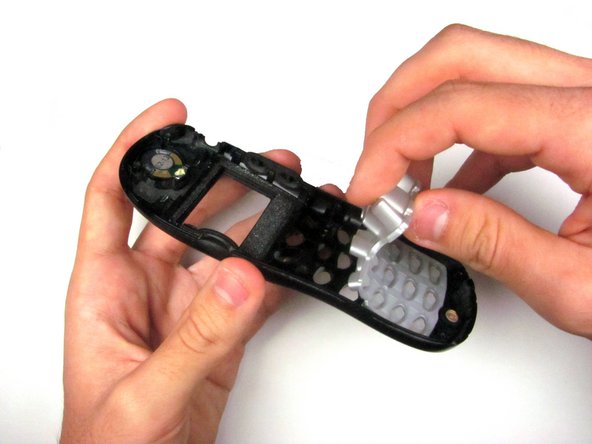
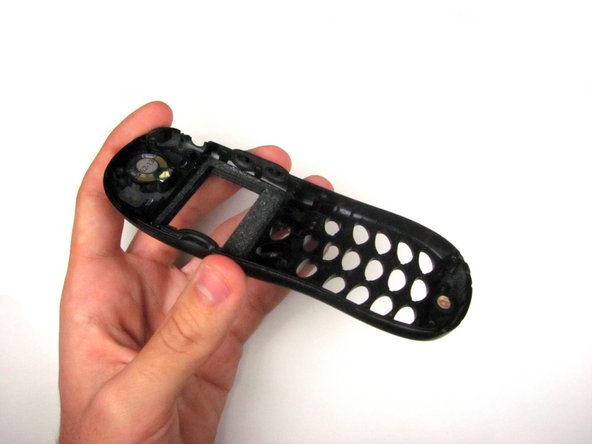
      • Peel the keypad from the front case.

      • The keypad may be stuck either to the logic board, below the screen, or the phone case itself.

      Vraag FixBot

      Voeg opmerking toe

Conclusie

To reassemble your device, follow these instructions in reverse order.

Annuleren: ik heb deze handleiding niet afgemaakt.

Mitchell Nesheim

Lid sinds: 04/15/12

26 Reputatie

1 Handleiding geschreven

Team

Cal Poly, Team 6-21, Amido Spring 2012 Lid van Cal Poly, Team 6-21, Amido Spring 2012

CPSU-AMIDO-S12S6G21

4 Leden

108 handleidingen geschreven

0Gids Commentaar

Voeg opmerking toe

Weergavestatistieken:

Afgelopen 24 uren: 0

Afgelopen 7 dagen: 14

Afgelopen 30 dagen: 27

All Time: 973