Inleiding
The right speaker and subwoofer are a single unit. Use this guide to replace it if either has stopped working.
Wat je nodig hebt
-
-
Remove the following ten screws securing the lower case to the upper case:
-
Three 13.5 mm (14.1 mm) Phillips screws.
-
Seven 3 mm Phillips screws.
-
-
-
Use the edge of a spudger to pry the battery connector upwards from its socket on the logic board.
-
-
-
Disconnect the camera cable connector from its socket on the logic board.
-
-
-
-
Use the flat end of a spudger to pry the hard drive/IR sensor cable connector up off the logic board.
-
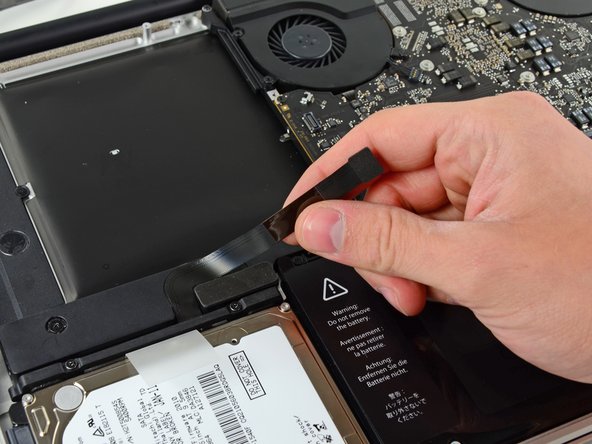
Peel the hard drive cable up from the channel within the subwoofer and right speaker.
-




To reassemble your device, follow these instructions in reverse order.
To reassemble your device, follow these instructions in reverse order.
Annuleren: ik heb deze handleiding niet afgemaakt.
13 andere personen hebben deze handleiding voltooid.




Één opmerking
Hi, since a few day my right speaker crackles (in the bass), do you think it should be changed ? what could be the cause of the damage ? If so, is this type of piece ok ? (macbook pro Unibody 15" Mid-2102) THX
