Inleiding
Use this guide to replace the antenna plate that serves as a mount for the antenna as well as the hard drive.
Wat je nodig hebt
-
-
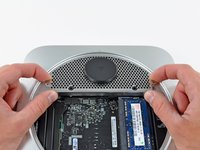
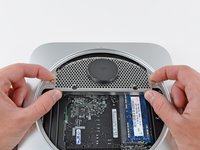
Place your thumbs in the depressions cut into the bottom cover.
-
Rotate the bottom cover counter-clockwise until the white dot painted on the bottom cover is aligned with the ring inscribed on the outer case.
-
-
-
Remove the two 11.3 mm T6 Torx screws securing the fan to the logic board near the antenna plate.
-
-
-
-
Remove the single 3.5 mm T6 Torx screw securing the cowling to the heat sink.
-
-
-
Remove the following screws securing the antenna plate to the mini:
-
Two 6.6 mm T8 or T9 Torx screws
-
Two 5.0 mm T8 Torx or 2.0 mm Hex screws (either will work)
-




To reassemble your device, follow these instructions in reverse order.
Annuleren: ik heb deze handleiding niet afgemaakt.
11 andere personen hebben deze handleiding voltooid.


2Gids Commentaar
GalvanicMacPro, to my recollection, the plate needs to be more fully inserted before all screws will line up again.
bkbkbk,
I can see that it has a very particular orientation, going under the Mini's housing from about 10 o'clock to 2 o'clock, so to speak, and that I've done. I can't for the life of me see how it ever lined up originally!
