Ga door naar hoofdinhoud
Word lid van de reparatiegemeenschap - Account aanmaken

Kodak EasyShare Z740 Button Replacement

Wat je nodig hebt

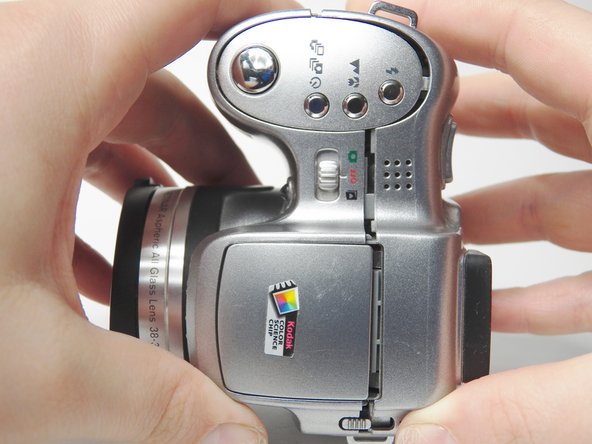
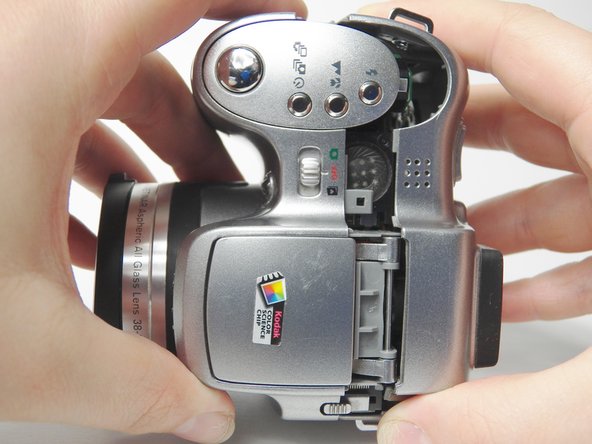
    1. Kodak EasyShare Z740 Button Replacement, Battery: stap 1, afbeelding 1 van 3 Kodak EasyShare Z740 Button Replacement, Battery: stap 1, afbeelding 2 van 3 Kodak EasyShare Z740 Button Replacement, Battery: stap 1, afbeelding 3 van 3
      • Slide the door on the bottom of the camera in the direction of the open symbol with your finger.

      • Release and the door will pop open.

      Vraag FixBot

      Voeg opmerking toe

    2. Kodak EasyShare Z740 Button Replacement: stap 2, afbeelding 1 van 2 Kodak EasyShare Z740 Button Replacement: stap 2, afbeelding 2 van 2
      • Slide the battery out.

      Vraag FixBot

      Voeg opmerking toe

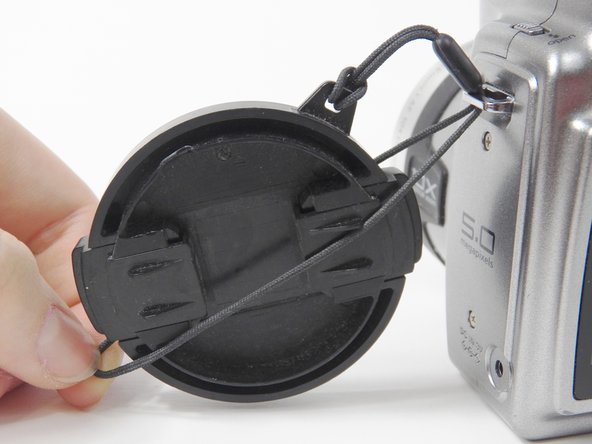
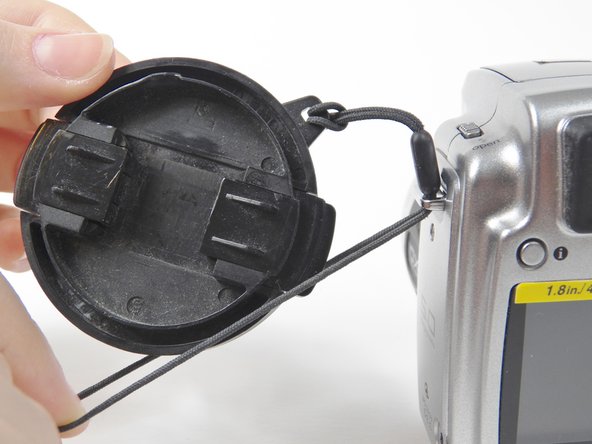
    1. Kodak EasyShare Z740 Button Replacement, Lens Cover: stap 3, afbeelding 1 van 2 Kodak EasyShare Z740 Button Replacement, Lens Cover: stap 3, afbeelding 2 van 2
      • Remove lens cover from the camera by squeezing the protruding button on each side of the cover and pulling.

      Vraag FixBot

      Voeg opmerking toe

    2. Kodak EasyShare Z740 Button Replacement: stap 4, afbeelding 1 van 3 Kodak EasyShare Z740 Button Replacement: stap 4, afbeelding 2 van 3 Kodak EasyShare Z740 Button Replacement: stap 4, afbeelding 3 van 3
      • Pull the lens cover string toward the ground so that the loop underneath the metal slab is on top of the cover string.

      • Push up so that the string starts to come out of the top of the loop.

      • Grab the string from above the loop and pull.

      Vraag FixBot

      Voeg opmerking toe

    3. Kodak EasyShare Z740 Button Replacement: stap 5, afbeelding 1 van 2 Kodak EasyShare Z740 Button Replacement: stap 5, afbeelding 2 van 2
      • Feed the string on top into the metal slab while pulling the loop toward you until the plastic piece stops you from pulling any further.

      Vraag FixBot

      Voeg opmerking toe

    4. Kodak EasyShare Z740 Button Replacement: stap 6, afbeelding 1 van 3 Kodak EasyShare Z740 Button Replacement: stap 6, afbeelding 2 van 3 Kodak EasyShare Z740 Button Replacement: stap 6, afbeelding 3 van 3
      • Separate the two pieces of the loop and pull the lens cover up in between them.

      Vraag FixBot

      Voeg opmerking toe

    5. Kodak EasyShare Z740 Button Replacement: stap 7, afbeelding 1 van 3 Kodak EasyShare Z740 Button Replacement: stap 7, afbeelding 2 van 3 Kodak EasyShare Z740 Button Replacement: stap 7, afbeelding 3 van 3
      • Pull the lens cover and the sting will come out of the metal slab.

      Vraag FixBot

      Voeg opmerking toe

    1. Kodak EasyShare Z740 Button Replacement, SD/MMC: stap 8, afbeelding 1 van 3 Kodak EasyShare Z740 Button Replacement, SD/MMC: stap 8, afbeelding 2 van 3 Kodak EasyShare Z740 Button Replacement, SD/MMC: stap 8, afbeelding 3 van 3
      • Flip open the door on the right side of the camera, when looking at the LCD screen.

      • This door has a memory card and A/V OUT symbol on it.

      Vraag FixBot

      Voeg opmerking toe

    2. Kodak EasyShare Z740 Button Replacement: stap 9, afbeelding 1 van 2 Kodak EasyShare Z740 Button Replacement: stap 9, afbeelding 2 van 2
      • Gently push SD/MMC to eject.

      Vraag FixBot

      Voeg opmerking toe

    3. Kodak EasyShare Z740 Button Replacement: stap 10, afbeelding 1 van 2 Kodak EasyShare Z740 Button Replacement: stap 10, afbeelding 2 van 2
      • Pull SD/MMC out of the camera.

      Vraag FixBot

      Voeg opmerking toe

    1. Kodak EasyShare Z740 Button Replacement, Back Cover: stap 11, afbeelding 1 van 3 Kodak EasyShare Z740 Button Replacement, Back Cover: stap 11, afbeelding 2 van 3 Kodak EasyShare Z740 Button Replacement, Back Cover: stap 11, afbeelding 3 van 3
      • Place lens cover back on the lens to prevent scratches or debris but leave string detached.

      • Remove a total of six 3.968mm Phillips #00 screws. Two each from the left side, bottom, and right side.

      Vraag FixBot

      Voeg opmerking toe

    2. Kodak EasyShare Z740 Button Replacement: stap 12, afbeelding 1 van 3 Kodak EasyShare Z740 Button Replacement: stap 12, afbeelding 2 van 3 Kodak EasyShare Z740 Button Replacement: stap 12, afbeelding 3 van 3
      • Pull the back cover away from the front cover.

      • You may need to use a plastic opening tool as a wedge if it does not come apart by easily.

      Vraag FixBot

      Voeg opmerking toe

    3. Kodak EasyShare Z740 Button Replacement: stap 13, afbeelding 1 van 1
      • Separate the back cover from the front cover.

      Vraag FixBot

      Voeg opmerking toe

    1. Kodak EasyShare Z740 Button Replacement, Button Pad: stap 14, afbeelding 1 van 3 Kodak EasyShare Z740 Button Replacement, Button Pad: stap 14, afbeelding 2 van 3 Kodak EasyShare Z740 Button Replacement, Button Pad: stap 14, afbeelding 3 van 3
      • Remove two Phillips #00 screws from the inside of the button pad on the back cover.

      Vraag FixBot

      Voeg opmerking toe

    2. Kodak EasyShare Z740 Button Replacement: stap 15, afbeelding 1 van 2 Kodak EasyShare Z740 Button Replacement: stap 15, afbeelding 2 van 2
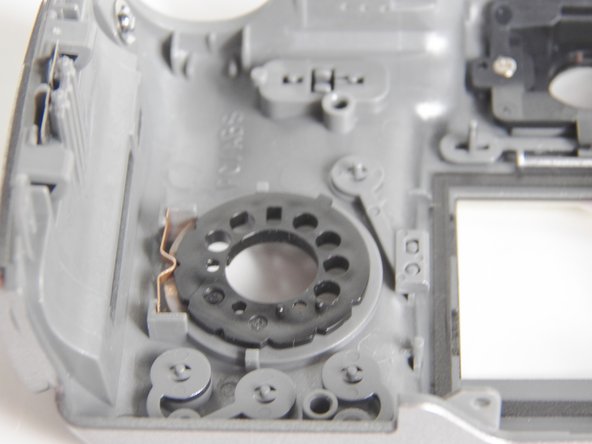
      • Remove the metal piece shown.

      Vraag FixBot

      Voeg opmerking toe

    3. Kodak EasyShare Z740 Button Replacement: stap 16, afbeelding 1 van 2 Kodak EasyShare Z740 Button Replacement: stap 16, afbeelding 2 van 2
      • Remove the black ring from the back and the white button pad will fall out from the front.

      Vraag FixBot

      Voeg opmerking toe

Conclusie

To reassemble your device, follow these instructions in reverse order.

Annuleren: ik heb deze handleiding niet afgemaakt.

Één andere persoon heeft deze handleiding voltooid.

1Gids Commentaar

When repositioning the button from, say, auto to video (or any of the settings) the wheel is hard to move and when I get it to the video it goes right back to auto. I have at times been able to get it to stay on the new setting by really forcing it and it will stay but inevitably during videoing it slips out to auto again.

Would you happen to know what I need to fix it and where to get it from. I have been searching on eBay and have used many combinations of various phrases in my browser search bar, but, every button replacement kit that was ever made comes up, except, for the Z740.

So, could you direct me to a site(s) where I could get one, please ?

Thankyou

Carroll (Mr.)

Carroll Cameron - Antwoord Deel

Voeg opmerking toe

Weergavestatistieken:

Afgelopen 24 uren: 0

Afgelopen 7 dagen: 3

Afgelopen 30 dagen: 23

Altijd: 1,159