
How to clean Motorola T720c screen and LCD

Amy en
Voor het laatst geüpdatet op 19 feb 2016
Bekeken: 831
Statistieken weergeven:
- Afgelopen 24 uur:
- 2
- Afgelopen 7 dagen:
- 3
- Afgelopen 30 dagen:
- 31
- Altijd:
- 831
Commentaar: 0
Niemand heeft een opmerking bij deze handleiding geplaatst. Ben jij de eerste?
Bekijk de opmerkingen bij de handleidingVoltooid: 0 1
Niemand heeft deze handleiding als "voltooid" gemarkeerd. Ben jij de eerste?
1 persoon heeft deze handleiding als "voltooid" gemarkeerd. Dat ben jij—lekker bezig!
Favorieten: 0 1
Niemand heeft deze handleiding gemarkeerd als favoriet of volgt de handleiding. Ben jij de eerste?
1 persoon heeft deze handleiding als favoriet gemarkeerd (en blijft daarmee op de hoogte van meldingen)—dat ben jij!
Inleiding
Ga naar stap 1 ↓Has debris found its way between the casing and the screen? Use this guide to remove and clean the screen.
As handling the display housing may damage the wire strip, use caution.
Wat je nodig hebt
Gereedschap
-
-
-
Spudger4.9


-
-
-
On the door's bottom edge, locate the gap between the external and internal screen covers.
-
Using a spudger (not shown), gently pry apart the external and internal covers until the sides start to separate.
-
Continue working your way along the edges of the phone, alternating sides, until the external cover can be easily removed.
 Vraag FixBot
-
-
-
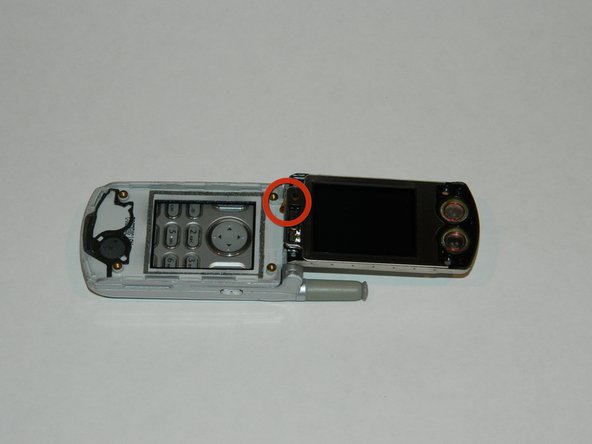
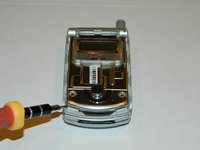
On the display housing, locate and unscrew the four corner T6 Torx screws connecting the housing and the internal cover.
-
-
-
-
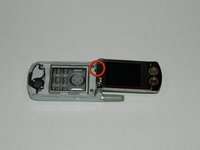
Locate the gap between the display housing and internal cover, in the same manner you would flip open the phone, use your finger (not shown) to lift the housing from the cover and set it down.
-
-
-
Using a lens cloth, wipe away any dust or debris from the display or screens.
-
-



To reassemble your device, follow these instructions in reverse order.

Team

University of Maine, Team 1-4, Diaz Fall 2012 Lid van University of Maine, Team 1-4, Diaz Fall 2012
UMAINE-DIAZ-F12S1G4
5 Leden
72 handleidingen geschreven
