Ga door naar hoofdinhoud

How to Use the FixHub Web Console

  1. How to Use the FixHub Web Console, Connect your power station: stap 1, afbeelding 1 van 2 How to Use the FixHub Web Console, Connect your power station: stap 1, afbeelding 2 van 2
    • To use the FixHub Web Console, you need a browser with Web Serial enabled. We recommend Brave, Chrome, Edge, or Opera as they include this functionality enabled by default.

    • Firefox (and its derivatives) and Safari don't support Web Serial at this time.

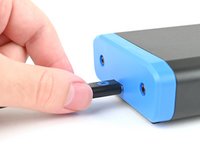
    • Plug the Portable Power Station into your computer, making sure the cable is connected to the power station's rear port (the side opposite the screen).

    • Ensure your cable is capable of data transfer. Otherwise, you won't be able to use the web console.

    • Navigate to iFixit.com/FixHub/console

  2. How to Use the FixHub Web Console: stap 2, afbeelding 1 van 3 How to Use the FixHub Web Console: stap 2, afbeelding 2 van 3 How to Use the FixHub Web Console: stap 2, afbeelding 3 van 3
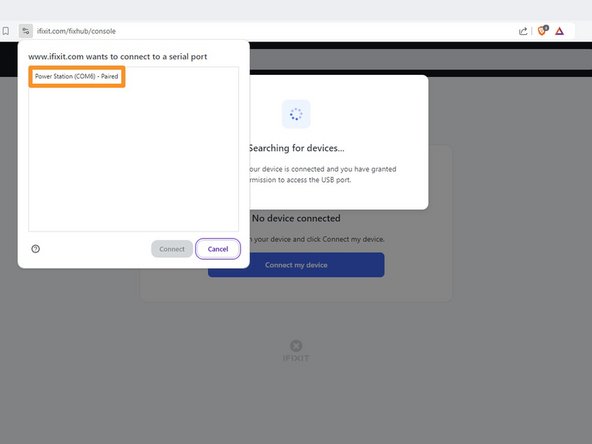
    • Click Connect my device.

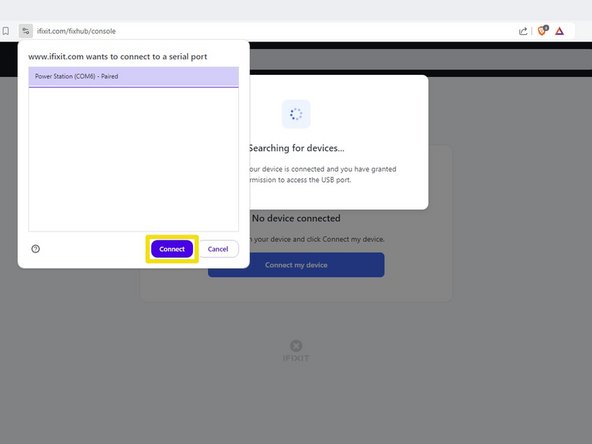
    • Select your Portable Power Station from the pop-up window asking you to connect a serial port.

    • Click Connect.

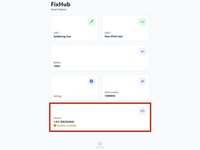
  3. How to Use the FixHub Web Console, FixHub Web Console layout: stap 3, afbeelding 1 van 2 How to Use the FixHub Web Console, FixHub Web Console layout: stap 3, afbeelding 2 van 2
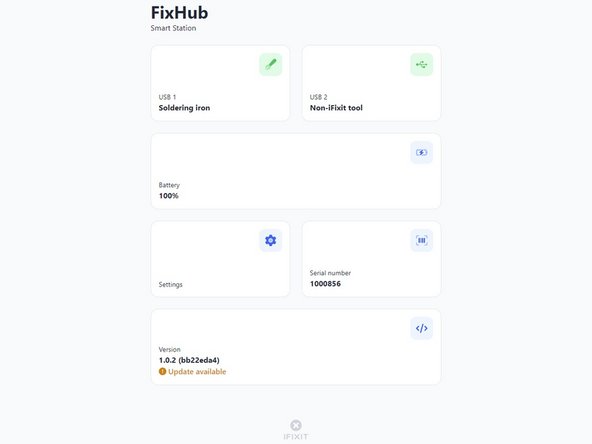
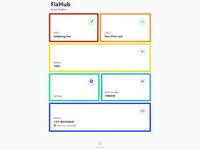
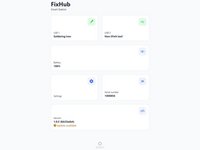
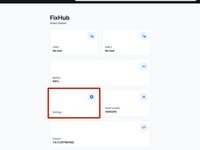
    • Once the FixHub Web Console opens, you'll see information and settings for your power station:

    • USB 1 shows info about the device connected to the power station's front left USB-C port.

    • USB 2 shows info about the device connected to the power station's front right USB-C port.

    • Battery shows the battery percentage in real time.

    • Settings allows you to reset the battery calibration data.

    • Serial number shows the serial number of the power station.

    • Version shows the firmware version and updates for the power station.

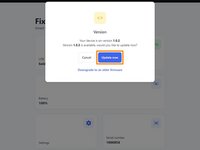
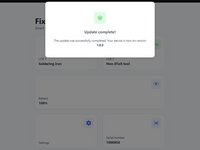
  4. How to Use the FixHub Web Console, Firmware update: stap 4, afbeelding 1 van 3 How to Use the FixHub Web Console, Firmware update: stap 4, afbeelding 2 van 3 How to Use the FixHub Web Console, Firmware update: stap 4, afbeelding 3 van 3
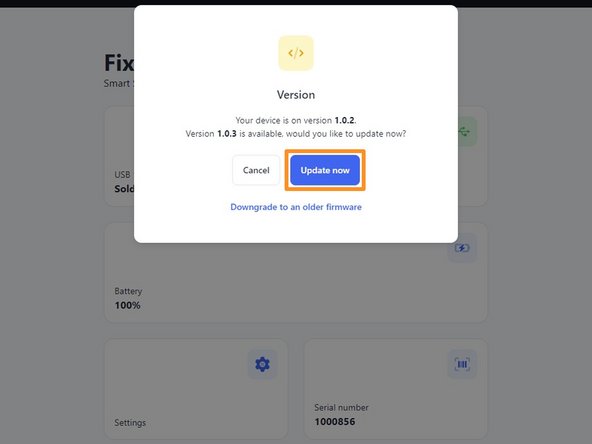
    • Before using the FixHub Web Console, ensure your firmware is up to date.

    • Select the Version box.

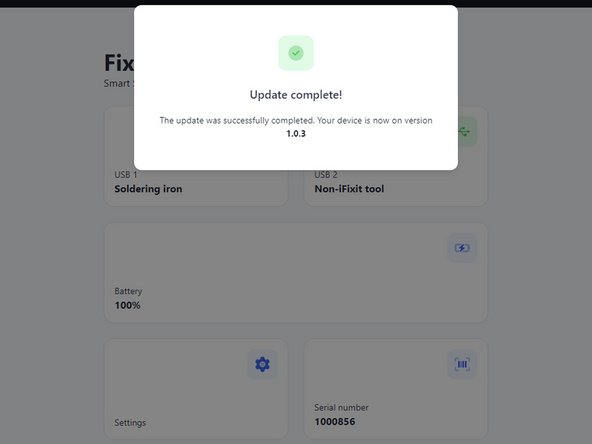
    • Click Update now and wait for the firmware update to complete. Don't disconnect your power station or close the window during the firmware update.

    • If something goes wrong, you can downgrade your firmware by repeating these steps and clicking Downgrade to an older firmware.

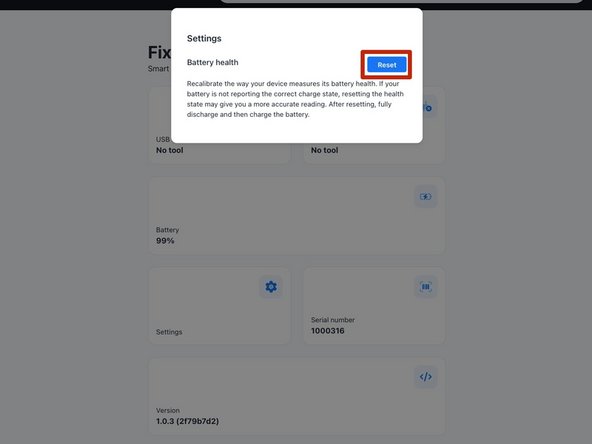
  5. How to Use the FixHub Web Console, Reset battery health: stap 5, afbeelding 1 van 2 How to Use the FixHub Web Console, Reset battery health: stap 5, afbeelding 2 van 2
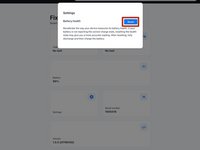
    • To reset the battery calibration data stored on your power station, select the Settings box and then click Reset.

    • Make sure to calibrate your battery after the reset is complete.

Conclusie

That's it!

Still need help? Ask our Answers community, or try some basic troubleshooting.

9 andere personen hebben deze handleiding voltooid.

Nick Schultz

Lid sinds: 03/24/24

36.987 Reputatie

224 handleidingen geschreven

Team

iFixit Lid van iFixit

Staff

123 Leden

23.618 handleidingen geschreven

4Gids Commentaar

Can you update the app or website to display the latest firmware release information for this device? When I plug in my hub, it only shows the current firmware version on the device but doesn't indicate if it's the latest. Unlike other options, I can't click on the box for more details. Additionally, I couldn't find any information on your website about the current firmware version or its release notes.

john - Antwoord

The web console page is: https://www.ifixit.com/fixhub/console

This is where you can browse through the current and prior firmware versions. However, I don't believe the packaged firmware (at least with CI/CD) is currently open-source at the time of writing. Yet you can see what is currently available here on GitHub: https://github.com/ifixit/fixhub (The commands here work if you're able to access the FixHub with either minicomp on Linux or PuTTY on Windows; you can determine which TTY device the FixHub is assigned to with the help of the FixHub web console, which reliably picks out the correct low-level serial device name for the FixHub.)

Tai Lam -

Settings tab is missing in the FixHub page for the Ifix-it portable power station. I am unable to reset battery health Calibration data for the PPS so i can perform initial battery calibration. is this a glitch? any suggestions?

Hector A - Antwoord

Same the settings tab is missing for me with no option to reset battery health calibration data after updating the firmware on the power station.

Slittcer - Antwoord

Voeg opmerking toe

Weergavestatistieken:

Afgelopen 24 uren: 15

Afgelopen 7 dagen: 98

Afgelopen 30 dagen: 379

Altijd: 3,235