Ga door naar hoofdinhoud

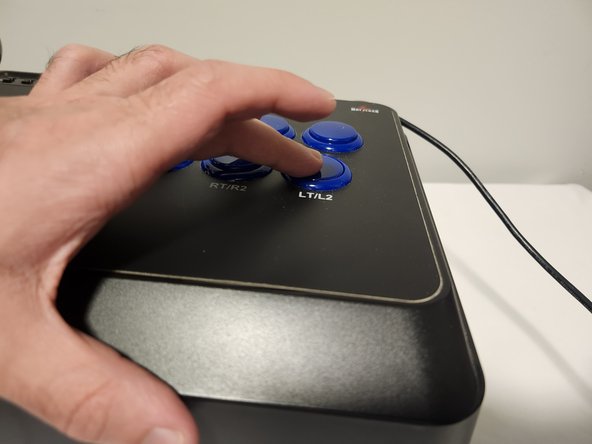
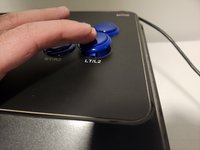
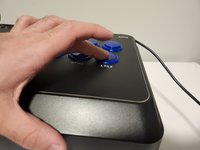
How to Fix a Faulty Button on a Mayflash F300

Wat je nodig hebt

  1. How to Fix a Faulty Button on a Mayflash F300, How to Fix a Faulty Button on a Mayflash F300: stap 1, afbeelding 1 van 2 How to Fix a Faulty Button on a Mayflash F300, How to Fix a Faulty Button on a Mayflash F300: stap 1, afbeelding 2 van 2
    • Flip around the Mayflash F300, so that the metal panel is facing you.

    • It may be helpful to place the device on a box if you cannot hold it, as the joystick would otherwise be under pressure.

  2. How to Fix a Faulty Button on a Mayflash F300: stap 2, afbeelding 1 van 3 How to Fix a Faulty Button on a Mayflash F300: stap 2, afbeelding 2 van 3 How to Fix a Faulty Button on a Mayflash F300: stap 2, afbeelding 3 van 3
    • Unscrew the six 9 mm Phillips #00 screws that hold together the metal panel.

    • Gently pry the panel away once it is unscrewed.

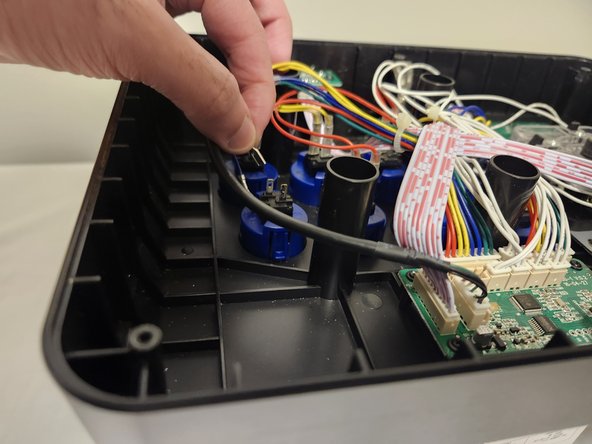
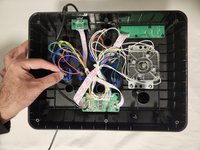
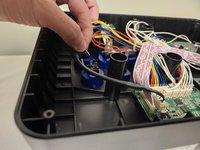
  3. How to Fix a Faulty Button on a Mayflash F300: stap 3, afbeelding 1 van 2 How to Fix a Faulty Button on a Mayflash F300: stap 3, afbeelding 2 van 2
    • Unplug the two cables going into the button you wish to clean or replace.

    • These two cables can be quite stubborn to remove, so gently wiggling them as you pull will make it easier.

  4. How to Fix a Faulty Button on a Mayflash F300: stap 4, afbeelding 1 van 1
    • Squeeze the two tabs that are on either side of the button and push it out.

  5. How to Fix a Faulty Button on a Mayflash F300: stap 5, afbeelding 1 van 1
    • Grab your toothbrush and clean out all the dirt you may find inside and around the button.

    • Alternatively, if you wish to install an entirely new button, you can simply set aside the old one.

  6. How to Fix a Faulty Button on a Mayflash F300: stap 6, afbeelding 1 van 2 How to Fix a Faulty Button on a Mayflash F300: stap 6, afbeelding 2 van 2
    • With your button now clean and ready to go, place it in the empty slot and push it back down. Make sure it snaps in place.

  7. How to Fix a Faulty Button on a Mayflash F300: stap 7, afbeelding 1 van 1
    • Reconnect the two cables to the button.

  8. How to Fix a Faulty Button on a Mayflash F300: stap 8, afbeelding 1 van 1
    • Take the back panel of the arcade stick and screw it back in place.

Conclusie

Hopefully these steps were clear and useful to you! Happy gaming!

Ali Fareed

Lid sinds: 01/09/24

157 Reputatie

1 Handleiding geschreven

Team

0Gids Commentaar

Voeg opmerking toe

Weergavestatistieken:

Afgelopen 24 uren: 0

Afgelopen 7 dagen: 7

Afgelopen 30 dagen: 30

Altijd: 646