
HP Chromebook CB2L Trackpad Replacement

Voor het laatst geüpdatet op 10 jan 2019
Bekeken: 519
Statistieken weergeven:
- Afgelopen 24 uur:
- 2
- Afgelopen 7 dagen:
- 9
- Afgelopen 30 dagen:
- 40
- Altijd:
- 519
Commentaar: 0
Niemand heeft een opmerking bij deze handleiding geplaatst. Ben jij de eerste?
Bekijk de opmerkingen bij de handleidingVoltooid: 0 1
Niemand heeft deze handleiding als "voltooid" gemarkeerd. Ben jij de eerste?
1 persoon heeft deze handleiding als "voltooid" gemarkeerd. Dat ben jij—lekker bezig!
Favorieten: 0 1
Niemand heeft deze handleiding gemarkeerd als favoriet of volgt de handleiding. Ben jij de eerste?
1 persoon heeft deze handleiding als favoriet gemarkeerd (en blijft daarmee op de hoogte van meldingen)—dat ben jij!
Inleiding
Ga naar stap 1 ↓In this guide you will be shown how to remove the trackpad from the HP Chromebook CB2L.
Wat je nodig hebt
Gereedschap


-
-
-
Flip the Chromebook over, and starting at the top right or left hand corner of the large blue piece, use the plastic opening tool to remove it.
-
Remove six 4.77mm screws using the Phillips #1 screwdriver.
 Vraag FixBot
-
-
-
Starting at either the top left or right hand corner of the exposed metal piece, use the blue plastic opening tool to remove the back panel.
-
-
-
-
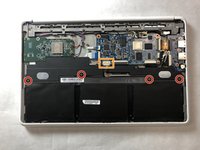
Remove four 3.42mm screws using the Phillips #1 screwdriver.
-
Disconnect the battery from the motherboard.
-
Remove the battery.
-
-
-
Remove four 2.57mm screws using the Phillips #1 screwdriver.
-
Remove single 2.43mm screw using the Phillips #1 screwdriver.
-
-
-
Remove the metal piece along the bottom of the trackpad.
-
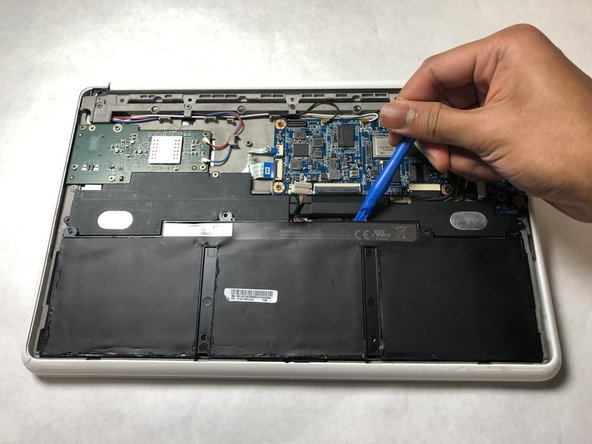
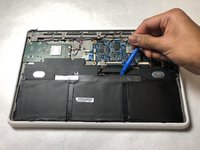
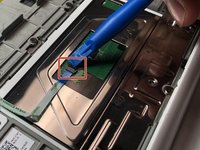
Use the plastic opening tool to carefully flip the black piece on the ribbon cable holder then remove the ribbon cable.
-
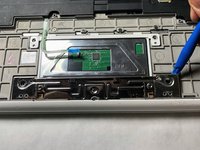
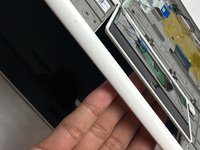
Push the trackpad out from the keyboard side.
-
-




To reassemble your device, follow these instructions in reverse order.

Team

IUPUI, Team S1-G4, Harley Fall 2018 Lid van IUPUI, Team S1-G4, Harley Fall 2018
IUPUI-HARLEY-F18S1G4
3 Leden
24 handleidingen geschreven
