Ga door naar hoofdinhoud

Google Pixel 9a Camera Bezel Installation

Alleen vereisten
Deze gids is alleen bedoeld voor beginners! Deze gids maakt deel uit van een andere procedure en is niet bedoeld om alleen te worden gebruikt.

Wat je nodig hebt

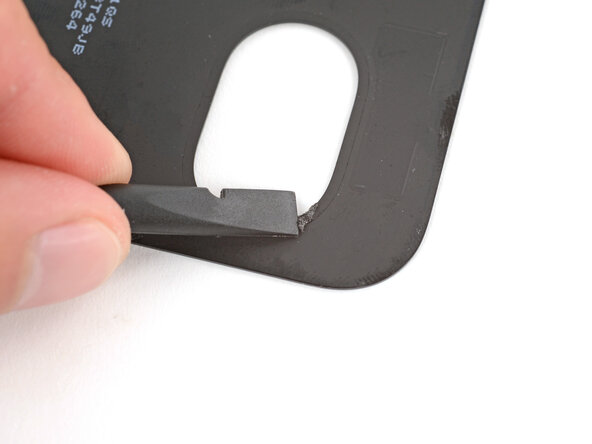
  1. Google Pixel 9a Camera Bezel Installation, Remove the old camera bezel adhesive: stap 1, afbeelding 1 van 2 Google Pixel 9a Camera Bezel Installation, Remove the old camera bezel adhesive: stap 1, afbeelding 2 van 2
    • If the camera bezel detached when removing the rear cover, follow the next five steps to install it. Otherwise, skip down five steps.

    • Use a spudger to scrape up and remove any of the old adhesive from the camera bezel and its corresponding spot on the rear cover.

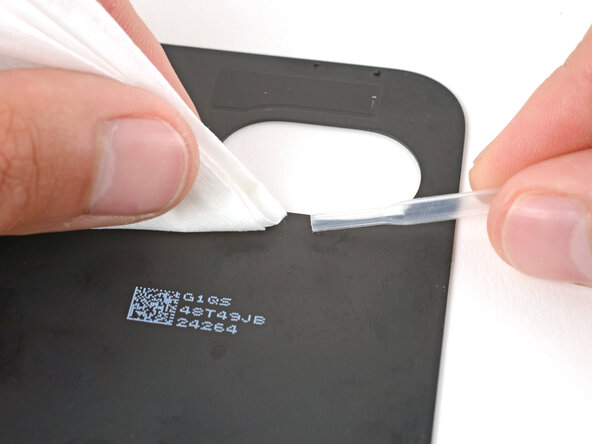
  2. Google Pixel 9a Camera Bezel Installation, Remove the adhesive residue: stap 2, afbeelding 1 van 2 Google Pixel 9a Camera Bezel Installation, Remove the adhesive residue: stap 2, afbeelding 2 van 2
    • Use high-concentration (>90%) isopropyl alcohol and a lint‑free cloth (or coffee filter) to clean up and remove any adhesive residue from the camera bezel and its corresponding spot on the rear cover.

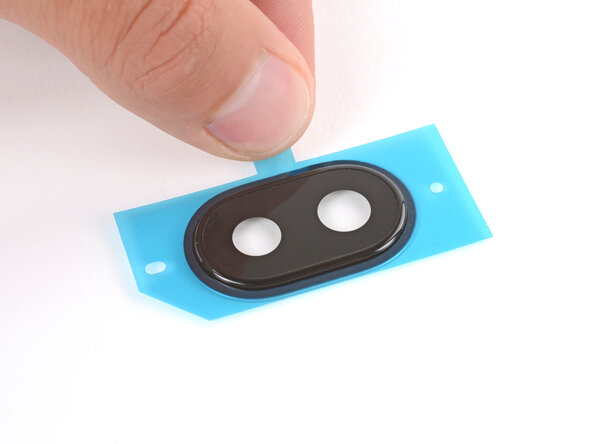
  3. Google Pixel 9a Camera Bezel Installation, Apply the adhesive: stap 3, afbeelding 1 van 2 Google Pixel 9a Camera Bezel Installation, Apply the adhesive: stap 3, afbeelding 2 van 2
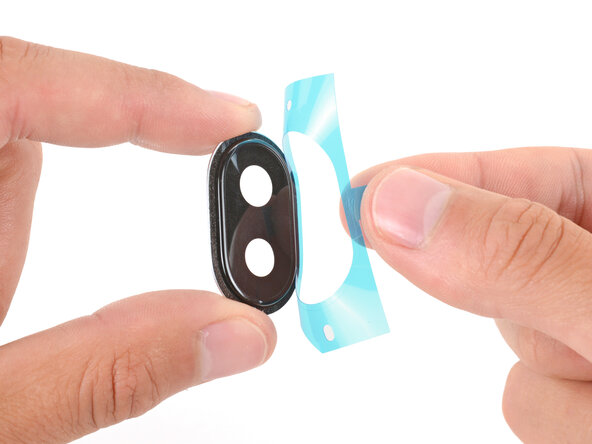
    • Remove the large, clear liner from the camera bezel adhesive.

    • Put the adhesive over the top of the camera bezel and set it in place.

  4. Google Pixel 9a Camera Bezel Installation: stap 4, afbeelding 1 van 3 Google Pixel 9a Camera Bezel Installation: stap 4, afbeelding 2 van 3 Google Pixel 9a Camera Bezel Installation: stap 4, afbeelding 3 van 3
    • Use a spudger to firmly press around the perimeter of the camera bezel to secure the adhesive.

    • Remove the second, colored liner from the camera bezel adhesive.

  5. Google Pixel 9a Camera Bezel Installation, Install the camera bezel: stap 5, afbeelding 1 van 2 Google Pixel 9a Camera Bezel Installation, Install the camera bezel: stap 5, afbeelding 2 van 2
    • Align the camera bezel such that the square foam is closest to the edge.

    • Use your fingers to press the camera bezel into place on the rear cover, squeezing firmly around the perimeter to secure it with the adhesive.

Eindstreep

Spencer Day

Lid sinds: 09/14/22

156.113 Reputatie

1.033 handleidingen geschreven

Team

iFixit Lid van iFixit

Staff

123 Leden

23.829 handleidingen geschreven

0Gids Commentaar

Voeg opmerking toe

Weergavestatistieken:

Afgelopen 24 uren: 1

Afgelopen 7 dagen: 2

Afgelopen 30 dagen: 3

Altijd: 53