Ga door naar hoofdinhoud

Eluktronics N850HK SSD Replacement

Wat je nodig hebt

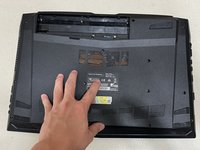
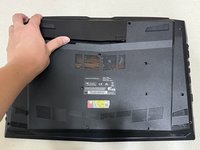
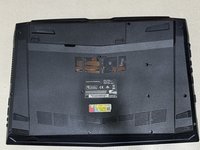
  1. Eluktronics N850HK SSD Replacement, SSD: stap 1, afbeelding 1 van 3 Eluktronics N850HK SSD Replacement, SSD: stap 1, afbeelding 2 van 3 Eluktronics N850HK SSD Replacement, SSD: stap 1, afbeelding 3 van 3
    • Push both switch locks inward to unlock the battery from the bottom panel.

    • The switch on the left must be held in place.

    • Remove the battery from the back of the laptop.

  2. Eluktronics N850HK SSD Replacement: stap 2, afbeelding 1 van 2 Eluktronics N850HK SSD Replacement: stap 2, afbeelding 2 van 2
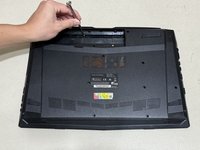
    • Use a Phillips #00 screwdriver to remove the twelve 4 mm screws from the bottom panel of the laptop.

  3. Eluktronics N850HK SSD Replacement: stap 3, afbeelding 1 van 2 Eluktronics N850HK SSD Replacement: stap 3, afbeelding 2 van 2
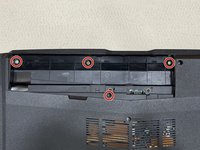
    • Use a Phillips #00 screwdriver to remove the four 3 mm screws located under where the battery usually rests.

    • Do not remove the two additional screws near the bottom screw. These are connected to the motherboard and do not need to be removed.

  4. Eluktronics N850HK SSD Replacement: stap 4, afbeelding 1 van 2 Eluktronics N850HK SSD Replacement: stap 4, afbeelding 2 van 2
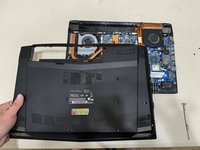
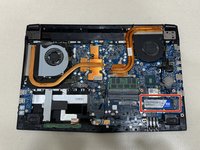
    • Lift the back case off and identify the SSD in the lower right corner.

    • Although the chances of damage are low, it is important to be aware of static electricity in your surroundings when working a computer motherboard. Ground yourself or use an anti-static wrist strap.

  5. Eluktronics N850HK SSD Replacement: stap 5, afbeelding 1 van 3 Eluktronics N850HK SSD Replacement: stap 5, afbeelding 2 van 3 Eluktronics N850HK SSD Replacement: stap 5, afbeelding 3 van 3
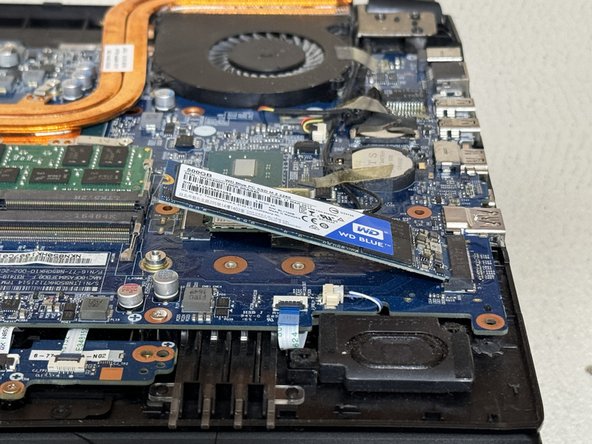
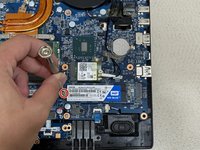
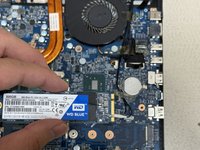
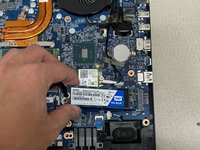
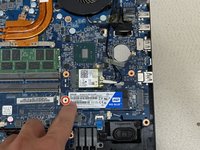
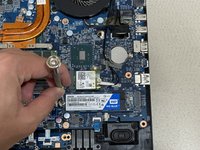
    • Use a Phillips #00 screwdriver to remove 3 mm screw securing the SSD.

    • The SSD will naturally lift by a few millimeters.

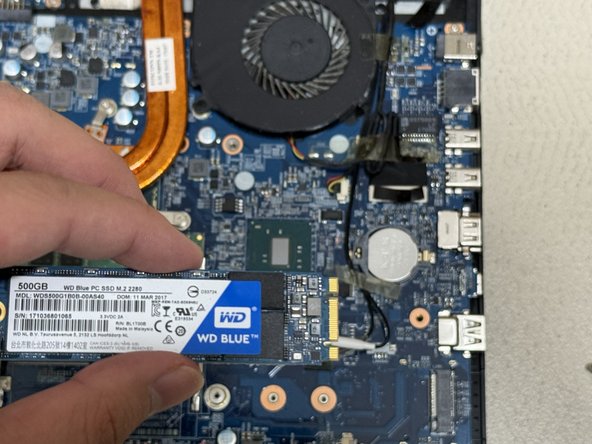
    • Carefully slide the SSD from the M.2 slot.

  6. Eluktronics N850HK SSD Replacement: stap 6, afbeelding 1 van 3 Eluktronics N850HK SSD Replacement: stap 6, afbeelding 2 van 3 Eluktronics N850HK SSD Replacement: stap 6, afbeelding 3 van 3
    • Use the ridges on the right side to align the SSD properly.

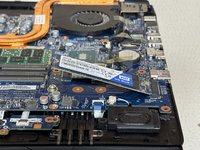
    • Slide the new SSD into the M.2 mounting slot.

    • Use the Phillips #00 screwdriver to replace the 3 mm screw that secures the SSD.

  7. Eluktronics N850HK SSD Replacement: stap 7, afbeelding 1 van 3 Eluktronics N850HK SSD Replacement: stap 7, afbeelding 2 van 3 Eluktronics N850HK SSD Replacement: stap 7, afbeelding 3 van 3
    • Reassemble by following the directions in reverse order.

Conclusie

Alternative models where this guide may still apply:

  • Eluktronics N857HK1
  • Eluktronics N850HP6

4 andere personen hebben deze handleiding voltooid.

Brandon Yuan

Lid sinds: 06/22/24

226 Reputatie

1 Handleiding geschreven

0Gids Commentaar

Voeg opmerking toe

Weergavestatistieken:

Afgelopen 24 uren: 5

Afgelopen 7 dagen: 72

Afgelopen 30 dagen: 371

Altijd: 4,354