Ga door naar hoofdinhoud
Word lid van de reparatiegemeenschap - Account aanmaken

Disassembling Dell OptiPlex FX170 Case

Alleen vereisten
Deze gids is alleen bedoeld voor beginners! Deze gids maakt deel uit van een andere procedure en is niet bedoeld om alleen te worden gebruikt.

Wat je nodig hebt

  1. Disassembling Dell OptiPlex FX170 Case, Case: stap 1, afbeelding 1 van 1
    • With the base stand facing upwards, unscrew the 6mm Phillips #2 screw.

    • Pull the base stand straight up from the device.

  2. Disassembling Dell OptiPlex FX170 Case: stap 2, afbeelding 1 van 2 Disassembling Dell OptiPlex FX170 Case: stap 2, afbeelding 2 van 2
    • Unscrew and remove the eight 4mm Phillips #0 screws (four on top, four on bottom) from the top and bottom of the device.

  3. Disassembling Dell OptiPlex FX170 Case: stap 3, afbeelding 1 van 3 Disassembling Dell OptiPlex FX170 Case: stap 3, afbeelding 2 van 3 Disassembling Dell OptiPlex FX170 Case: stap 3, afbeelding 3 van 3
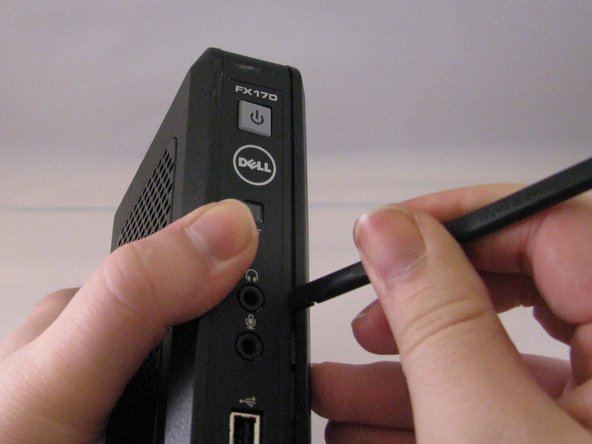
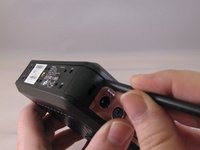
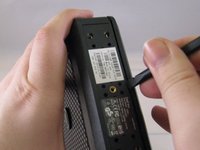
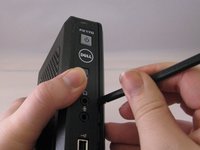
    • Run the flat side of the spudger along the entire line of the case starting from the back where the power plug and a small screw are located.

    • Use care to not apply excessive force that could damage retaining clips while running the spudger along the case.

  4. Disassembling Dell OptiPlex FX170 Case: stap 4, afbeelding 1 van 2 Disassembling Dell OptiPlex FX170 Case: stap 4, afbeelding 2 van 2
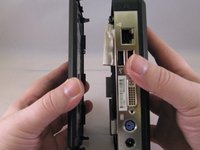
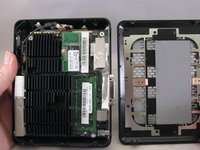
    • Once the clips have been released, gently disengage the cover from the rest of case by pulling in opposite directions.

Conclusie

To reassemble your device, follow these instructions in reverse order.

0Gids Commentaar

Voeg opmerking toe

Weergavestatistieken:

Afgelopen 24 uren: 1

Afgelopen 7 dagen: 7

Afgelopen 30 dagen: 13

Altijd: 93