Ga door naar hoofdinhoud

Dell G3 15 3579 RAM Replacement

Wat je nodig hebt
  1. Dell G3 15 3579  RAM Replacement, RAM: stap 1, afbeelding 1 van 1
    • Make sure the laptop is off.

    • Lay the laptop on its front so the bottom is facing up.

  2. Dell G3 15 3579  RAM Replacement: stap 2, afbeelding 1 van 1
    • Use the Phillips #0 to remove the eight screws (M2.5x6) on the bottom of the laptop.

    • Use the Phillips #0 to loosen the two captive screws (M2.5).

  3. Dell G3 15 3579  RAM Replacement: stap 3, afbeelding 1 van 3 Dell G3 15 3579  RAM Replacement: stap 3, afbeelding 2 van 3 Dell G3 15 3579  RAM Replacement: stap 3, afbeelding 3 van 3
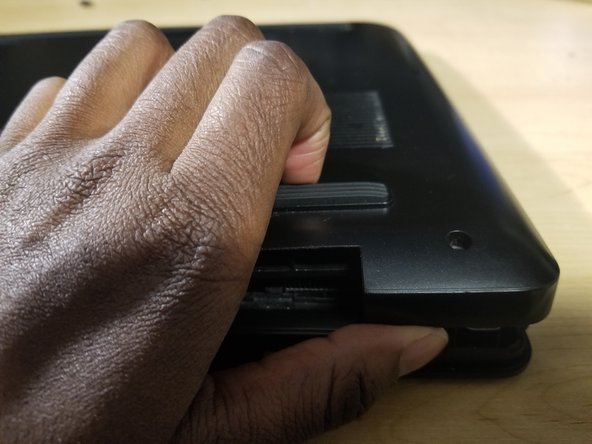
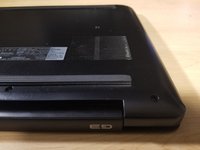
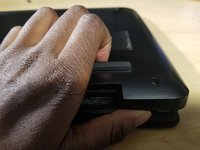
    • Use your hands or an opening tool to gently pry the bottom panel off, starting from the left hinge.

    • Continue prying from the bottom to the right side of the back panel and lift it off.

  4. Dell G3 15 3579  RAM Replacement: stap 4, afbeelding 1 van 2 Dell G3 15 3579  RAM Replacement: stap 4, afbeelding 2 van 2
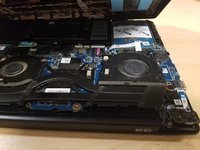
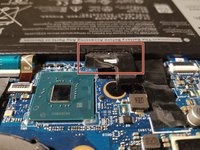
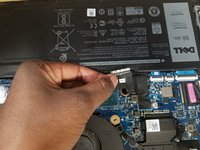
    • Gently unplug the battery connecter from the motherboard.

  5. Dell G3 15 3579  RAM Replacement: stap 5, afbeelding 1 van 3 Dell G3 15 3579  RAM Replacement: stap 5, afbeelding 2 van 3 Dell G3 15 3579  RAM Replacement: stap 5, afbeelding 3 van 3
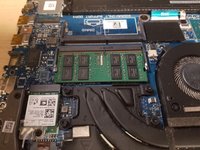
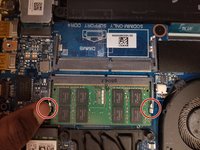
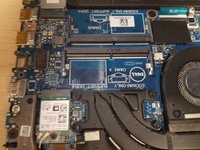
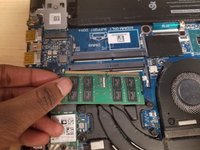
    • Release the tabs on each side of the chip by simultaneously pushing each tab away from the RAM.

    • These tabs lock the chip in place and releasing them will cause the chip to "pop" up.

    • After the RAM chip has popped up, pull it straight out of its socket.

  6. Dell G3 15 3579  RAM Replacement: stap 6, afbeelding 1 van 2 Dell G3 15 3579  RAM Replacement: stap 6, afbeelding 2 van 2
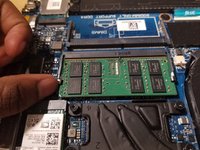
    • Gently align the new RAM with the tab on the slot.

    • Then slide it firmly into the slot at an angle and press the RAM down until it clicks into place.

    • If you do not hear the click, remove the RAM and reinstall it.

  7. Dell G3 15 3579  RAM Replacement: stap 7, afbeelding 1 van 1
    • Align the bottom cover with the slots of the laptop and snap it into place.

    • Tighten the two captive screws (M2.5) to secure the bottom cover.

    • Replace the eight screws (M2.5x6) to secure the bottom cover.

Conclusie

To reassemble your device, follow these instructions in reverse order.

Één andere persoon heeft deze handleiding voltooid.

0Gids Commentaar

Voeg opmerking toe

Weergavestatistieken:

Afgelopen 24 uren: 2

Afgelopen 7 dagen: 19

Afgelopen 30 dagen: 97

Altijd: 5,642