Ga door naar hoofdinhoud
Word lid van de reparatiegemeenschap - Account aanmaken

Casio CZ-1000 Power Switch Replacement

Wat je nodig hebt

  1. Casio CZ-1000 Power Switch Replacement, Backplate: stap 1, afbeelding 1 van 2 Casio CZ-1000 Power Switch Replacement, Backplate: stap 1, afbeelding 2 van 2
    • Use a Phillips #1 screwdriver to remove the eleven 7.5 mm screws securing the back plate.

  2. Casio CZ-1000 Power Switch Replacement: stap 2, afbeelding 1 van 3 Casio CZ-1000 Power Switch Replacement: stap 2, afbeelding 2 van 3 Casio CZ-1000 Power Switch Replacement: stap 2, afbeelding 3 van 3
    • Using a Phillips #1 screwdriver, remove all 14 5.5 mm screws from the two motherboards.

    • These screws secure the motherboards to the keyboard assembly and the dial on the right side.

  3. Casio CZ-1000 Power Switch Replacement: stap 3, afbeelding 1 van 3 Casio CZ-1000 Power Switch Replacement: stap 3, afbeelding 2 van 3 Casio CZ-1000 Power Switch Replacement: stap 3, afbeelding 3 van 3
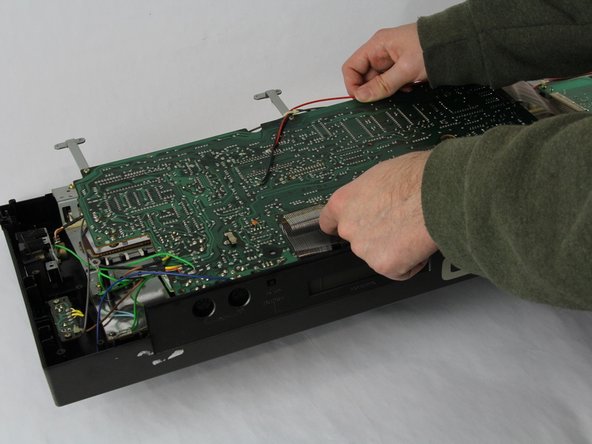
    • Carefully cut the zip tie located in the right-hand corner using a pair of scissors or wire cutters.

    • Be sure to avoid cutting any nearby wires or components.

    • Gently slide all the plugs out of their sockets.

    • This will prevent them from catching on anything or damaging the connectors as you lift.

  4. Casio CZ-1000 Power Switch Replacement, Power Switch: stap 4, afbeelding 1 van 1
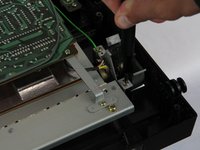
    • Remove the two 5.5 mm screws holding the power switch to the case using a Phillips #1 screwdriver.

  5. Casio CZ-1000 Power Switch Replacement: stap 5, afbeelding 1 van 3 Casio CZ-1000 Power Switch Replacement: stap 5, afbeelding 2 van 3 Casio CZ-1000 Power Switch Replacement: stap 5, afbeelding 3 van 3
    • Heat the soldering iron and use a desoldering braid or pump to remove the solder from the pins of the old switch.

    • Once the solder is removed, gently pull the old switch out of its place.

    • If the replacement switch doesn’t have pre-attached leads, you’ll need to solder wires to it. If it has leads, align them with the matching holes on the PCB where the old switch was connected.

    • Position the new switch in place, ensuring the leads align correctly with the pads on the PCB. Solder the leads securely, using just enough solder to create a strong connection without any excess that might cause shorts.

Conclusie

To reassemble your device, follow these instructions in reverse order.

Luke Farmer

Lid sinds: 11/05/24

235 Reputatie

1 Handleiding geschreven

Team

Cuesta, Team 60-3, Krynen Fall 2024 Lid van Cuesta, Team 60-3, Krynen Fall 2024

CUESTA-KRYNEN-F24S60G3

4 Leden

5 handleidingen geschreven

0Gids Commentaar

Voeg opmerking toe

Weergavestatistieken:

Afgelopen 24 uren: 2

Afgelopen 7 dagen: 4

Afgelopen 30 dagen: 20

Altijd: 237