Ga door naar hoofdinhoud
Word lid van de reparatiegemeenschap - Account aanmaken
Blink Video Doorbell Daughterboard Replacement

Wat je nodig hebt

    1. Blink Video Doorbell Daughterboard Replacement, Battery: stap 1, afbeelding 1 van 3 Blink Video Doorbell Daughterboard Replacement, Battery: stap 1, afbeelding 2 van 3 Blink Video Doorbell Daughterboard Replacement, Battery: stap 1, afbeelding 3 van 3
      • Push the opening key into the small opening with the two gray buttons on the bottom of the device.

      • The device will click off the mount.

      • Push the device up from the mount and slide it off.

      Vraag FixBot

      Voeg opmerking toe

    2. Blink Video Doorbell Daughterboard Replacement: stap 2, afbeelding 1 van 3 Blink Video Doorbell Daughterboard Replacement: stap 2, afbeelding 2 van 3 Blink Video Doorbell Daughterboard Replacement: stap 2, afbeelding 3 van 3
      • Use your finger to slide the gray tab, located near the bottom of the device, upwards.

      • Remove the battery cover.

      Vraag FixBot

      Voeg opmerking toe

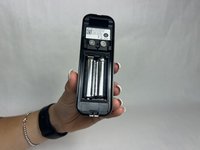
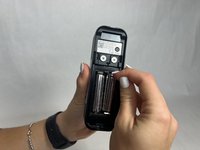
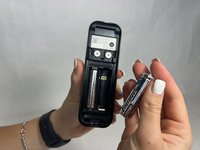
    3. Blink Video Doorbell Daughterboard Replacement: stap 3, afbeelding 1 van 3 Blink Video Doorbell Daughterboard Replacement: stap 3, afbeelding 2 van 3 Blink Video Doorbell Daughterboard Replacement: stap 3, afbeelding 3 van 3
      • Remove the right battery by pushing the positive end down and pulling the battery out toward yourself.

      • Repeat the procedure for the left battery.

      • Do not mix used and new batteries or batteries of different types (for example, lithium and alkaline batteries).

      Vraag FixBot

      Voeg opmerking toe

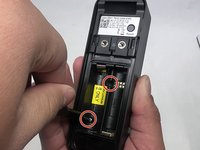
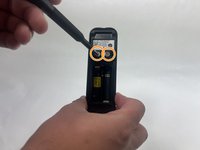
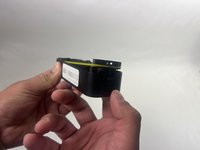
    1. Blink Video Doorbell Daughterboard Replacement, Back Panel: stap 4, afbeelding 1 van 3 Blink Video Doorbell Daughterboard Replacement, Back Panel: stap 4, afbeelding 2 van 3 Blink Video Doorbell Daughterboard Replacement, Back Panel: stap 4, afbeelding 3 van 3
      • Remove the two 6 mm screws in the battery compartment using a JIS #1 screwdriver.

      • Remove the two 7 mm screws above the battery compartment using a JIS #1 screwdriver.

      • Starting from the bottom of the device, pry the back plate away from the rest of the doorbell.

      Vraag FixBot

      Voeg opmerking toe

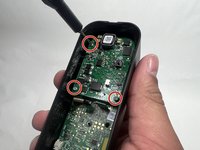
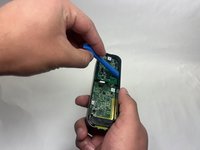
    1. Blink Video Doorbell Daughterboard Replacement, Lens: stap 5, afbeelding 1 van 3 Blink Video Doorbell Daughterboard Replacement, Lens: stap 5, afbeelding 2 van 3 Blink Video Doorbell Daughterboard Replacement, Lens: stap 5, afbeelding 3 van 3
      • Remove the three 6 mm screws from the upper part of the motherboard using a JIS #1 screwdriver.

      • Use an opening tool to release the motherboard from the device.

      Vraag FixBot

      Voeg opmerking toe

    2. Blink Video Doorbell Daughterboard Replacement: stap 6, afbeelding 1 van 2 Blink Video Doorbell Daughterboard Replacement: stap 6, afbeelding 2 van 2
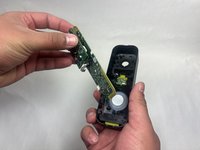
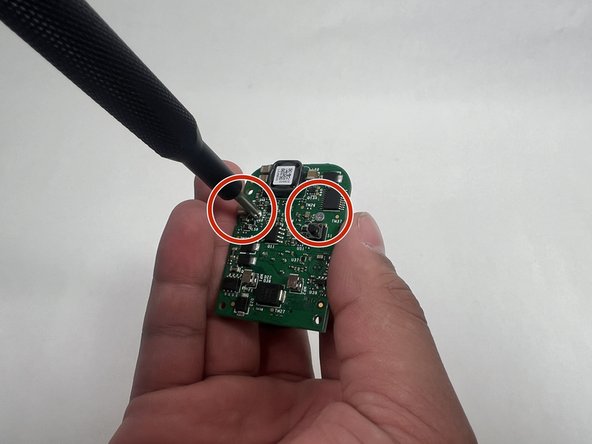
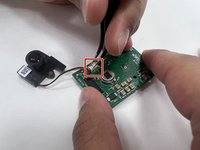
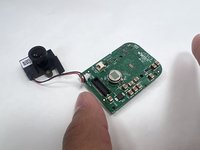
      • Carefully lift up the small daughterboard which contains the camera.

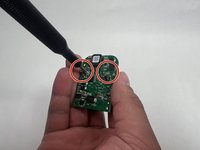
      • Remove two 5 mm screws from the back of the camera using a Phillips #0 screwdriver.

      Vraag FixBot

      Voeg opmerking toe

    3. Blink Video Doorbell Daughterboard Replacement: stap 7, afbeelding 1 van 2 Blink Video Doorbell Daughterboard Replacement: stap 7, afbeelding 2 van 2
      • Use tweezers to detach the white connector from the adapter on the motherboard.

      • Remove the lens.

      Vraag FixBot

      Voeg opmerking toe

    1. Blink Video Doorbell Daughterboard Replacement, Daughterboard: stap 8, afbeelding 1 van 1
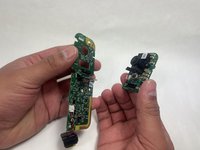
      • After removing the lens, you are left with the daughterboard.

      Vraag FixBot

      Voeg opmerking toe

Conclusie

To reassemble your device, follow these instructions in reverse order.

Annuleren: ik heb deze handleiding niet afgemaakt.

Kayla Crai

Lid sinds: 10/18/24

510 Reputatie

4 handleidingen geschreven

Team

UMass Dartmouth, Team 1-1, Konn Fall 2024 Lid van UMass Dartmouth, Team 1-1, Konn Fall 2024

UMASSD-KONN-F24S1G1

4 Leden

5 handleidingen geschreven

0Gids Commentaar

Voeg opmerking toe

Weergavestatistieken:

Afgelopen 24 uren: 0

Afgelopen 7 dagen: 6

Afgelopen 30 dagen: 31

Altijd: 585