Ga door naar hoofdinhoud
Word lid van de reparatiegemeenschap - Account aanmaken
Battery Disconnect

Alleen vereisten
Deze gids is alleen bedoeld voor beginners! Deze gids maakt deel uit van een andere procedure en is niet bedoeld om alleen te worden gebruikt.

Wat je nodig hebt

  1. Battery Disconnect, Safety precautions: stap 1, afbeelding 1 van 2 Battery Disconnect, Safety precautions: stap 1, afbeelding 2 van 2
    • Let your Pixel's battery drain below 25% before starting this repair. A charged lithium‑ion battery may catch fire if damaged.

    • Unplug all cables and completely power down your phone.

  2. Battery Disconnect, Adhesive information: stap 2, afbeelding 1 van 3 Battery Disconnect, Adhesive information: stap 2, afbeelding 2 van 3 Battery Disconnect, Adhesive information: stap 2, afbeelding 3 van 3
    • Adhesive secures the perimeter of the rear cover to the frame.

    • When separating the adhesive, don't insert your tool more than 3 mm under the rear cover to avoid damaging the internal components.

    • Measure 3 mm from the tip and mark your opening pick with a permanent marker. Alternatively, you can tape a coin to a pick 3 mm from the tip.

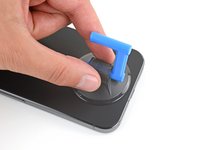
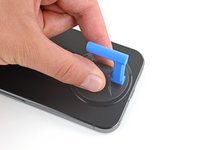
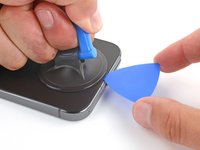
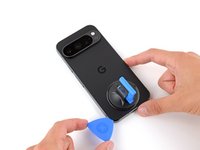
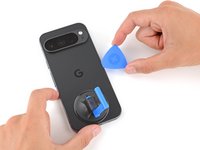
  3. Battery Disconnect, Apply a suction handle: stap 3, afbeelding 1 van 2 Battery Disconnect, Apply a suction handle: stap 3, afbeelding 2 van 2
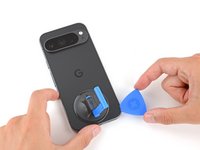
    • Attach a suction handle to the bottom edge of the rear cover, as close to the edge as possible.

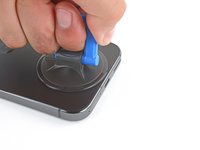
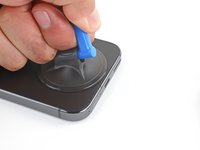
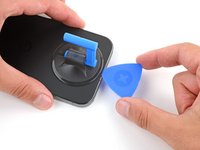
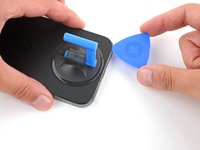
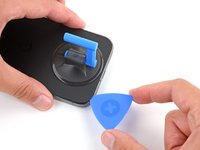
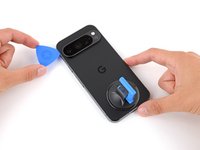
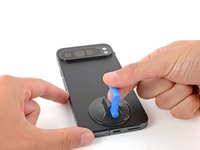
  4. Battery Disconnect, Insert an opening pick: stap 4, afbeelding 1 van 3 Battery Disconnect, Insert an opening pick: stap 4, afbeelding 2 van 3 Battery Disconnect, Insert an opening pick: stap 4, afbeelding 3 van 3
    • Pull up on the suction handle with strong, steady force to create a small gap under the rear cover.

    • Insert the tip of an opening pick in the gap.

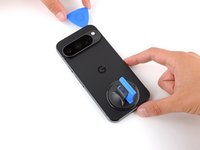
  5. Battery Disconnect, Separate the rear cover adhesive: stap 5, afbeelding 1 van 3 Battery Disconnect, Separate the rear cover adhesive: stap 5, afbeelding 2 van 3 Battery Disconnect, Separate the rear cover adhesive: stap 5, afbeelding 3 van 3
    • Slide your opening pick along the bottom edge to separate the adhesive securing it.

    • Remember: don't insert the opening pick deeper than 3 mm.

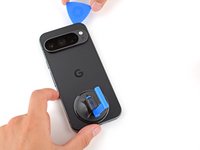
  6. Battery Disconnect: stap 6, afbeelding 1 van 3 Battery Disconnect: stap 6, afbeelding 2 van 3 Battery Disconnect: stap 6, afbeelding 3 van 3
    • Slide your opening pick up the left edge and along the top edge to separate the adhesive.

  7. Battery Disconnect: stap 7, afbeelding 1 van 3 Battery Disconnect: stap 7, afbeelding 2 van 3 Battery Disconnect: stap 7, afbeelding 3 van 3
    • Slide your pick down the right edge to separate the remaining adhesive.

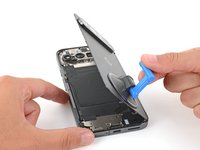
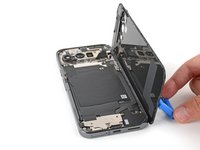
  8. Battery Disconnect, Prop up the rear cover: stap 8, afbeelding 1 van 3 Battery Disconnect, Prop up the rear cover: stap 8, afbeelding 2 van 3 Battery Disconnect, Prop up the rear cover: stap 8, afbeelding 3 van 3
    • Don't try to fully remove the rear cover yet, as a ribbon cable on the right edge connects it to the phone.

    • Use the suction handle to lift the left edge of the rear cover and swing it over the right edge, like opening the cover of a book.

    • If you're having trouble, check the perimeter for any remaining adhesive and use your opening pick to separate it.

    • Prop up the rear cover with the suction handle so you can access the ribbon cable near the top right corner.

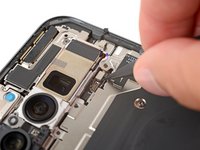
  9. Battery Disconnect, Remove the cable cover: stap 9, afbeelding 1 van 2 Battery Disconnect, Remove the cable cover: stap 9, afbeelding 2 van 2
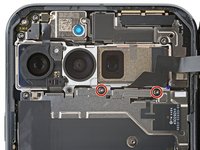
    • Use a Torx Plus 3IP screwdriver to remove the two 5.2 mm‑long screws securing the cable cover.

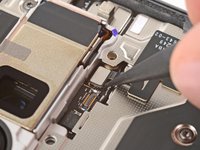
  10. Battery Disconnect: stap 10, afbeelding 1 van 2 Battery Disconnect: stap 10, afbeelding 2 van 2
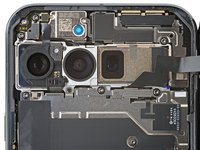
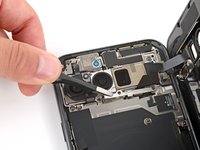
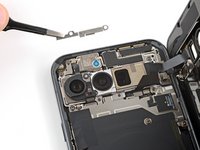
    • Use tweezers or your fingers to remove the cable cover.

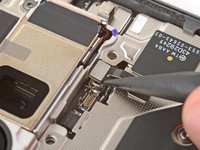
  11. Battery Disconnect, Disconnect the rear cover: stap 11, afbeelding 1 van 3 Battery Disconnect, Disconnect the rear cover: stap 11, afbeelding 2 van 3 Battery Disconnect, Disconnect the rear cover: stap 11, afbeelding 3 van 3
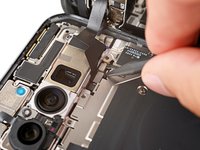
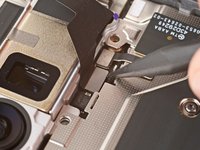
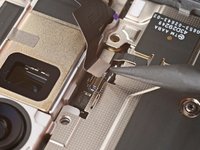
    • Use the point of a spudger to pry up and disconnect the rear cover press connector.

  12. Battery Disconnect, Remove the rear cover: stap 12, afbeelding 1 van 1
    • Remove the rear cover.

    • During reassembly, follow this guide to apply new adhesive and install your back cover.

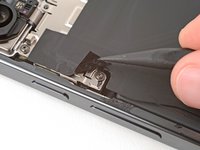
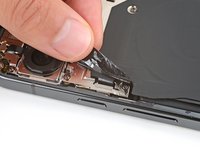
  13. Battery Disconnect, Peel up the cable cover tape: stap 13, afbeelding 1 van 3 Battery Disconnect, Peel up the cable cover tape: stap 13, afbeelding 2 van 3 Battery Disconnect, Peel up the cable cover tape: stap 13, afbeelding 3 van 3
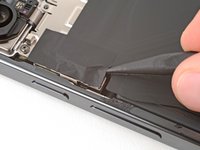
    • Use the tip of a spudger and your fingers to peel up the piece of tape near the left edge of your phone, enough that you can access the bracket and screws underneath.

    • You can completely remove the tape if you want, but be sure to keep it for reassembly.

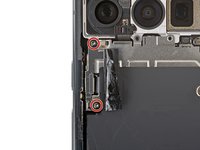
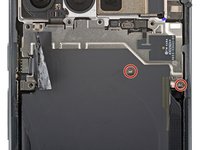
  14. Battery Disconnect, Remove the cable cover: stap 14, afbeelding 1 van 2 Battery Disconnect, Remove the cable cover: stap 14, afbeelding 2 van 2
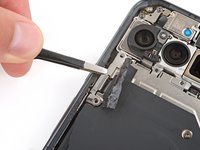
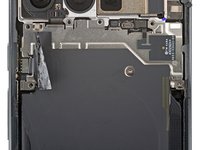
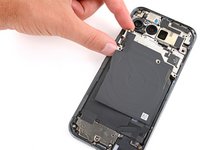
    • Use a Torx Plus 3IP screwdriver to remove the two 5.2 mm‑long screws securing the wireless charging cable cover.

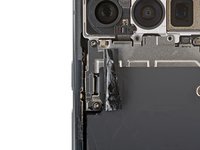
  15. Battery Disconnect: stap 15, afbeelding 1 van 2 Battery Disconnect: stap 15, afbeelding 2 van 2
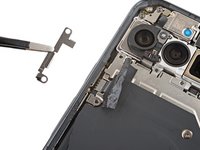
    • Use tweezers or your fingers to remove the cover.

  16. Battery Disconnect, Disconnect the wireless charging assembly: stap 16, afbeelding 1 van 2 Battery Disconnect, Disconnect the wireless charging assembly: stap 16, afbeelding 2 van 2
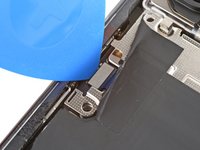
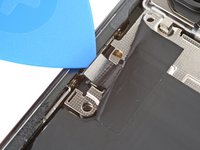
    • Use the tip of an opening pick to pry up and disconnect the wireless charging press‑connector.

  17. Battery Disconnect: stap 17, afbeelding 1 van 3 Battery Disconnect: stap 17, afbeelding 2 van 3 Battery Disconnect: stap 17, afbeelding 3 van 3
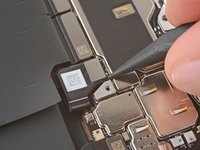
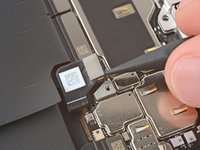
    • Use the point of a spudger to pry up and disconnect the ultra‑wideband press connector.

  18. Battery Disconnect, Remove the wireless charging assembly screws: stap 18, afbeelding 1 van 2 Battery Disconnect, Remove the wireless charging assembly screws: stap 18, afbeelding 2 van 2
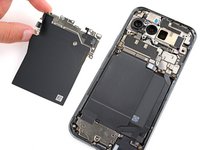
    • Use a Torx Plus 3IP screwdriver to remove the two 2.2 mm‑long screw securing the wireless charging assembly.

  19. Battery Disconnect, Remove the wireless charging assembly: stap 19, afbeelding 1 van 2 Battery Disconnect, Remove the wireless charging assembly: stap 19, afbeelding 2 van 2
    • Remove the wireless charging assembly.

  20. Battery Disconnect, Disconnect the battery: stap 20, afbeelding 1 van 3 Battery Disconnect, Disconnect the battery: stap 20, afbeelding 2 van 3 Battery Disconnect, Disconnect the battery: stap 20, afbeelding 3 van 3
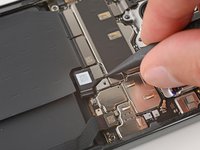
    • Use a spudger to pry up and disconnect the battery press connector.

Eindstreep

Spencer Day

Lid sinds: 09/14/22

158.609 Reputatie

1.043 handleidingen geschreven

Team

iFixit Lid van iFixit

Staff

123 Leden

23.899 handleidingen geschreven

0Gids Commentaar

Voeg opmerking toe

Weergavestatistieken:

Afgelopen 24 uren: 0

Afgelopen 7 dagen: 4

Afgelopen 30 dagen: 8

Altijd: 55