Ga door naar hoofdinhoud

Apple Magic Keyboard Disassembly

Gearchiveerde handleiding
Deze handleiding wordt enkel nog bijgehouden voor historische doeleinden. Gebruik de laatste versie van deze gids om uw reparatie uit te voeren.
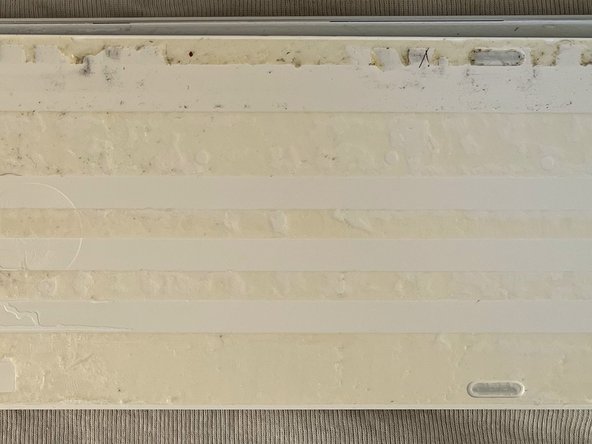
    • For opening the Magic Keyboard with with Numeric Keypad you need to remove the back..

  1. Apple Magic Keyboard Disassembly: stap 2, afbeelding 1 van 2 Apple Magic Keyboard Disassembly: stap 2, afbeelding 2 van 2
    • For opening I recommend to use a sharp knife to cut the glue. I could cut less than a mm at once, so you have to do it many times and be careful!

    • Please note that the plastic is not acid resistant.. so don't try to have a good idea like me to use Aceton... :/

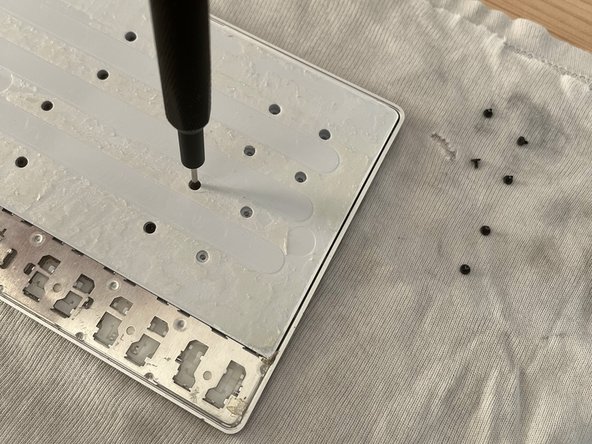
  2. Apple Magic Keyboard Disassembly: stap 3, afbeelding 1 van 3 Apple Magic Keyboard Disassembly: stap 3, afbeelding 2 van 3 Apple Magic Keyboard Disassembly: stap 3, afbeelding 3 van 3
    • After that you will find some screws.. 33 :)

    • They are all identical, so do not worry about mixing them up.

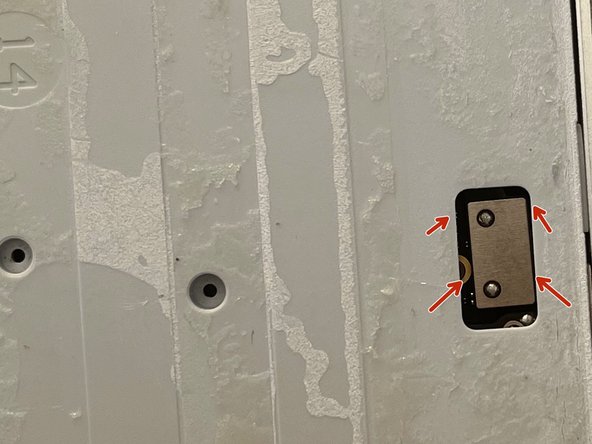
  3. Apple Magic Keyboard Disassembly: stap 4, afbeelding 1 van 2 Apple Magic Keyboard Disassembly: stap 4, afbeelding 2 van 2
    • Finally you can solvate it

    • But do not remove it, because the battery is still connected!

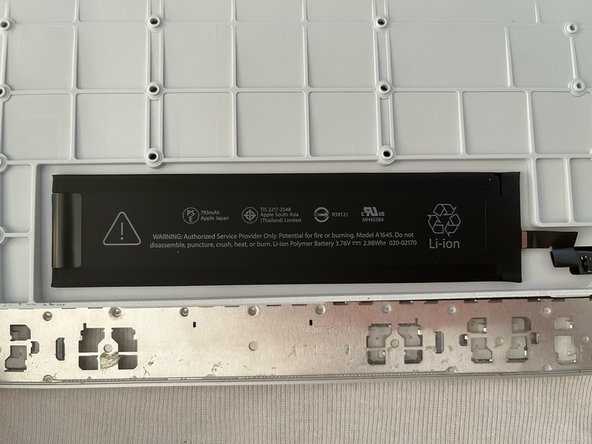
  4. Apple Magic Keyboard Disassembly: stap 5, afbeelding 1 van 2 Apple Magic Keyboard Disassembly: stap 5, afbeelding 2 van 2
    • Oh what for a sweet battery..

    • 793mAh.. 3.76V Model: A1645

    • So.. Apple makes it very easy to swap the battery buuut.. it's honestly not such a great deal :D

  5. Apple Magic Keyboard Disassembly: stap 6, afbeelding 1 van 2 Apple Magic Keyboard Disassembly: stap 6, afbeelding 2 van 2
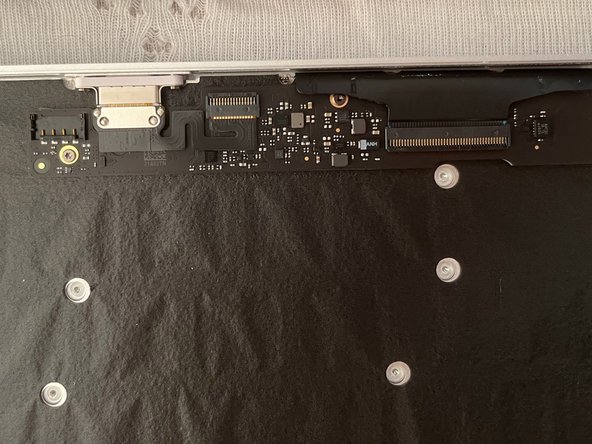
    • Nice lightning connector.. but it's not that spectacular..

  6. Apple Magic Keyboard Disassembly: stap 7, afbeelding 1 van 2 Apple Magic Keyboard Disassembly: stap 7, afbeelding 2 van 2
    • This plastic film has not really a function.. probably Apple engineers found it funny to ad it..

  7. Apple Magic Keyboard Disassembly: stap 8, afbeelding 1 van 1
    • Here we are at the end..

    • I do understand now why this keyboard has a high price.. I never saw in a keyboard 42 screws!! (Update: I found one more: 43 in total)

    • Honestly.. I was only curious to see what's inside.. I mean that's so Apple...

Conclusie

Per rimontare il dispositivo, segui queste istruzioni in ordine inverso.

Nils

Lid sinds: 12/26/16

340 Reputatie

2 handleidingen geschreven

0Gids Commentaar

Voeg opmerking toe

Weergavestatistieken:

Afgelopen 24 uren: 0

Afgelopen 7 dagen: 0

Afgelopen 30 dagen: 3

Altijd: 63