Inleiding
Removing the front plate of your Amazon Luna Controller is a crucial first step if you need to replace a damaged front plate or access internal components for repairs. Before you begin, ensure your controller is powered off to prevent accidental damage.
Wat je nodig hebt
-
-
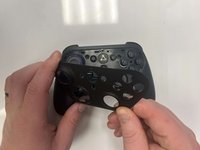
Flip the controller over to its front and locate the seam where the front plate connects to the rest of the body.
-
-


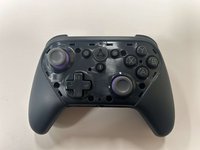
To reassemble your device, follow these instructions in reverse order.
Annuleren: ik heb deze handleiding niet afgemaakt.
Één andere persoon heeft deze handleiding voltooid.


Team

Western Carolina University, Team 1-4, Virtue Fall 2024 Lid van Western Carolina University, Team 1-4, Virtue Fall 2024
WCU-VIRTUE-F24S1G4
3 Leden
5 handleidingen geschreven
