Inleiding
If your Alienware X51 disc drive is damaged or broken, it's crucial to replace it promptly to ensure uninterrupted performance. The replacement process should be straightforward, allowing you to resume using your Alienware X51 quickly. The disc drive is essential for reading and accessing discs, and when malfunctioning, it can lead to various symptoms such as difficulty reading discs or complete failure to function. Refer to our troubleshooting guide for detailed assistance in diagnosing and addressing these issues effectively.
Wat je nodig hebt
-
-
Place the PC so the name "Alienware" is on top and facing you.
-
Slide the front panel towards you and lift up.
-
-


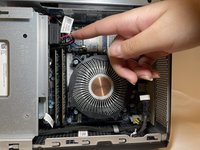
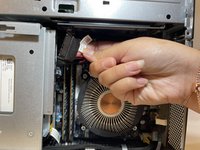

To reassemble your device, follow these instructions in reverse order.
Annuleren: ik heb deze handleiding niet afgemaakt.
Één andere persoon heeft deze handleiding voltooid.


Team

Eastern Washington University, Team 1-2, Carnegie Fall 2023 Lid van Eastern Washington University, Team 1-2, Carnegie Fall 2023
EWU-CARNEGIE-F23S1G2
4 Leden
7 handleidingen geschreven
