Ga door naar hoofdinhoud
Sluit je aan bij de reparatiegemeenschap! Maak een account aan

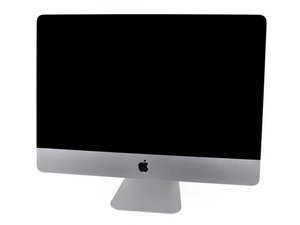
Model A1311 / Mid 2010 / 3,06 & 3,2 GHz Core i3 of 3,6 GHz Core i5-processor

LED #4 Off With Replacement Display, Need Advice on Cable/Connector

Afbeelding
Afbeelding
Afbeelding
Afbeelding
Afbeelding
Afbeelding
Afbeelding

Hi everyone,

I'm working on restoring my Mid 2010 21.5" iMac (Model A1311), which is a very meaningful family heirloom from my grandfather.

I initially opened it up for an SSD/RAM upgrade. After the original display stayed black, I bought a replacement display panel (got a great deal for €20) and installed it, but I'm still running into the exact same issue.

Here is my current situation:

Diagnostic LEDs: LEDs 1, 2, and 3 are all lit up solid, but LED #4 remains completely OFF, which points directly to a missing display communication/video signal.

Current Setup: I am using the new replacement display, but I am struggling to get the LVDS cable properly seated into the socket on the logic board.

I have attached pictures of the connector and the board. Could you please help me figure out:

1. Does the connector, cable, or logic board socket look damaged in any of these photos?

2. If there is no visible damage, what am I doing wrong when plugging it in, and how do I properly align and insert this cable without damaging the pins?

Any help would be greatly appreciated!

Beantwoord deze vraag Dit probleem heb ik ook

Is dit een goede vraag?

Score 0
Voeg een opmerking toe

1 Antwoord

Filteren op:

Sadly both look in trouble😣

You might get away replacing just the cable but you will need to carefully bend back the snap catches as they have been bent preventing the cable from holding (these are very easy to snap). The logic board connector looks warped a bit but that could be the image angle. Place a straight edge across without pressing it along the length. The cable tang is clearly damaged do make sure the socket is clean before you attempt to plug in the new cable.

Was dit antwoord nuttig?

Score 0

6 opmerkingen:

Thank you so much for the detailed answer and your helpful feedback!

Just to make sure I understood correctly: when you mentioned having to carefully bend back the snap catches, did you mean on my current damaged cable or on the logic board connector itself?

I will check the logic board connector with a straight edge over the next few days like you suggested.

Since I’m a total beginner and this iMac is really important to me, I’m terrified of damaging anything further. Provided the socket is clean and intact, do you think simply replacing the cable with a new one will solve the issue on its own, or would you recommend taking it to a professional repair shop to be safe?

Thanks again for taking the time to help me out!

door Deel

@jmgmmm - The detention catches are on the logic board connector. If look look at the cable connector ends you can see a little depression that the LB connector grabs. It's these two tabs where are bent outward so the cable end is not held.

It's worth it just to replace the cable if the LB connector is not damaged which the straight edge will tell you and you don't snap the tabs off.

Otherwise the proper repair is replacing the LB connector which will require someone with good micro-soldering skills and the needed part,

door Deel

Hi @danj , I took some close-up photos from different angles. It was tight, but I used the straight edge of a highlighter to check, and to me, the socket looks straight and flush on the board. I've attached the pictures for you to take a look.

door Deel

@jmgmmm - do you have some index cards? Cut one so it sits on top with some hangover. The left side looks a bit high.

You need to realize the gap between the cable tang and the socket contacts is very little here. If you took two stacked index cards would be the max space for the connection fit, it's that tight!

Even still give the replacement cable a try! Maybe it will be enough.

door Deel

@danj Thanks again! I just ordered a replacement LVDS cable, but it will take about 2 weeks to arrive. I’ll update you as soon as it gets here.

One question in advance: How should I clean the socket contacts properly? Also, what tool should I use to bend the snap catches back out and how do I best go about doing that?

door Deel

1 commentaar meer tonen

Voeg een opmerking toe

Voeg je antwoord toe

jmgm zal eeuwig dankbaar zijn.
Weergavestatistieken:

Afgelopen 24 uren: 5

Afgelopen 7 dagen: 6

Afgelopen 30 dagen: 19

Altijd: 109